
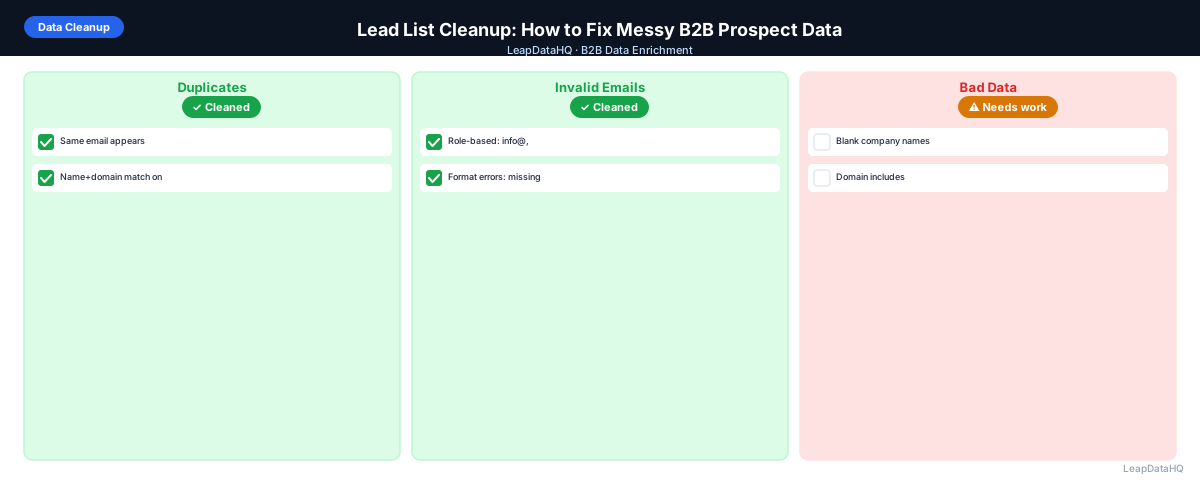
Lead list cleanup is the process of taking a raw, messy spreadsheet of B2B contacts and transforming it into a structured, accurate, and outreach-ready dataset. If you have ever worked with a prospect list exported from a CRM, downloaded from LinkedIn, or compiled from business cards collected at a conference, you know the common problems: duplicate entries, inconsistent formatting, missing email addresses, and outdated information.
Most B2B sales teams start their outreach campaigns with data that is not ready for use. Raw prospect lists contain duplicates, formatting errors, placeholder entries, and missing critical fields. Sending outreach based on this data leads to high bounce rates, poor deliverability, and wasted sales time. Lead list cleanup addresses these issues before they affect your campaigns.
This guide covers the complete lead list cleanup workflow: identifying and removing duplicates, standardizing company names and job titles, fixing formatting errors, enriching missing contact fields, and verifying email addresses before outreach.
The goal is simple: take a messy spreadsheet and turn it into clean, verified, segmented contact data that your sales team can use immediately. Lists that go through a proper cleanup workflow produce higher reply rates, lower bounce rates, and more predictable campaign results.
Why Lead List Cleanup Matters for B2B Outreach
Lead list cleanup directly affects your outreach performance. Sending emails to duplicate contacts wastes budget and risks annoying prospects who receive the same message twice. Inconsistent formatting makes personalization variables look sloppy — a template that uses company name breaks when the field contains messy text.
Beyond the obvious issues, cleanup also affects your sender reputation. Email providers track bounce rates. If your list contains invalid addresses that bounce, your domain gets flagged. Clean data keeps bounce rates below the 2-3% threshold that triggers deliverability issues.
Cleanup also saves your sales team time. SDRs working with clean data spend their time on actual selling activities instead of hunting down correct email addresses or figuring out what company a contact works for. The ROI of cleanup time is paid back many times over in improved campaign performance.
Common Problems in B2B Prospect Lists
Before you start cleanup, understand the types of issues you will encounter. B2B prospect lists typically contain these common data quality problems:
Duplicate Records
The same contact appears multiple times in your list, often with slight variations. Duplicates cause double outreach, waste credits, and inflate your list size. Deduplication is the first and most important cleanup step.
Inconsistent Formatting
Company names appear in different formats: different capitalization, legal suffixes, and punctuation. Job titles use inconsistent casing and abbreviations. First names include middle initials or embedded job titles.
Missing Data
Key fields are left blank — no email address, no phone number, no job title, no company domain. The list may have names but no way to contact the person.
Invalid Data
Placeholder emails like info@ or noreply@ are used instead of personal email addresses. Phone numbers are missing country codes. Domains include http:// prefixes or path components that break enrichment lookups.
Outdated Information
Contacts who have changed jobs, companies that have been acquired, domains that no longer resolve. B2B contact data decays at approximately 2-3% per month.
Step 1: Remove Duplicate Entries
Start your cleanup by removing duplicates. The most reliable approach is to deduplicate by email address if you have one, or by company domain plus contact name combination. In Excel or Google Sheets, use the Remove Duplicates function on your primary key column.
After deduplication, check that you have not removed legitimate records that happen to share a domain but are different contacts at the same company. Dedup by full email address is safest; dedup by domain alone will collapse all contacts at the same company into one row.
Step 2: Standardize Company Names and Domains
Ready to enrich your CSV list?
Upload a CSV, fill missing data, review confidence scores, and export clean records.
Upload a CSV — Start EnrichingStandardize company names by removing legal suffixes like Inc., LLC, Corp., Ltd., and trimming extra spaces. This ensures your personalization variables look natural in email templates and improves enrichment match rates.
Clean all domain entries by removing http://, https://, www. prefixes, and trailing slashes or paths. A clean domain is the most reliable lookup key for enrichment tools. Inconsistent domains produce inconsistent enrichment results.
Step 3: Fix Contact Name Formatting
Standardize first name and last name columns. Remove middle initials from first name fields. Capitalize names correctly — john becomes John. If your list has a combined Full Name column, split it into separate first and last name columns for better personalization.
Step 4: Remove Invalid Entries
Delete rows with clearly invalid or placeholder data. Remove role-based emails like info@, support@, sales@, admin@, noreply@. Remove rows where key fields are completely blank.
Step 5: Enrich Missing Contact Fields
After cleaning your list structure, enrich the missing fields. Upload your cleaned CSV to an enrichment tool, map your columns, and run the enrichment process. Review the confidence scores on your enriched results before importing.
Step 6: Verify Email Deliverability
Before using your cleaned and enriched list for outreach, verify email deliverability. Run your list through an email verification tool that checks whether each mailbox exists and can receive mail. Remove invalid addresses and flag catch-all domains as high-risk.
Step 7: Segment Your Cleaned List
With a clean, complete, verified list, segment your contacts for targeted outreach. Use the enriched fields — company size, industry, job title, seniority level — to build focused segments that receive tailored messaging.
Common Lead List Cleanup Mistakes
- Cleaning without enriching: Removing duplicates and fixing formatting does not fill missing data fields. Clean first, then enrich to get complete records.
- Over-deduplicating: Removing rows that share a domain but are different contacts at the same company. Dedup by full email address, not by domain alone.
- Skipping email verification: A cleaned and enriched list still needs verification. Enriched emails may look valid but point to closed or inactive mailboxes.
- Not segmenting after cleanup: Clean data enables better targeting. If you do not segment after cleanup, you are missing the primary benefit of having clean data.
Lead List Cleanup Checklist
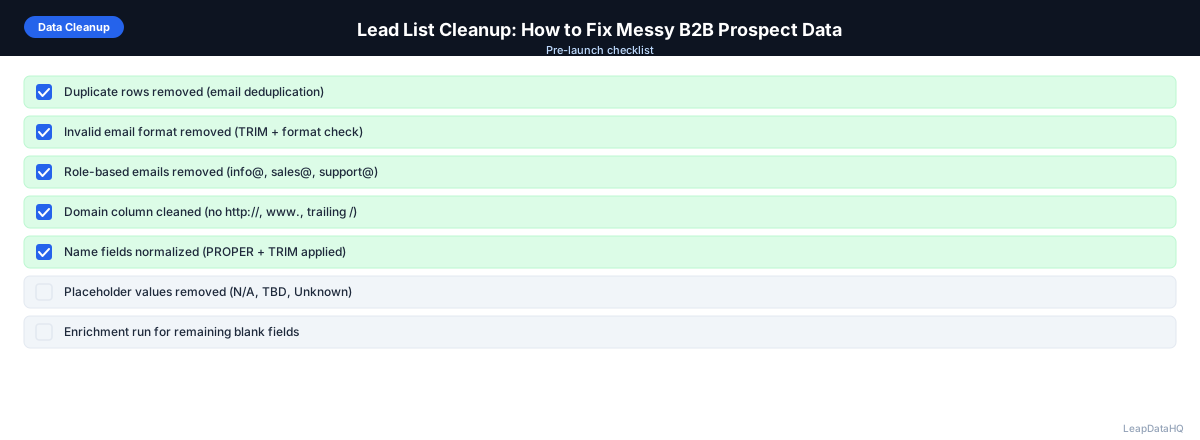
Before exporting your cleaned list, verify each of these steps:
- Duplicate rows removed using email or domain as primary key
- Company names standardized — legal suffixes removed, consistent casing applied
- Domains cleaned of http://, https://, www., trailing slashes, and paths
- First and last names separated into distinct columns with proper capitalization
- Role-based emails (info@, support@, admin@) removed from the list
- Blank or unidentifiable rows removed
- Missing email addresses enriched through a data enrichment tool
- Confidence scores reviewed — low-confidence records flagged or excluded
- Email addresses verified for deliverability
- List segmented by industry, company size, job title, or other relevant fields
How LeapDataHQ Helps
LeapDataHQ combines lead list cleanup and enrichment in a single platform. You upload your raw CSV, deduplicate records, standardize company names and job titles, enrich missing fields, verify email addresses, and export clean data — all in one workflow.
Rather than using separate tools for deduplication, standardization, enrichment, and verification, LeapDataHQ provides a unified dashboard that handles the complete cleanup process. This saves time and ensures your data quality workflow is consistent.
The credit-based pricing at /pricing means you pay only for the data you enrich. Cleanup features like deduplication and standardization are available as part of the platform workflow. Explore the full capability at /features.
When to Use LeapDataHQ
LeapDataHQ is designed for the complete lead list cleanup workflow — from deduplication and standardization through enrichment and verification. Rather than stitching together multiple tools for each cleanup step, LeapDataHQ provides a unified platform where you upload a messy CSV and export clean, enriched, verified data.
It is particularly valuable for B2B sales teams, agencies, and RevOps professionals who regularly process prospect lists of 50 to 5,000 records. The credit-based pricing model means you pay only for enrichment credits, while cleanup operations like deduplication and standardization are included in the workflow.
LeapDataHQ returns clear confidence signals and email validation statuses for every enriched field, enabling you to spot-check data, set automated filters, and export only high-confidence records.
Start Enriching LeadsFrequently Asked Questions
How long does it take to clean up a B2B prospect list?
For a list of 500-1,000 records, cleanup takes 15-30 minutes including deduplication, standardization, enrichment, and verification. The enrichment step is the fastest; the manual review of confidence scores takes the most time.
Should I clean my list before or after enrichment?
Clean before enrichment. Removing duplicates, standardizing company names, and cleaning domains before uploading improves enrichment match rates and saves credits. Dirty input produces inconsistent enrichment results.
What is the biggest mistake in lead list cleanup?
Skipping email verification after cleanup and enrichment. Many teams assume that because they cleaned the list structure and enriched missing fields, the data is ready to use. Verification catches invalid mailboxes.
How often should I clean my lead lists?
Clean each list immediately before use. B2B contact data decays at 2-3% per month, so a list cleaned three months ago may have significant inaccuracies today. For CRM records, schedule quarterly cleanup cycles.
Can I automate lead list cleanup?
Parts of the workflow can be automated — deduplication, company name standardization, and enrichment. The review step, where you check confidence scores and verify edge cases, benefits from human judgment.