
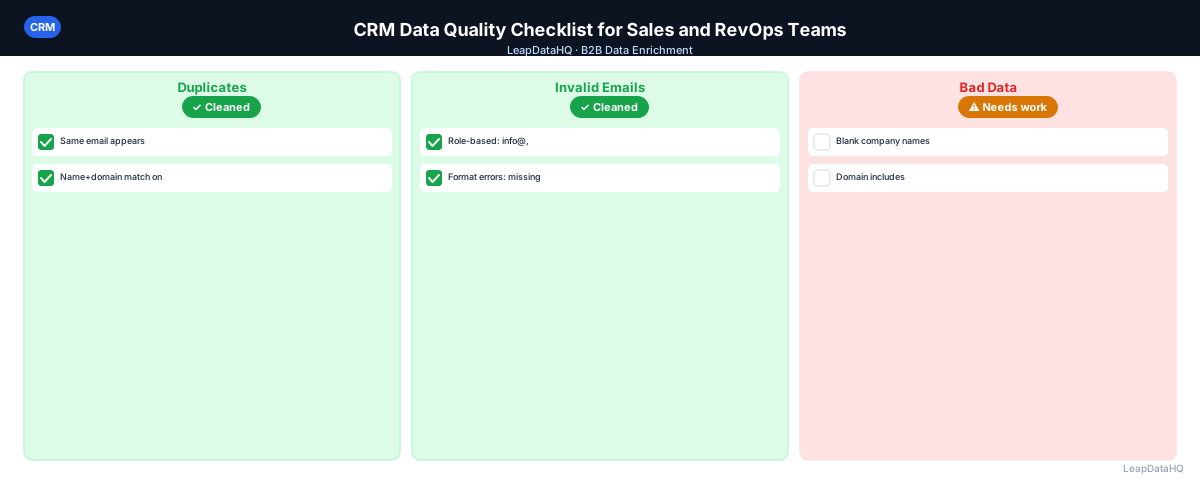
CRM data quality problems have a way of hiding until something breaks. A campaign sends and bounces 5%. A personalization variable pulls a blank field. A pipeline report counts the same deal twice. A sales rep reaches out to a contact who left the company eight months ago. Each of these traces back to a CRM data quality issue that wasn't caught before it mattered.
A CRM data quality checklist is a recurring operational review that catches these problems before they affect outreach or reporting. It doesn't have to be exhaustive — the most practical checklists focus on the issues that occur most often and cause the most downstream damage.
This guide provides a structured CRM data quality checklist for sales teams and RevOps teams, organized by the types of problems most likely to affect campaign performance and pipeline accuracy.
The cost of poor CRM data goes beyond bounces and failed personalization. Inaccurate data leads to misinformed decisions throughout the revenue organization: pipeline reports that overstate real opportunity, forecasting models built on incomplete records, territory assignments that don't reflect actual coverage, and outreach sequences that waste time on contacts who can't be reached or don't fit the target profile. These hidden costs compound over time, making CRM data quality review one of the highest-ROI activities a RevOps team can undertake.
A structured checklist approach ensures that data quality reviews are consistent, repeatable, and thorough. Rather than relying on individual judgment about what to check — which leads to varying results depending on who runs the review — a checklist standardizes the evaluation criteria. Everyone on the team checks the same things in the same order, producing comparable results that can be tracked over time to measure improvement.
Section 1: Contact Completeness
The most fundamental data quality check is field completeness — do your contact records have the fields they need to be useful? Run these checks on your active contact database:
- Email address: what percentage of active contacts have a confirmed work email?
- Job title: what percentage have a populated title field?
- Company name: what percentage have a company name or account associated?
- Company domain: what percentage have a domain in the company record?
- Phone number: if your team does phone outreach, what percentage have a direct or mobile number?
- LinkedIn URL: if your team does social selling, what percentage have a LinkedIn profile link?
Set completeness targets for each field. A common practice: Email > 90%, Title > 80%, Company Name > 95%, Domain > 85%. Any field significantly below its target is a priority for enrichment.
Section 2: Deduplication Check
Duplicate contacts are one of the most common and damaging CRM data quality problems. Check for duplicates across these dimensions:
- Same email address appearing on multiple contact records
- Same first name + last name + company appearing on multiple records with different emails
- Contacts who exist as both a Lead and a Contact (in Salesforce-style CRMs)
- Company/account duplicates with slightly different names (Acme Corp vs. ACME Corporation)
- Contacts merged across different data import sources with conflicting field values
Most CRMs have built-in duplicate detection tools. Use them before running enrichment — enriching a duplicate wastes credits and splits data between two records when it should all be on one.
Section 3: Email Quality Check
Even contacts with populated email fields may have problematic addresses:
- Role-based addresses: info@, support@, sales@, admin@, hello@, contact@
- Personal email addresses: @gmail.com, @yahoo.com, @hotmail.com (unless these are appropriate for your use case)
- Malformed addresses: missing @ symbol, incorrect domain format, trailing spaces
- Email domain doesn't match company domain (contact@gmail.com for an acme.com employee)
- Emails flagged as invalid by a verification tool
- Catch-all domain addresses that may appear valid but can't be individually confirmed
Section 4: Job Title and Seniority Check
- Blank job title fields — prevents ICP qualification and personalization
- Titles in all-caps or all-lowercase — inconsistent formatting breaks personalization
- Titles that don't match expected seniority level for your ICP (e.g., interns in a VP-targeted list)
- Generic titles ("Employee", "Staff", "Associate") that don't convey useful information
- Outdated titles — contacts who changed roles but whose title wasn't updated in the CRM
Section 5: Company Data Accuracy
- Company name inconsistencies across contacts at the same company
- Company size that doesn't match your ICP firmographic range
- Industry classification that doesn't match how the company would self-describe
- Company records without associated contacts (orphaned accounts)
- Contacts not associated with any company (floating contacts)
- Company domains that include http://, www., or trailing paths
Ready to enrich your CSV list?
Upload a CSV, fill missing data, review confidence scores, and export clean records.
Upload a CSV — Start EnrichingSection 6: Lifecycle Stage and Lead Status Accuracy
- Contacts still marked as "Lead" who became customers or churned
- Contacts at "Marketing Qualified" stage who were rejected by sales but not marked as disqualified
- Deals or opportunities without expected close date or stage updates
- Contacts with no activity in 12+ months still marked as active
- Leads with "In Progress" status whose associated rep has left the company
Section 7: Enrichment Gap Analysis
After completing the above checks, identify which categories of missing data are best addressed by enrichment versus manual updates:
- Missing emails → enrichment (email finder)
- Missing job titles → enrichment (contact enrichment)
- Missing company size → enrichment (company data)
- Outdated company domains → enrichment or manual CRM research
- Lifecycle stage errors → manual review and update
- Duplicate merging → CRM duplicate management tools
CRM Data Quality Review Schedule
- Monthly: check for new duplicates from recent imports, verify email quality on newly added contacts
- Quarterly: run full completeness audit, enrichment pass on contacts with missing fields, email verification on active contact segments
- Annually: full CRM data quality review including lifecycle stage audit, company data accuracy, and cleanup of dormant contacts
- Before major campaigns: always run enrichment and verification on the contact segment being targeted
- After large data imports: immediately run deduplication and quality check on newly imported records
Master CRM Data Quality Checklist
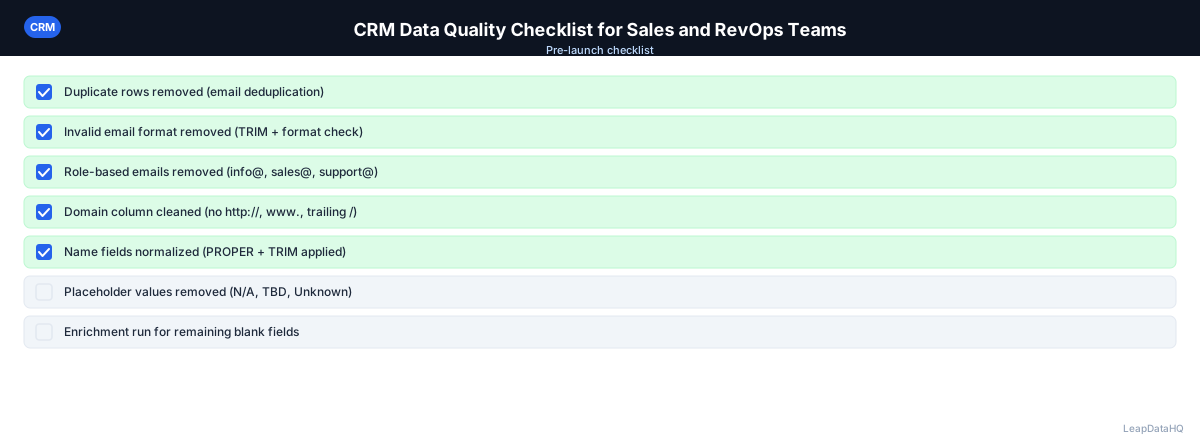
- ☐ Email completeness rate checked and meets target (>90% for active contacts)
- ☐ Job title completeness rate checked and meets target (>80%)
- ☐ Company name and domain completeness checked
- ☐ Duplicate contacts identified and merged
- ☐ Role-based email addresses identified and removed or flagged
- ☐ Malformed email addresses corrected or removed
- ☐ Email verification run on active contact segment
- ☐ Invalid email addresses removed or marked
- ☐ Catch-all addresses segmented
- ☐ Job titles standardized and ICP-qualified
- ☐ Company size and industry verified against ICP
- ☐ Lifecycle stages reviewed for accuracy
- ☐ Dormant contacts reviewed and updated or archived
- ☐ Enrichment run on segments with missing key fields
- ☐ Enrichment confidence threshold applied
- ☐ Re-import done with correct field mapping
- ☐ Post-review spot check completed (10+ records verified)
Automating CRM Data Quality Monitoring
While periodic manual reviews are valuable, the best CRM data quality programs also include automated monitoring that catches problems between review cycles. Set up automated reports or dashboards that track key quality metrics over time: email completeness percentage, number of new duplicates created per week, percentage of contacts at companies with missing domains, and bounce rate trend from recent campaigns. These metrics serve as early warning indicators — when completeness drops below threshold or duplicates spike, you know to investigate before the problem affects campaign performance.
Many CRMs support automated data quality rules that can prevent problems at the point of entry. Required fields on contact and company records prevent new records from being created without essential data. Validation rules can check email format, ensure domains don't include http:// prefixes, and verify that phone numbers meet minimum length requirements. Automated deduplication rules can flag or merge duplicate records as they are created. These preventive measures reduce the burden on periodic review cycles by stopping bad data from entering the CRM in the first place.
CRM Data Quality and Sales Rep Adoption
CRM data quality initiatives often fail because they create friction for sales reps. If the data quality process requires reps to spend extra time updating fields, filling in missing data, or running manual checks, adoption will be inconsistent. The most successful CRM data quality programs minimize rep involvement in the data maintenance process. Instead of asking reps to keep data clean, they use automated enrichment and verification tools to maintain data quality in the background, freeing reps to focus on selling.
When reps do interact with data quality processes, make it easy for them. Provide simple mechanisms to flag incorrect contact data when they discover it during calls or emails. Make bounced email handling automatic — when a bounce is detected, mark the contact for re-enrichment rather than asking the rep to research a new address. The goal is to create a CRM data quality system that works continuously in the background, with the checklist serving as a periodic verification that the system is functioning correctly rather than as the primary mechanism for maintaining data quality.
When to Use LeapDataHQ
Use LeapDataHQ during the enrichment step of your CRM data quality review. Export contacts from your CRM, identify segments with missing fields, upload to LeapDataHQ to fill gaps, review enriched results with confidence scores, and re-import the cleaned data.
Running this cycle quarterly keeps your CRM data useful for campaigns, reporting, and sales rep activity. LeapDataHQ's credit-based pricing works well for periodic enrichment — you pay for the records that get matched rather than a fixed monthly fee.
Start Enriching LeadsFrequently Asked Questions
What's the most important CRM data quality metric to track?
Email completeness rate for active contacts is the most actionable metric. It directly determines how many contacts you can actually reach via email. A secondary metric to track is email validity rate — what percentage of your email addresses pass verification. Both metrics together give you a clear picture of your outreach capacity from your CRM.
How do I assign responsibility for CRM data quality in a small team?
In small teams without a dedicated RevOps function, assign CRM data quality as a recurring task to one person — typically the sales manager or whoever manages the CRM. Define specific tasks (quarterly enrichment pass, monthly duplicate check) and calendar them. Distributing CRM maintenance across the whole team without clear ownership typically results in it not getting done.
Is it better to prevent CRM data quality problems or clean them up?
Both. Prevention reduces the cleanup burden over time: required fields, validation rules, and clean import practices keep garbage data from entering. But some decay is inevitable — people change jobs, companies merge — so a regular cleanup cycle is also necessary regardless of how strong your prevention measures are.
What causes CRM data quality to degrade most quickly?
Large imports from external sources (conference lists, purchased lists, tool integrations) with no quality filter applied before import. Each import that doesn't go through a deduplication and cleanup step adds a layer of problems. Setting up import standards and applying them consistently is the most effective prevention measure.
How do I measure the ROI of CRM data quality work?
Track email bounce rate before and after a data quality cleanup pass. Track campaign reply rates for sequences that use enriched vs. non-enriched contact segments. Track how many contacts are "contactable" (have valid email addresses) before and after enrichment. These metrics quantify what improved data quality is worth in outreach performance terms.