
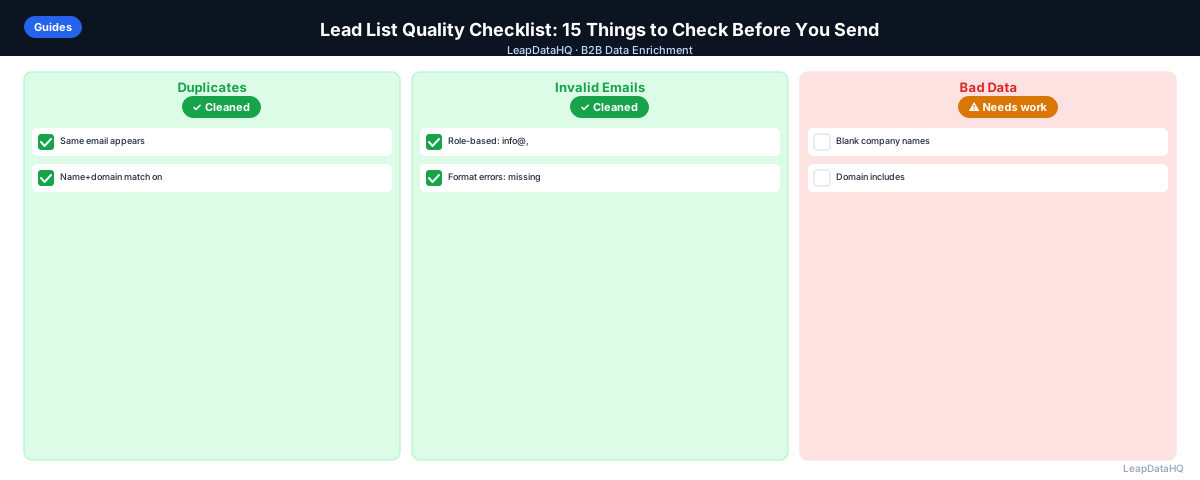
Most outbound failures are predictable. The email bounced because the address wasn't verified. The reply rate was terrible because the list included companies that weren't in the target ICP. The personalization was broken because the first name column had full names instead of just first names.
These problems have one thing in common: they could have been caught before the campaign launched. A pre-send checklist turns the implicit knowledge of experienced outbound practitioners into an explicit, repeatable process.
Here are 15 things to check before your lead list goes into a sequencer. This checklist covers data completeness, email quality, targeting accuracy, hygiene, and final launch checks. Whether you're sending 100 emails or 10,000, running through this checklist before every campaign will improve your results.
Let's walk through each check so you can build a consistent pre-launch process.
Data Completeness Checks
1. Every row has a valid email address
Filter for blank email fields and rows with obviously invalid email formats. Every record in your final export should have an email address that passes basic format validation.
Use spreadsheet filters to identify blank cells, then check for formatting issues like missing @ symbols, spaces, or invalid characters. This basic check catches data entry errors and incomplete enrichment results before they reach your sequencer.
2. First names are populated and correctly formatted
If your sequence uses {{first_name}} personalization, every row needs a first name. Check that first name is not: blank, all caps, all lowercase, a full name in the first name field, or a greeting like "Mr." or "Dr.".
Incorrectly formatted first names break personalization and signal automation to recipients. "Hi JOHN" or "Hi John Smith" looks robotic. Standardize to proper case (John) and ensure only the first name is in the field.
3. Company names are present and correct
If your sequence references {{company}}, check that company names are properly formatted — not all caps, not generic placeholder values, and consistent in their use of legal entity suffixes.
Inconsistent company name formatting (some with "Inc.", some without) looks unprofessional. Standardize to a consistent format across your list. If company names are missing entirely, those records need enrichment before they're outreach-ready.
4. Required enrichment fields are populated
Any field used in your email template must be populated for every row. Missing values result in broken personalization that reads poorly and signals automation to suspicious recipients.
If your template uses {{industry}} or {{company_size}}, verify every row has those fields populated. Records with missing values should be either enriched further or removed from the list. Broken personalization is worse than no personalization.
Email Quality Checks
5. No role-based email addresses
Remove addresses like info@, hello@, support@, noreply@, admin@, and contact@. These are not individual contacts and typically don't accept personalized outreach well.
Role-based addresses are often monitored by junior staff or routed to generic inboxes. Outreach to these addresses rarely books meetings. Filter them out and focus on individual decision-makers and influencers.
6. No personal email addresses in a B2B list
Gmail, Yahoo, Hotmail, and other consumer email domains in a B2B list are a quality signal problem. Filter these out unless you're intentionally targeting them.
Personal email addresses in a B2B list indicate poor data quality or outdated contact information. People use personal emails when they're between jobs or when their company doesn't provide email. For B2B outreach, you want work email addresses.
7. Email addresses have been verified
Run the list through an email verification tool. Remove invalid and unknown addresses. Treat catch-all domains as risky and test with a small batch before scaling.
Email verification is the single most important quality check. Unverified emails bounce, damaging your sender reputation and reducing deliverability for your entire campaign. Verification catches closed mailboxes, invalid formats, and inactive domains before they cause problems.
Targeting and Segmentation Checks
8. Company size matches your ICP
If your ICP is 50-500 employees, check that you haven't included 5-employee startups or 10,000-employee enterprises. Size mismatches create irrelevant messaging.
Company size affects who the decision-maker is, what budget looks like, and which pain points are most acute. Messaging written for mid-market companies doesn't resonate with enterprise prospects, and vice versa. Filter to your ICP size range.
9. Industry matches your ICP
Filter out industries your product doesn't serve well. Your sequence messaging will resonate with your target industries — and miss everyone outside them.
Industry affects language, pain points, and use cases. A healthcare prospect responds to different messaging than a retail prospect. If your sequence references healthcare-specific challenges, it won't resonate with retail recipients. Filter to your target industries.
10. Job titles match your buyer persona
Check that titles in your list match the decision-maker or influencer level your sequence is written for. A sequence written for VPs sent to Coordinators will underperform.
Job title affects seniority, decision-making authority, and messaging resonance. VP-level messaging focuses on strategy and ROI. Manager-level messaging focuses on tactics and efficiency. Make sure your list matches your message.
Hygiene Checks
11. No duplicate email addresses
A contact appearing twice in your list receives the same sequence twice, which frequently triggers spam complaints.
Duplicates waste outreach opportunities and damage relationships. Use spreadsheet functions or your sequencer's deduplication feature to identify and remove duplicates before launch. Check for duplicates by email address, not just by name.
12. Existing customers and partners are excluded
Check your list against your customer database and suppress any matches. Sending cold outreach to existing customers is a significant relationship risk.
Existing customers receiving cold outreach signals poor internal communication and damages trust. Cross-reference your list against your CRM's customer records and suppress all matches. This includes current customers, recent churns, and active trial users.
Ready to enrich your CSV list?
Upload a CSV, fill missing data, review confidence scores, and export clean records.
Upload a CSV — Start Enriching13. Previous unsubscribes are suppressed
Check your list against your unsubscribe list. Contacts who have previously opted out must not receive new outreach.
Sending to unsubscribes violates CAN-SPAM and GDPR regulations and damages your sender reputation. Maintain a suppression list of all contacts who have unsubscribed and cross-reference every new list against it before launch.
Final Checks Before Launch
14. Test record is in the list (and will be removed before launch)
Add a test record with your own email address to receive the sequence as a contact would. Review the entire sequence from this perspective before removing the test record and launching.
Receiving your own outreach lets you catch formatting issues, broken personalization, and tone problems from the recipient's perspective. This is the last chance to fix problems before they reach real prospects. Always remove the test record before launching.
15. Sending volume matches your warm-up plan
If you're sending from a new or relatively new domain, make sure the number of emails per day in your sequence matches your sending capacity without triggering spam filters. Don't launch a 500-contact sequence at full speed on day one from a new domain.
New domains need warm-up to build sender reputation. Start with 20-30 emails per day and gradually increase over 2-3 weeks. Sending too many emails too quickly from a new domain triggers spam filters and damages deliverability. Match your launch volume to your domain's sending capacity.
What This Means for Your Campaigns
Running through this checklist before every campaign launch prevents the most common outbound failures. The time investment — 30-60 minutes for a typical list — pays for itself many times over in improved deliverability, reply rates, and campaign results.
For teams running multiple campaigns per week, the checklist becomes a standard operating procedure. Each team member follows the same process, ensuring consistent quality across all campaigns. This consistency compounds — better data quality leads to better results, which builds confidence in your outbound program.
The checklist also creates accountability. When campaigns underperform, you can trace back to whether the checklist was followed. This makes it easier to identify whether the problem is data quality, messaging, or targeting — and fix it accordingly.
Who Should Use This Checklist
This checklist is relevant for anyone running B2B email outreach campaigns.
- SDRs and sales reps launching cold email campaigns
- Founders doing outbound prospecting for their companies
- Agencies managing campaigns across multiple client accounts
- Marketing teams running nurture and re-engagement campaigns
- Growth teams running product-led outreach sequences
- Recruiters doing candidate outreach via email
- Anyone sending B2B email to contacts they haven't previously corresponded with
If you send B2B email outreach, this checklist should be part of your pre-launch process. The specific checks may vary based on your campaign type and list source, but the fundamentals apply universally.
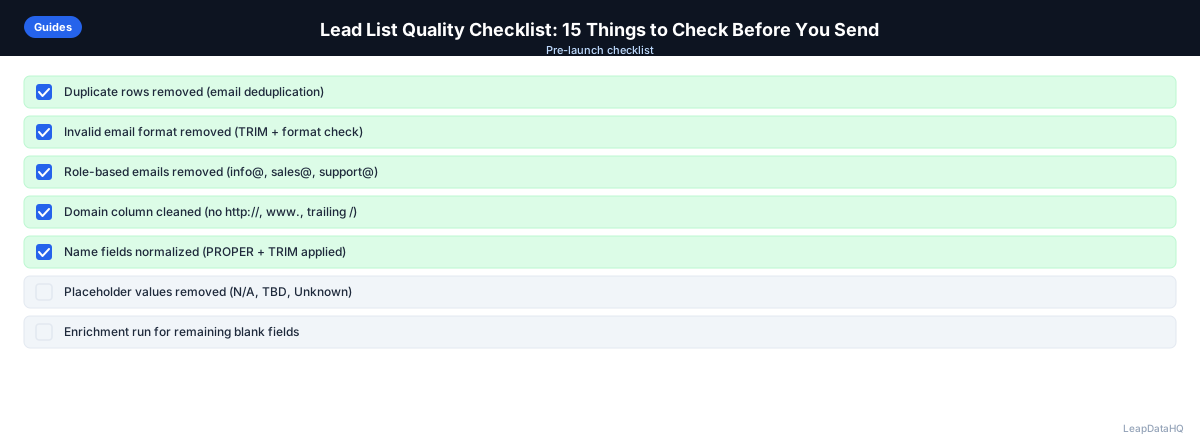
Checklist: Pre-Launch Quality Review
Use this consolidated checklist as your final pre-launch review:
- All email addresses are present and properly formatted
- First names are populated and correctly formatted (proper case, first name only)
- Company names are present and consistently formatted
- All personalization fields are populated for every row
- Role-based email addresses are removed
- Personal email domains are removed from B2B lists
- All emails have been verified through a verification tool
- Company size matches ICP criteria
- Industry matches ICP criteria
- Job titles match buyer persona
- No duplicate email addresses in the list
- Existing customers and partners are suppressed
- Previous unsubscribes are suppressed
- Test record is added and will be removed before launch
- Sending volume matches domain warm-up capacity
Common Mistakes to Avoid
- Skipping the checklist to save time. The 30-60 minutes you spend on the checklist prevents problems that can take weeks to recover from. High bounce rates, spam complaints, and poor reply rates are much more costly than the time investment in quality control.
- Not verifying emails before sending. This is the most commonly skipped step and the most impactful. Unverified emails bounce, damaging your sender reputation and reducing deliverability for your entire campaign. Always verify before sending.
- Not checking for duplicates. Duplicates cause the same contact to receive your sequence twice, triggering spam complaints. Use deduplication tools or spreadsheet functions to identify and remove duplicates before launch.
- Not suppressing existing customers. Sending cold outreach to existing customers signals poor internal communication and damages relationships. Cross-reference your list against your CRM's customer records before every launch.
- Not matching list targeting to message content. If your sequence references healthcare challenges but your list includes retail companies, the messaging won't resonate. Filter your list to match your message before launching.
- Not testing the sequence from the recipient's perspective. Adding a test record and receiving your own outreach lets you catch formatting issues and broken personalization. This is the last chance to fix problems before they reach real prospects.
- Sending too many emails too quickly from new domains. New domains need warm-up to build sender reputation. Match your sending volume to your domain's capacity to avoid triggering spam filters.
- Not documenting the checklist process. Without a documented process, each team member follows their own subjective sense of "good enough." Consistency in quality control produces more consistent campaign results.
Practical Examples
Example 1: SDR Team Catching Personalization Errors
An SDR team was about to launch a 500-contact campaign when they ran through the checklist. They discovered that 40 records had full names in the first_name field (e.g., "John Smith" instead of "John"). Fixing this before launch prevented 40 instances of broken personalization that would have signaled automation to recipients.
Example 2: Agency Preventing Duplicate Outreach
An agency running campaigns for 8 clients discovered through their checklist that 150 contacts appeared across multiple client lists. Without the duplicate check, those contacts would have received outreach from multiple clients of the same agency, triggering spam complaints and damaging the agency's reputation.
Example 3: Startup Avoiding High Bounce Rates
A startup was about to launch their first cold email campaign to 300 contacts. The checklist revealed that 60 emails hadn't been verified. After verification, 45 were flagged as invalid. Removing those before launch prevented a 15% bounce rate that would have damaged their new domain's reputation.
Example 4: Enterprise Team Catching Targeting Mismatches
An enterprise sales team's checklist revealed that 20% of their list was outside their ICP company size range. Their sequence was written for mid-market companies (100-1000 employees), but the list included 50 companies with 10,000+ employees. Filtering to ICP-fit companies before launch improved reply rates by 60%.
Example 5: Marketing Team Preventing Customer Outreach
A marketing team running a re-engagement campaign discovered through their checklist that 30 contacts on their list were existing customers. Without the customer suppression check, those customers would have received cold outreach messaging, creating confusion and damaging trust. The check prevented a significant customer relationship issue.
How LeapDataHQ Helps
LeapDataHQ helps you complete several items on this checklist: it fills missing email addresses (item 1), appends company size and industry for ICP filtering (items 8-9), and provides confidence scores that inform email verification (item 7). The enrichment process also helps identify missing or incorrectly formatted data fields.
Use LeapDataHQ before the checklist — enrich your list first to fill missing data and append quality signals, then run through this checklist before loading into your sequencer. The confidence scores returned during enrichment help you filter to high-quality results, reducing the number of records that fail verification.
For teams running multiple campaigns per week, LeapDataHQ's consistent enrichment output makes the checklist process more efficient. When every enriched list follows the same format and includes confidence scores, the quality review becomes faster and more reliable.
Next Steps
Before your next campaign launch, run through this 15-point checklist. Start with enrichment to fill missing data and append quality signals, then verify emails, check targeting, and review hygiene. LeapDataHQ helps you complete the enrichment step efficiently. Check our /features and /pricing to see if it fits your workflow.
When to Use LeapDataHQ
LeapDataHQ helps you complete several items on this checklist: it fills missing email addresses (item 1), appends company size and industry for ICP filtering (items 8-9), and provides confidence scores that inform email verification (item 7).
Use LeapDataHQ before the checklist — enrich your list first to fill missing data and append quality signals, then run through this checklist before loading into your sequencer. The confidence scores returned during enrichment help you filter to high-quality results, reducing the number of records that fail verification.
For teams running multiple campaigns per week, LeapDataHQ's consistent enrichment output makes the checklist process more efficient. When every enriched list follows the same format and includes confidence scores, the quality review becomes faster and more reliable.
The credit-based pricing means you can enrich lists specifically for quality improvement without committing to expensive platforms. Upload a list, get enrichment data back with confidence scores, filter to high-quality results, and then run through the checklist. This workflow ensures you're sending to the best possible contacts.
Start Enriching LeadsFrequently Asked Questions
How long should the pre-send checklist take for a typical list?
For a list of 200-500 contacts that has already been enriched, running through this checklist takes 30-60 minutes. Most items can be checked quickly with spreadsheet filters. Email verification may take an additional 10-15 minutes to queue and complete. The time investment prevents problems that can take weeks to recover from.
What's the most commonly skipped item on a quality checklist?
Email verification (item 7) is the most commonly skipped step. Teams in a hurry skip it and pay for it with high bounce rates that damage sender reputation for the entire campaign. Verification is non-negotiable — always verify before sending to protect your deliverability.
Should I run this checklist on every campaign, or just new lists?
Every campaign that involves an external list (new sources, purchased data, LinkedIn exports). For internal lists built from CRM data that you maintain regularly, a lighter version of the checklist suffices. But any time you're using data from outside your CRM, run the full checklist.
What should I do if I find significant quality issues during the checklist?
Fix them before sending. If the issues are widespread (high percentage of missing fields, low verification pass rate), the list may need to be re-enriched or sourced again. It's always better to delay a launch than to run a campaign with bad data. Document the issues to improve your sourcing process for future lists.
Should this checklist be documented in a shared process doc?
Yes, especially for teams where multiple people build and launch campaigns. A documented checklist prevents each person from having their own subjective sense of "good enough." Consistency in quality control produces more consistent campaign results. Make the checklist part of your campaign launch SOP.
What tools can help automate checklist items?
Spreadsheet filters handle most completeness and formatting checks. Email verification tools automate item 7. CRM deduplication tools handle item 11. Enrichment tools like LeapDataHQ help with items 1, 8, and 9. Your sequencer may have built-in duplicate detection. Use automation where possible, but always do a manual review.
How do I know if the checklist is working?
Track campaign metrics before and after implementing the checklist: bounce rates, reply rates, spam complaint rates, and meeting set rates. For most teams, the improvement is immediate and significant. If metrics don't improve, review whether the checklist is being followed consistently and whether additional checks are needed.