
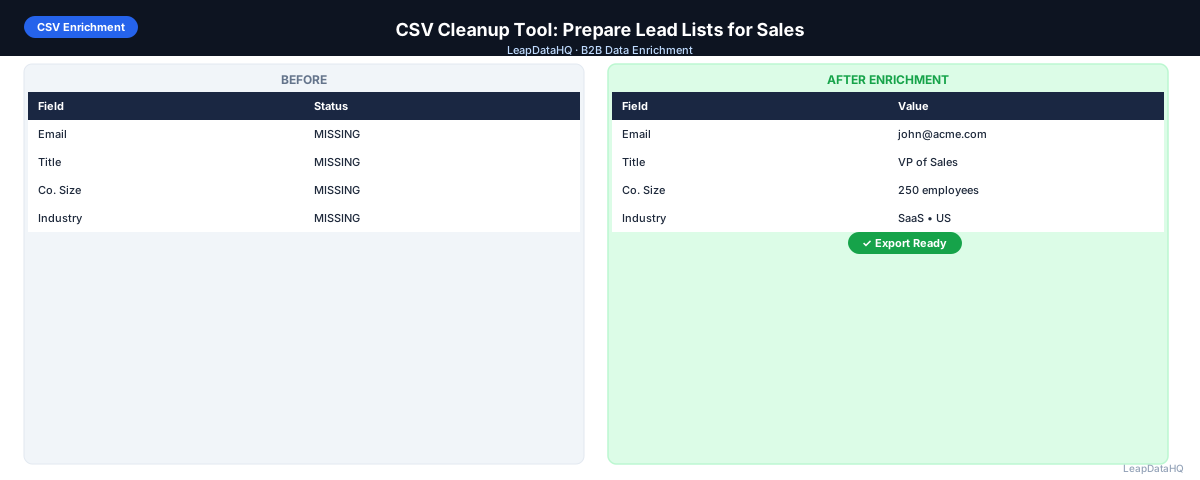
A CSV cleanup tool helps B2B sales teams transform raw, messy prospect spreadsheets into clean, structured, outreach-ready data. If you have ever opened a CSV exported from a CRM, downloaded from LinkedIn, or compiled from conference business cards, you know the typical problems: duplicate rows, inconsistent company names, missing email addresses, and formatting errors.
CSV cleanup tools address these issues through a combination of deduplication, standardization, formatting correction, and data enrichment. The goal is to take a spreadsheet that is not ready for outreach and turn it into a clean dataset that can be imported directly into your CRM or outreach platform.
This guide covers what CSV cleanup tools do, the common data quality problems they solve, how to evaluate and choose the right tool, and how to integrate CSV cleanup into your overall lead list preparation workflow.
What Does a CSV Cleanup Tool Do?
A CSV cleanup tool performs several key functions on raw prospect data. It removes duplicate entries that waste credits and cause double outreach. It standardizes company names, job titles, and contact names to consistent formats. It cleans domain entries by removing URL prefixes and path components. And it identifies and removes invalid or placeholder data.
More advanced CSV cleanup tools also include enrichment capabilities — filling in missing email addresses, phone numbers, job titles, and company data by querying business databases. This turns a partially complete spreadsheet into a fully populated contact list.
The best CSV cleanup tools combine cleaning and enrichment in a single workflow, so you do not need to export data from one tool and import it into another for each step.
Why CSV Cleanup Matters for Sales Outreach
The quality of your CSV data directly determines the quality of your outreach campaigns. Dirty data causes specific, measurable problems:
- Duplicates cause prospects to receive the same email multiple times, leading to spam complaints
- Inconsistent company names break personalization variables, making emails look templated
- Missing email addresses mean you cannot reach a portion of your list, reducing campaign reach
- Invalid email addresses cause bounces that damage your sender reputation
- Incorrect job titles lead to messaging that does not resonate with the recipient's role
- Outdated data results in wasted outreach to contacts who have changed jobs
Each of these problems reduces campaign effectiveness and wastes budget. A proper CSV cleanup step before enrichment and outreach prevents these issues at the source.
Key Capabilities of a CSV Cleanup Tool
Duplicate Detection and Removal
The tool should identify duplicate records based on email address, company domain plus contact name, or other configurable criteria. It should handle both exact duplicates and fuzzy matches.
Data Standardization
Company names should be standardized — removing legal suffixes like Inc., LLC, Corp., and ensuring consistent capitalization. Job titles should be normalized to consistent formats.
Domain Cleaning
Ready to enrich your CSV list?
Upload a CSV, fill missing data, review confidence scores, and export clean records.
Upload a CSV — Start EnrichingDomain entries should be stripped of http://, https://, www. prefixes, trailing slashes, and path components. Clean domains like acme.com are essential for accurate enrichment lookups.
Invalid Data Removal
Role-based emails (info@, support@, admin@) should be identified and removed from outreach lists. Rows with completely blank key fields should be flagged or removed.
Data Enrichment
After cleaning, the tool should enrich missing fields — filling in email addresses, job titles, phone numbers, company size, industry, and LinkedIn URLs by querying business databases.
How to Choose a CSV Cleanup Tool
- Does it handle both cleaning and enrichment? Separate tools for each step create workflow friction.
- Does it support your file size? Some tools have row limits that may not fit your batch sizes.
- Does it provide confidence scores for enriched data? Without them, you cannot gauge data reliability.
- Does the pricing fit your volume? Per-record or credit-based pricing is more flexible for variable needs.
- Does it require developer setup? CSV upload workflow is faster for non-technical teams.
Step-by-Step CSV Cleanup Workflow
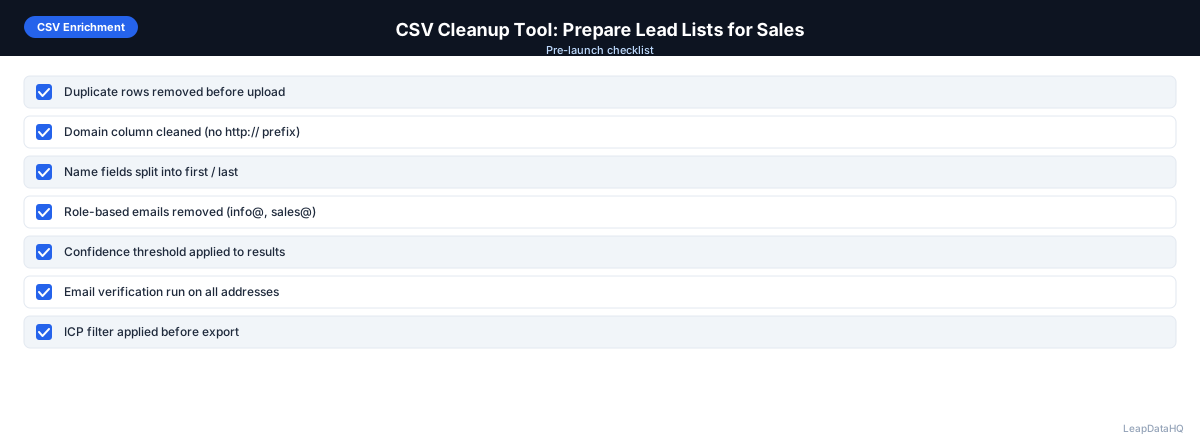
- Upload your raw CSV to the cleanup tool
- Run duplicate detection and remove redundant records
- Standardize company names — remove suffixes, fix casing
- Clean domain fields — strip prefixes, trailing slashes, and paths
- Fix contact name formatting — capitalize correctly, split combined names
- Remove invalid rows — role-based emails, blank records
- Enrich missing fields — email addresses, job titles, company data
- Review confidence scores and filter out unreliable results
- Export the cleaned, enriched CSV for import to your CRM or outreach tool
Common CSV Cleanup Mistakes
- Over-deduplicating: Removing rows that share a domain but are different contacts at the same company
- Under-cleaning domains: Leaving http:// prefixes or trailing slashes reduces enrichment match rates
- Skipping enrichment after cleanup: A clean list with missing fields is still not outreach-ready
- Not verifying enriched emails: Cleaned and enriched data needs verification before sending
How LeapDataHQ Helps
LeapDataHQ provides CSV cleanup and enrichment in a single platform. You upload your raw spreadsheet, and the tool helps you deduplicate, standardize company names, clean domains, fix contact formatting, and enrich missing fields — all in one workflow.
Rather than using separate tools for each cleanup step, LeapDataHQ provides a unified dashboard that handles the complete process. This saves time and reduces errors from manual data transfer between tools.
The credit-based pricing at /pricing means you pay only for enrichment credits, with cleanup features included in the platform. Learn more at /features.
When to Use LeapDataHQ
LeapDataHQ is designed as a CSV cleanup tool that combines deduplication, standardization, and enrichment in a single workflow. Rather than cleaning your data in a spreadsheet, then exporting to an enrichment tool, LeapDataHQ handles the entire pipeline from raw CSV to clean, enriched output.
It is particularly valuable for teams that process prospect lists regularly — agencies preparing client deliverables, sales teams building outreach lists, or RevOps departments running CRM cleanup cycles. The platform handles batches of 50 to 5,000 records efficiently.
LeapDataHQ returns confidence scores and verification statuses for every enriched field, giving you control over output quality. You can spot-check data, set automated filters, and export only high-confidence records.
Start Enriching LeadsFrequently Asked Questions
What is the difference between CSV cleanup and CSV enrichment?
CSV cleanup removes duplicates, fixes formatting, and standardizes data. CSV enrichment appends missing data fields. Both are essential. Clean first, then enrich for best results.
Do I need a separate tool for each cleanup step?
No. Many platforms combine deduplication, standardization, enrichment, and verification in a single workflow. A unified tool reduces context switching.
How long does CSV cleanup take?
For a 1,000-row list, cleanup and enrichment takes a few minutes. The automated steps are fast; manual review of confidence scores takes the most time.
Can a CSV cleanup tool handle international data?
Coverage varies by tool. Some have strong global coverage. Others focus on US and European markets. Test with data from your target geographies.
Should I clean my CSV before or after exporting from my CRM?
Clean after exporting. CRM exports often contain duplicates, inconsistent formatting, and incomplete records. Running cleanup on the exported CSV gives you a clean dataset.