
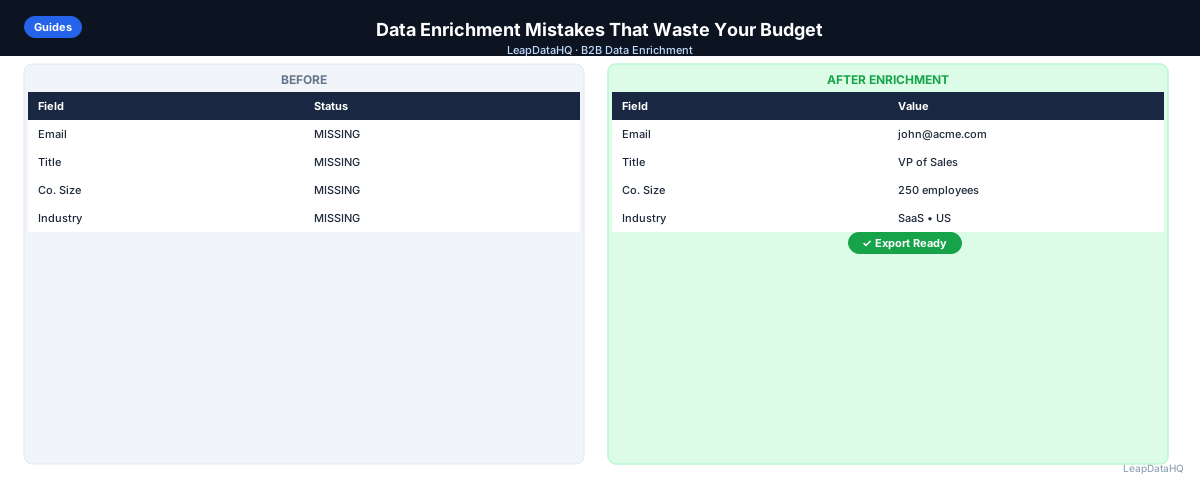
Enrichment tools are only as good as the process around them. Teams that get poor results from enrichment are rarely using a bad tool — they are usually making one of a small set of predictable mistakes before, during, or after the enrichment step.
This guide walks through the mistakes that most commonly waste enrichment budget and produce lists that still are not outreach-ready, along with what to do instead. If you have run an enrichment batch and been disappointed with the results, one of these is likely the reason.
Mistake 1: Enriching Before Cleaning
Uploading a raw, unclean file for enrichment is the single most common mistake. Duplicate rows get enriched twice. Inconsistent company name formatting reduces match rates. Placeholder emails and blank rows consume processing without producing anything usable.
Fix: deduplicate, standardize company name and domain formatting, and remove obviously invalid rows before you enrich — not after.
Mistake 2: Enriching Every Row Regardless of Fit
It is tempting to enrich an entire list at once, but rows that fall outside your ICP will not become more valuable after enrichment — they will just be more expensive to have found that out. Filter to your target company size, industry, and geography before spending enrichment credits.
Fix: run a missing field review and an ICP filter first, then enrich only the rows that pass both checks.
Mistake 3: Using Company Name Instead of Domain as the Lookup Key
Company names are ambiguous. There can be multiple companies with the same or similar names across regions and industries. Domains are unique identifiers and produce far more reliable matches. If your source data only has company names, resolving domains first — even manually for a smaller list — meaningfully improves match quality.
Mistake 4: Ignoring Confidence Signals
Most enrichment tools return some indication of how confident they are in a given field. Treating every returned field as equally trustworthy — and importing all of it straight into a CRM or outreach sequence — is how bounce rates creep up and sales reps end up contacting the wrong person.
Fix: review confidence indicators before export. High-confidence fields can be used as-is. Lower-confidence fields should be spot-checked or excluded from time-sensitive campaigns.
Mistake 5: Expecting 100% Match Rates
No enrichment source has complete coverage of every business. Very small companies, newer businesses, and certain industries have thinner public data footprints. Expecting a full match on every row leads to disappointment and, worse, to teams trying multiple providers on the same unmatched rows without adjusting the underlying input quality.
Ready to enrich your CSV list?
Upload a CSV, fill missing data, review confidence scores, and export clean records.
Upload a CSV — Start EnrichingFix: set realistic expectations based on your list composition, and plan for a manual research fallback on your highest-priority accounts that do not match automatically.
Mistake 6: Never Re-Enriching Older Lists
Contact data decays. People change jobs, companies rebrand, phone numbers get reassigned. A list enriched a year ago is not the same quality today. Teams that enrich once and reuse the same list indefinitely end up working from data that looks complete but is quietly out of date.
Fix: set a re-enrichment cadence for active lists — quarterly is a reasonable default for most B2B use cases.
Mistake 7: Skipping Email Verification After Enrichment
Enrichment confidence and email deliverability are not the same thing. A high-confidence enriched email can still bounce if the mailbox has since been closed or the domain has changed its mail server setup. Confidence scores describe pattern accuracy at the time of matching, not current deliverability.
Fix: run enriched emails through a verification step before loading them into an active sending sequence, especially for larger campaigns where sender reputation is on the line.
Mistake 8: Not Segmenting After Enrichment
Enrichment adds fields specifically so you can target better — company size, industry, title, and seniority all enable more relevant messaging. Teams that enrich a list and then send one generic message to everyone are leaving most of the value of enrichment on the table.
Fix: use the newly enriched fields to split your list into segments with tailored messaging, even if it is a simple two- or three-way split.
A Quick Pre-Enrichment Checklist
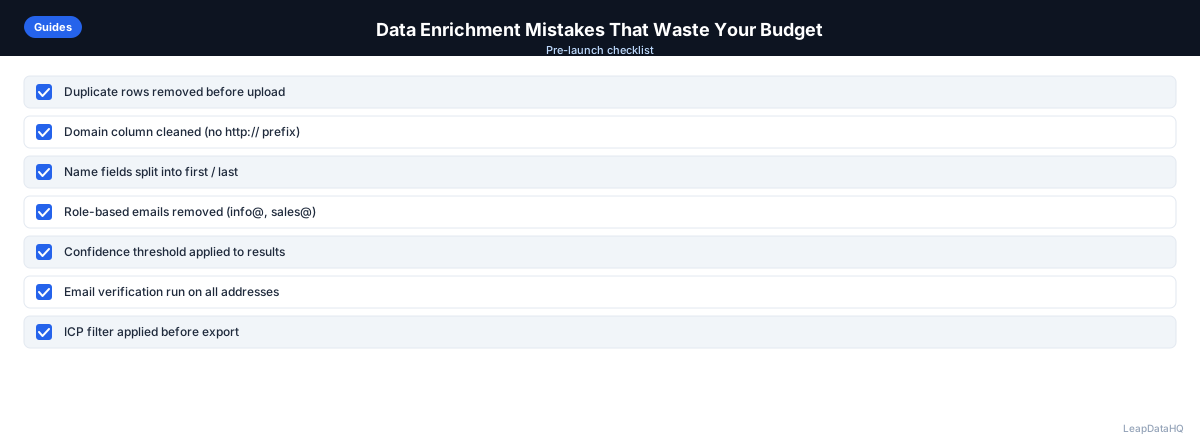
- Deduplicated the file using email or domain as the key
- Standardized company name and domain formatting
- Removed placeholder and role-based email rows
- Filtered to rows that match your target company size, industry, and geography
- Confirmed the primary lookup key is domain, not just company name
- Have a plan for reviewing confidence signals before export
- Have a plan for verifying emails before importing to an active sequence
How LeapDataHQ Helps
LeapDataHQ is built to reduce exactly these mistakes. The platform highlights missing fields before you enrich, returns confidence indicators on enriched fields, and lets you filter and export only the records you trust rather than everything a provider returns. Credit-based pricing at /pricing means avoiding wasted enrichment attempts directly saves money, not just time.
When to Use LeapDataHQ
LeapDataHQ helps you avoid these mistakes at each stage: it surfaces missing fields before enrichment so you are not paying to enrich rows that will not produce usable results, it returns confidence signals on enriched fields so you know what to trust, and it lets you export only the records you are confident in rather than everything a provider returns.
Because pricing is credit-based rather than a flat monthly fee, avoiding wasted enrichment attempts has a direct, visible cost benefit — you are not paying for a seat regardless of how efficiently you enrich.
Start Enriching LeadsFrequently Asked Questions
What is the single most impactful mistake to fix first?
Enriching before cleaning. It affects everything downstream — a dirty input file produces lower match rates and wastes credits on duplicate or unmatchable rows regardless of how good the enrichment provider is.
Is it a mistake to enrich a list more than once?
No — re-enriching an older list periodically is a good practice, not a mistake, because contact data decays over time. The mistake is never re-enriching and assuming a list stays accurate indefinitely.
How do I know if my match rate is reasonable?
For business domains with a normal public data footprint, 60-80% match rates for email enrichment are typical. If you are consistently below that, check input data quality first — inconsistent domains and company names are the most common cause.
Does a high confidence score guarantee a valid email?
No. Confidence scores reflect how certain a provider is about a data pattern match at the time of enrichment, not real-time mailbox status. Always verify emails separately before an active campaign.
Should small teams worry about all of these mistakes, or just a few?
Start with cleaning before enrichment and filtering to ICP fit — those two alone prevent most wasted spend. Add confidence review and email verification once your outreach volume grows enough that bounce rate and deliverability start to matter more.