
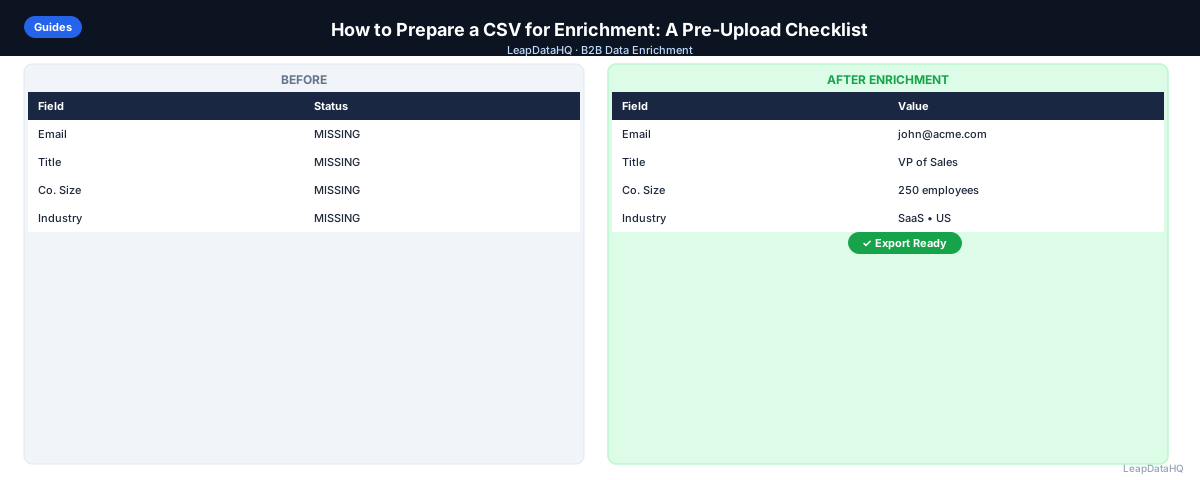
Enrichment tools can only work with what you give them. A messy input file — inconsistent domains, duplicate rows, mismatched columns — produces a messy output file, no matter how good the enrichment provider is. Most disappointing enrichment results trace back to preparation, not the tool itself.
This checklist walks through exactly what to fix in a CSV before uploading it for enrichment, in the order that matters most. It is written for anyone preparing a list — a conference export, a CRM report, a purchased list — for enrichment, whether you are doing it for the first time or trying to figure out why your last batch underperformed.
Why Preparation Matters More Than the Tool
Enrichment providers match your rows against their data sources using whatever identifying information you give them. If that information is inconsistent, duplicated, or malformed, the matching engine cannot do its job well — regardless of how comprehensive the underlying data source is. Preparation is the highest-leverage step in the entire enrichment workflow because every other step depends on it.
Step 1: Pick the Right Lookup Key
Company domain is the most reliable lookup key for company-level enrichment. Email address is the most reliable key for contact-level matching. Company name alone is the weakest option — it is ambiguous, inconsistently formatted, and prone to collisions between unrelated businesses with similar names.
If your file only has company names, consider resolving domains first, even through a quick manual pass on a smaller list, before enrichment. The improvement in match rate is usually worth the extra step.
Step 2: Clean Domain Formatting
Domains should be bare — no "http://", no "https://", no "www.", and no trailing slash or path. "https://www.acme.com/about" and "acme.com" refer to the same company but will not match consistently unless normalized to the same format. A simple find-and-replace pass across your domain column fixes this in seconds.
Step 3: Deduplicate Before You Upload
Remove duplicate rows using your primary lookup key — domain or email — before uploading. Most enrichment tools charge per row processed, so duplicates directly waste budget. They also risk producing double outreach later if the list is used for a campaign without further deduplication.
Step 4: Standardize Company Name Formatting
If your list mixes "Acme Corp", "ACME Corporation", and "Acme" across different rows for what should be the same company, pick one consistent format. This matters less for matching itself if you have a clean domain column, but it matters a lot for deduplication, segmentation, and any manual review you do afterward.
Step 5: Remove Rows That Will Never Match
Ready to enrich your CSV list?
Upload a CSV, fill missing data, review confidence scores, and export clean records.
Upload a CSV — Start EnrichingDelete rows with clearly invalid or placeholder data — blank company fields, obviously fake domains, or role-based emails standing in for a real contact ("info@", "sales@", "noreply@"). These rows will not produce useful enrichment output and only consume processing budget.
Step 6: Check Your Column Headers and Structure
Make sure each column has a single, clear header with no merged cells, no multi-line headers, and no stray formatting carried over from Excel. Most enrichment tools ask you to map columns manually, and a clean, single-row header makes that mapping step fast and error-free.
Step 7: Verify File Encoding and Format
Save your file as standard UTF-8 CSV. Files exported from older systems or non-English locales sometimes carry encoding artifacts that garble special characters in names or addresses. If you notice odd characters appearing in a preview, re-export with UTF-8 encoding explicitly selected before uploading.
Step 8: Do a Small Test Batch First
Before running your full file through enrichment, upload a sample of 20-50 rows and check the results. This catches column-mapping errors, unexpectedly low match rates, or formatting issues before you commit your full enrichment budget to a file that needs more preparation.
The Pre-Upload Checklist
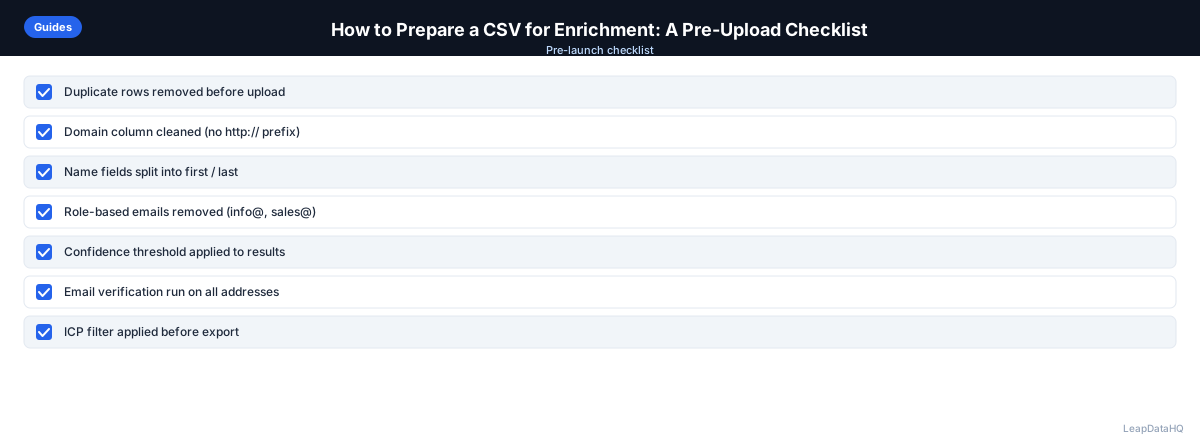
- Domain column is bare — no http://, https://, www., or trailing paths
- Duplicate rows removed based on domain or email
- Company names standardized to a consistent format
- Role-based and placeholder emails removed
- Blank or clearly invalid rows removed
- Column headers are single-row, clear, and free of merged cells
- File saved as UTF-8 CSV
- Test batch of 20-50 rows uploaded and reviewed before running the full file
Common Mistakes to Avoid
- Uploading directly from an Excel export without checking for encoding artifacts or merged header cells
- Leaving "http://" or "www." prefixes in the domain column, which quietly lowers match rates
- Assuming company name alone is enough for reliable company-level matching
- Skipping the small test batch and running the full file straight away
- Not checking for duplicate rows created by merging multiple source lists together
How LeapDataHQ Helps
LeapDataHQ is designed around exactly this preparation workflow. When you upload a CSV, the platform helps you map columns clearly, flags missing key fields before enrichment runs, and lets you review a sample before committing your full file. This reduces the guesswork in preparing a file correctly the first time. Start with a sample file at /sample-enrichment or see the full workflow at /how-it-works.
When to Use LeapDataHQ
Use this checklist every time before uploading a new CSV to LeapDataHQ or any enrichment tool — it is the highest-leverage five minutes you can spend before enrichment. LeapDataHQ's upload flow is built to support this workflow: it helps you map columns clearly, flags rows with missing key fields, and lets you preview results on a smaller sample before running a full batch, so preparation mistakes get caught early rather than after credits have already been spent.
Start Enriching LeadsFrequently Asked Questions
What is the most important thing to fix before uploading a CSV?
Domain formatting and deduplication. A clean, bare domain column with no duplicate rows fixes the majority of preventable match-rate problems before enrichment even starts.
Do I need a domain column, or is company name enough?
Company name alone works, but produces meaningfully lower match rates because names are ambiguous across regions and industries. A domain column is the more reliable lookup key whenever you can include one.
How do I fix inconsistent company name formatting quickly?
Use a find-and-replace pass or a spreadsheet formula to standardize common variations (removing "Inc.", "LLC", "Corp" suffixes, for example) so the same company appears the same way across every row.
Should I test with a small batch before running my full list?
Yes. A 20-50 row test batch catches column-mapping errors and unexpectedly low match rates before you commit your full enrichment budget, and it takes only a few minutes.
What file format should I use?
Standard UTF-8 CSV with a single-row header per column. Avoid exporting directly from Excel without checking for encoding issues or merged cells, which can confuse the upload parser.
Is it worth cleaning a file if I am only enriching 50 rows?
Yes. Preparation time scales down with list size, but the impact per row does not — a small list with dirty data still produces a low match rate, and the cleanup itself only takes a few minutes for 50 rows.