
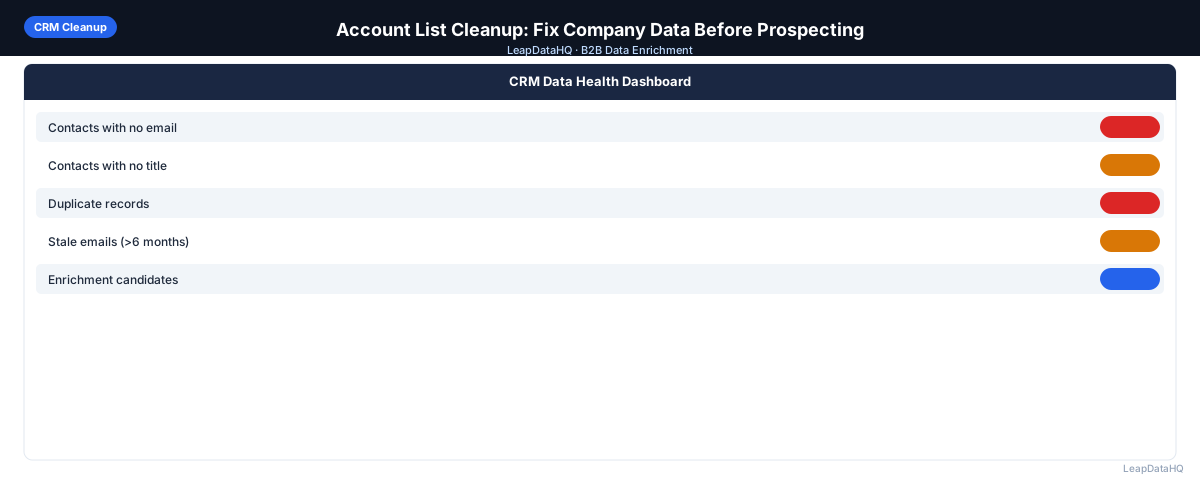
Building and executing high-performing outbound programs depends on the foundation of your contact lists. In modern B2B sales, many teams struggle with low reply rates, high bounce rates, and wasted budget. The reason is rarely the copy or the email sequences themselves; instead, it is almost always poor data quality. Whether you are building lists from events, trade lists, or database exports, raw contacts are rarely ready for direct outreach. When lists are dirty, incomplete, or incorrectly formatted, your campaign performance suffers immediately.
If you are a founder, SDR, marketing manager, or sales operations professional, establishing a repeatable workflow to audit, clean, and enrich your list before you import it into your CRM or email sequencing platform is a crucial step. By systematically addressing missing email addresses, normalization issues, duplicate rows, and invalid contact fields, you ensure that every credit spent, and every message sent, represents an active, valid opportunity.
This detailed guide outlines why pre-campaign data preparation is critical, what components of your data quality require attention, and how you can run a clean, multi-stage enrichment and verification workflow. We will explore how B2B sales teams can transition from raw, incomplete records to verified, segmented, and highly personalized campaigns that scale without risking sender domain reputations.
Ultimately, the goal is simple: spend less time debugging bounces and dealing with CRM validation errors, and more time booking meetings with qualified buyers who actually receive your outreach. Let's walk through the exact steps to audit your list, execute the cleanup, and prepare a final export that sets your sales team up for predictable outbound success.
Why Data Quality in CRM Cleanup Drives Outbound Performance
In the context of account-list-cleanup, lists represent your primary path to generating pipeline. However, contacts are constantly changing. Job changes, domain migrations, company acquisitions, and simple input mistakes degrade data quality at an estimated rate of 2-3% per month. If you are using a list sourced even a few months ago, a portion of the records is already outdated. Sending outreach to stale or unverified contacts leads to immediate bounces, flagging your domain as suspicious by mail servers.
Moreover, bad records cost money and time. If your sales representatives are spending time trying to contact dead accounts or manually typing fields that could have been filled automatically, your acquisition cost increases. Standardizing and verifying data before import makes SDRs more efficient, allowing them to focus entirely on personalizing messaging and holding qualification calls. High data quality ensures that your personalization variables are clean, preventing embarrassing typos in first names or company names.
Key Areas of Contact Lists to Clean and Normalise
Standardizing Company Names and Domains
A common issue in raw exports is messy company names. You might see "Acme, Inc.", "ACME Corporation", or "Acme Corp - Headquarters". If you use these values directly in email template variables like "I saw your work at [Company]", your outreach will sound automated and robotic. Standardizing company names by removing suffixes like "Inc.", "LLC", "Corp.", and trimming extra spaces is essential. Additionally, ensuring that domains do not contain prefixes like "https://" or paths is crucial because domains act as the primary lookup keys in most enrichment databases.
Cleaning and Parsing Contact Names
First name fields are frequently cluttered with job titles, middle initials, or capitalization errors (e.g., "john", "JOHN", or "John (SaaS)"). Normalizing capitalization and separating first and last names into dedicated columns prevents immediate personalization errors. For example, sending an email starting with "Hi john" or "Hi JOHN" immediately signals to the reader that you used a bulk mailer without auditing your data. Clean formatting builds trust and improves response rates.
- Trim trailing spaces, middle initials, and titles from first name columns
- Remove legal suffixes like Ltd, Inc, Corp, and LLC from company name columns
- Lower-case and standardize all company domains to clean website handles (e.g. acme.com)
- Split combined name columns into separate first name and last name columns for variable mapping
- Check for and remove special characters, emoji prefixes, and placeholders from text fields
- Verify that phone numbers follow international dialing formats to avoid call routing errors
Preventing CRM Pollution and Campaign Failures
When list cleaning is skipped, bad records enter your system of record, creating permanent issues. Duplicate contact entries lead to different reps contacting the same lead at the same time, leading to brand confusion and prospects receiving conflicting messages. Inaccurate industry or company size data leads to incorrect routing and scoring, meaning sales reps receive leads that don't match their territory assignments.
Furthermore, cleaning your database after imports are completed is significantly harder and more expensive than preparing lists beforehand. Once data is merged, identifying which fields are up-to-date and which are obsolete requires complex deduplication and history audits. By enforcing strict data standards before importing any CSV file, you maintain a clean database that serves as a reliable source of truth for your entire business.
- Run deduplication passes on emails and domains to prevent multi-contact outreach
- Validate email formats using standard syntax checks before running server-level verification
- Check existing CRM contacts to see if the prospect already exists in an active pipeline
- Normalize state, country, and region fields to maintain territory assignment accuracy
- Review high-risk domains and catch-all settings before uploading list batches
A Standard Matrix for Comparing Raw and Cleaned Data Rows
Ready to enrich your CSV list?
Upload a CSV, fill missing data, review confidence scores, and export clean records.
Upload a CSV — Start EnrichingTo see the direct value of list cleaning, look at how data transforms after a cleaning and enrichment pass. The raw list contains typical scraping artifacts, missing domains, and inconsistent casing. The cleaned list is structured, populated, verified, and ready for immediate campaign insertion.
Standardizing your fields not only improves personalization but also prevents your marketing campaigns from looking sloppy. An structured data row is easier to map to CRM properties, and ensures that routing rules for sales teams trigger correctly. Let's look at an example comparing raw input data with the enriched output:
- Raw Input Row: Name: "v-prez. sales (John D.)", Company: "ACME corp.", Email: "", Domain: "https://www.acme.com/"
- Cleaned Output Row: First Name: "John", Last Name: "Doe", Title: "VP of Sales", Company: "Acme", Email: "john.doe@acme.com", Verification: "Deliverable"
- Raw Input Row: Name: "jane smith", Company: "SaaS Systems Ltd", Email: "jane@saassystems.com", Domain: ""
- Cleaned Output Row: First Name: "Jane", Last Name: "Smith", Title: "Director of Marketing", Company: "SaaS Systems", Email: "jane@saassystems.com", Verification: "Deliverable"
Best Practices for B2B Personalization and Segmenting
Once lists are clean and complete, you can leverage the added fields to segment your lists for highly targeted outreach. Slicing contacts by company size, job title, and industry allows you to write customized copy that speaks to the specific pain points of each group. For instance, a VP of Sales at a 50-person SaaS startup faces different challenges than a Director of Sales Ops at an enterprise healthcare corporation.
Instead of running broad, generic outreach, use the enriched data to build niche sequences. Focus one sequence on mid-market technology companies, highlighting scalability, and another sequence on small businesses, focusing on cost savings. This degree of personalization, enabled by high-quality data fields, consistently yields double-digit reply rates and dramatically reduces opt-outs and spam complaints.
Step-by-Step Lead Enrichment Workflow
To achieve maximum contact quality and keep outbound campaigns safe, B2B sales teams should follow a structured, multi-step list preparation workflow:
- 1. Upload or import CSV: Start by uploading your raw list of contacts, company names, or domains to LeapDataHQ. The system automatically reads headers and maps columns.
- 2. Detect missing fields: LeapDataHQ scans your list to identify where key fields are missing, such as blank email cells, missing company sizes, or empty job titles.
- 3. Normalize messy columns: Use the platform to standardize job titles, capitalize names correctly, and strip legal suffixes (like Inc. or LLC) from company names.
- 4. Remove duplicates and obvious bad rows: Filter out duplicate email addresses, role-based contacts (like info@ or support@), and rows with invalid syntax.
- 5. Enrich contact and company data: Query LeapDataHQ's data sources to fill in missing corporate emails, direct LinkedIn URLs, company sizes, and industries.
- 6. Verify email/contact quality: Verify the deliverability of every email address. Identify catch-alls and separate deliverable mailboxes from high-risk accounts.
- 7. Review confidence and quality: Check LeapDataHQ's confidence score flags. Review low-confidence matches manually and exclude records that fail criteria.
- 8. Export clean data: Download the final, cleaned CSV. The output contains all your original fields with the new verified details appended as structured columns.
- 9. Use the list for outreach or CRM updates: Import the clean, segmented list into your sequencing platform or CRM, confident that bounce rates will remain below 2%.
Common Mistakes to Avoid in Pre-Campaign Prep
Many sales operations and marketing teams fall into these data quality traps, which silently hurt their reply rates and lead to blocked email domains:
- Sourcing lists from unverified scrapers and uploading directly to outbound platforms.
- Failing to verify emails after enrichment, assuming confidence scores guarantee live deliverability.
- Leaving company names unstandardized, resulting in emails containing "I saw your company ACME Corporation Inc."
- Not deduplicating lists, causing multiple sales reps to contact the same prospect in the same week.
- Ignoring catch-all email domains, which can lead to high spam rates and blocked domains.
- Importing unsegmented lists, leading to generic messaging that fails to connect with buyers.
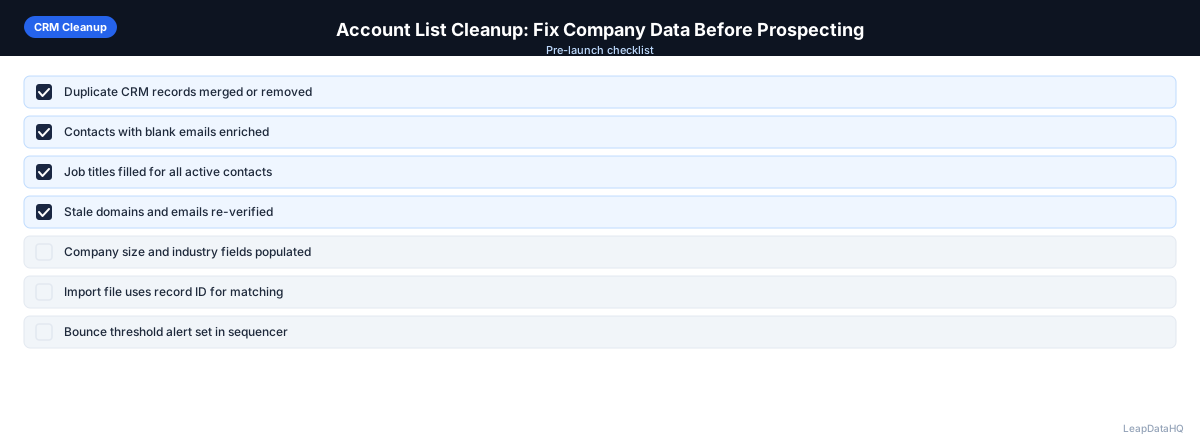
Pre-Campaign Data Quality Checklist for CRM Cleanup
Before importing your final cleaned data to your CRM or outbound platform, verify that your spreadsheet passes this list audit:
- Checked for and removed duplicate rows using email or domain as primary key
- Capitalized all contact first and last names and corrected syntax errors
- Stripped legal suffixes (like LLC, Inc, Ltd) from company names for natural templates
- Cleaned company domains by removing prefixes, trailing slashes, and paths
- Ran server-level verification on all email addresses and filtered out bad rows
- Mapped all enriched data fields to matching CRM custom fields before import
- Kept bounce rates under 2% by excluding low-confidence or catch-all addresses
- Verified that job titles are standardized to clean outreach tokens
When to Use LeapDataHQ
LeapDataHQ is designed to solve the list preparation challenges described in this guide. Rather than manually researching contacts, copying data between tools, or dealing with dirty CRM imports, LeapDataHQ provides a unified dashboard to upload, normalize, enrich, and verify your CSV files.
It is particularly valuable for B2B sales teams, outbound agencies, RevOps departments, and small businesses that work with prospect lists of 50 to 5,000 records. By combining domain enrichment, job title normalization, company data lookup, and email verification in a single workflow, it eliminates the need to pay for multiple software subscriptions.
LeapDataHQ returns clear confidence signals and email validation statuses for every contact field. This transparent approach enables sales ops and SDRs to easily spot-check data, set automated filters, and export only high-confidence records. The flexible credit pricing model at /pricing lets teams scale their enrichment up or down based on campaign volume without long-term commitments. Learn more about the feature set at /features.
Start Enriching LeadsFrequently Asked Questions
How do I handle catch-all email domains during validation?
Catch-all domains are mail servers configured to accept all incoming mail, meaning they return a valid status even if the mailbox does not exist. To manage catch-alls, check the domain's historical bounce rate or exclude them from cold email campaigns, reserving them for alternative channels like LinkedIn or phone outreach. Always maintain a low ratio of catch-all contacts in active email sequences.
What is the best lookup key for B2B data enrichment?
The company domain (e.g. acme.com) is the single most reliable lookup key for B2B enrichment. Company names are often shared or formatted inconsistently, whereas domains are unique worldwide. Providing a clean domain column ensures high match rates and prevents false matches during company and contact lookup.
Should I enrich lists before or after applying target ICP filters?
Filter your lists to fit your target Ideal Customer Profile (ICP) before running enrichment. Slicing out contacts that do not fit your target company size, location, or industry first ensures you only spend credits to enrich leads you actually intend to contact.
How often does B2B contact data decay?
B2B contact databases decay at roughly 2-3% per month due to job changes, company rebrands, acquisitions, and employee turnover. Re-verify lists that have been inactive for more than 60 days to prevent high bounce rates and deliverability blocks.
What is the limit for email bounce rates in B2B outreach?
To protect your sender reputation and avoid domain suspension by email providers, keep your hard bounce rate strictly below 2%. If your bounce rate exceeds 3%, pause your campaigns immediately, re-validate your contact list, and verify your domain setup.