
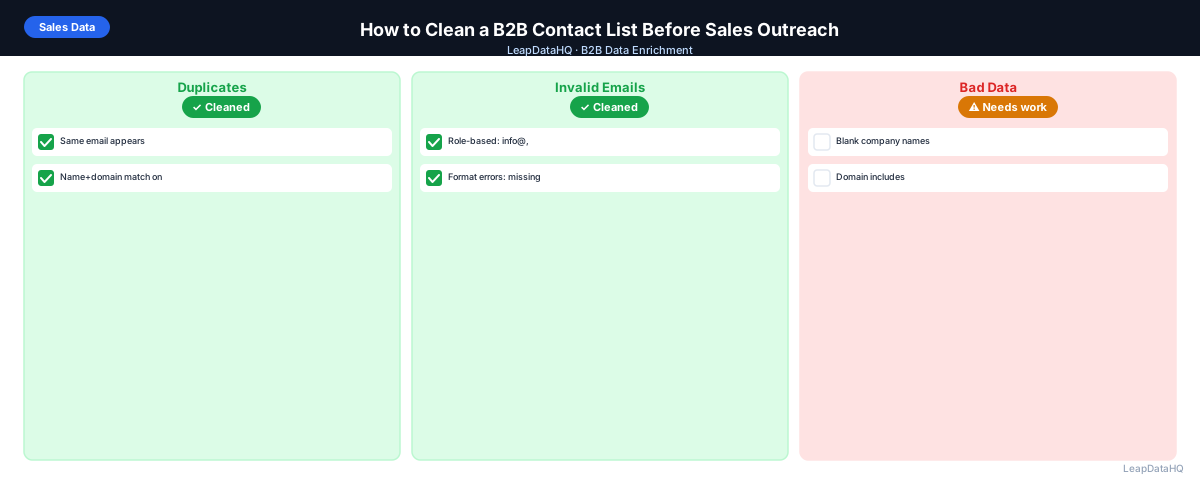
A B2B contact list is only as useful as its data quality. A list with 1,000 contacts sounds substantial, but if 200 have invalid emails, 150 are duplicates, 100 have blank job titles, and 80 are outside your ICP, you're actually working with around 470 usable contacts. The other 530 need cleanup before they can contribute to a campaign.
Cleaning a B2B contact list is the process of finding and fixing those problems before they affect outreach. It happens before enrichment (which adds missing data), before email verification (which confirms deliverability), and before loading into a sequencer or CRM. Done well, it transforms a raw, mixed-quality list into an outreach-ready file where every row is worth using.
This guide covers what B2B contact list cleaning involves, which problems to look for, and how to work through them systematically.
What Bad B2B Contact Data Looks Like
Bad B2B contact data falls into predictable categories. Understanding which category each problem belongs to determines the right fix.
Structural Problems
Structural problems affect whether the data can be used at all: emails missing the @ symbol, domains with URL paths instead of just the domain, name fields where first and last are combined in a single column, or phone numbers with inconsistent formatting (some with country code, some without). These are formatting errors that need to be fixed before enrichment or import.
Completeness Problems
Completeness problems mean a field that should have a value doesn't: blank email addresses, blank job titles, missing company domains. These can't be fixed by formatting correction — they require enrichment (looking up the missing value from an external data source) or manual research.
Accuracy Problems
Accuracy problems mean a field has a value but that value is wrong: an email domain that doesn't match the company domain, a job title that hasn't been updated since the contact left the company, a company size that's far out of date. These are harder to detect without cross-referencing against current data.
Relevance Problems
Relevance problems mean the contact doesn't belong in this list: a contact whose title is "Intern" in a VP-targeted list, a company with 10 employees in a mid-market-targeted campaign, a contact in a geography or industry you don't serve. These require ICP filtering to catch.
Step 1: Upload Your Contact List and Audit It
Open the CSV in a spreadsheet. Run COUNTBLANK on each column to find gaps. Scan for obvious structural errors. Create a simple table summarizing what you found: which columns have the most blank cells, which have obvious formatting problems, and how many duplicates you can spot. This audit becomes your cleanup task list.
Step 2: Detect Missing Fields
Systematically count what's missing. For a standard B2B contact list, track: email present (%), job title present (%), company domain present (%), company size present (%), LinkedIn URL present (%). Anything below 80% for a key field like email signals a significant enrichment need.
Step 3: Normalize and Clean Messy Columns
Ready to enrich your CSV list?
Upload a CSV, fill missing data, review confidence scores, and export clean records.
Upload a CSV — Start EnrichingFix structural and formatting problems before running enrichment. This includes: stripping domain prefixes, splitting full name columns into first/last, normalizing title capitalization, removing trailing spaces. These fixes improve enrichment match rates because enrichment tools match on the cleaned values.
Step 4: Enrich Missing Contact and Company Data
For contacts with missing email, title, or company fields, run enrichment. Upload the cleaned file to LeapDataHQ or your enrichment tool of choice, map columns, and request the fields you need. The enrichment output adds the missing values with confidence scores attached.
Step 5: Review Confidence and Quality
Apply a confidence threshold to enriched results. Spot-check both high- and mid-confidence rows to verify accuracy. For email fields specifically, run email verification — confidence scores tell you how sure the enrichment tool is; verification tells you if the mailbox currently exists.
Step 6: Fix Duplicates and Bad Rows
- Remove duplicates: deduplicate on email address (or name+domain if email is missing)
- Remove role-based emails: any address at a shared inbox (info@, support@, sales@)
- Remove ICP mismatches: contacts outside your target title, industry, or company size
- Remove contacts with verified-invalid email addresses
- Remove contacts on your do-not-contact list
Step 7: Export Clean Data
Export the cleaned contact list with original plus enriched fields. Include verification status and confidence score as columns. Separate any catch-all domain contacts into their own export segment — they're usable but riskier than fully verified contacts.
Step 8: Use the List for Outreach or CRM Import
Load verified, cleaned contacts into your sequencer or CRM. For sequencer import: set bounce threshold alerts before launching. For CRM import: use update mode matched by contact ID or email. Run a spot check on 10 random imported records to confirm fields landed correctly.
Fields to Check in a Clean B2B Contact List
- First name: present, properly formatted, no placeholders
- Last name: present, properly formatted
- Email: present, valid format, not role-based, domain matches company
- Job title: present, appropriate seniority for ICP, properly formatted
- Company name: present, standardized
- Company domain: present, clean format
- Company size: within ICP target range
- Industry: within target verticals
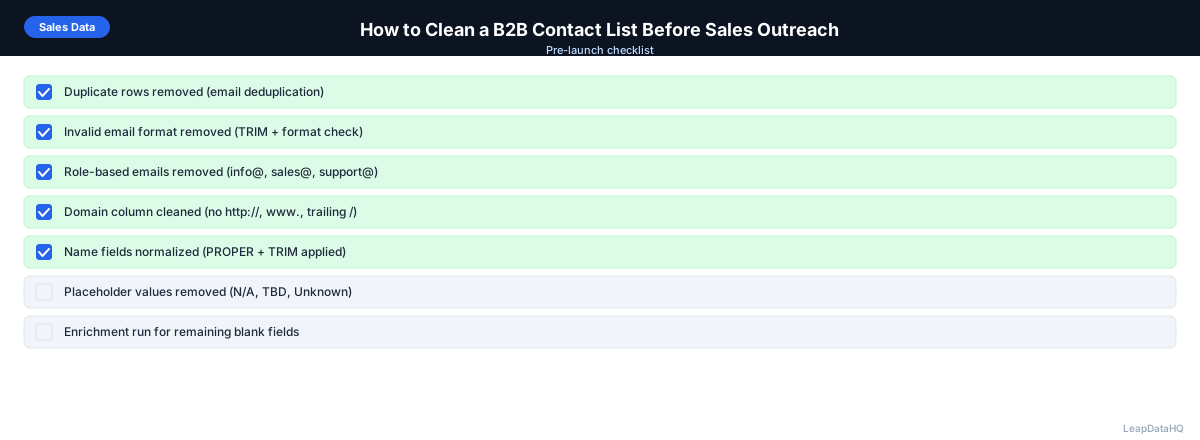
Checklist for Cleaning a B2B Contact List
- ☐ COUNTBLANK audit completed on all key columns
- ☐ Structural formatting fixed (domains, names, email format)
- ☐ Duplicates removed (deduplication on email or name+domain)
- ☐ Role-based addresses removed
- ☐ Enrichment run for missing fields
- ☐ Confidence threshold applied to enriched results
- ☐ Email verification run on all addresses
- ☐ Invalid addresses removed
- ☐ Catch-all addresses segmented
- ☐ ICP filter applied
- ☐ Do-not-contact list checked
- ☐ File exported with date stamp and status
When to Use LeapDataHQ
LeapDataHQ handles the enrichment step in this workflow. After your initial formatting cleanup in a spreadsheet, upload the file to LeapDataHQ to fill missing emails, titles, and company fields. Review results with confidence scoring, apply your threshold, and export the cleaned, enriched file ready for email verification and outreach.
For teams that clean B2B contact lists regularly — agencies, SDR teams, RevOps — LeapDataHQ provides a consistent enrichment workflow that doesn't require per-seat pricing or annual commitment.
Start Enriching LeadsFrequently Asked Questions
How do I know if my B2B contact list is clean enough to use?
A list ready for outreach should have: email addresses for 90%+ of contacts, job titles for 80%+, a hard bounce rate below 1% on email verification, no role-based addresses in the campaign segment, and no obvious duplicates. If any of these fall significantly short, the list needs more work before sending.
What's the quickest way to clean a B2B list?
For a quick clean: run deduplication on the email column (removes the most common structural problem), filter and remove role-based addresses, run email verification on remaining contacts, remove invalids. This covers the highest-impact cleanup steps in about 30 minutes for a 300-contact list. Full cleanup including enrichment takes longer but produces better results.
Should I clean before or after ICP filtering?
Filter first, clean second. ICP filtering removes contacts that won't be used regardless of their data quality — enriching those contacts wastes credits. Apply your ICP filters to the raw list first (remove obvious mismatches on company size, industry, title), then run cleanup and enrichment on the filtered list.
What makes a B2B contact list "outreach-ready"?
An outreach-ready B2B contact list has: valid, verified email addresses for all contacts, job titles present and formatted for personalization, company names standardized, no duplicates, no role-based addresses, all contacts pass ICP criteria, and the list has been checked against any do-not-contact or unsubscribe lists.
How often do B2B contact lists go stale?
B2B contact data decays at roughly 25–30% per year — people change jobs, companies merge or rebrand, email addresses change. A list that was clean six months ago may have 10–15% stale records. Always re-verify before reusing a list, especially for contacts added more than three months ago.