
Lead data enrichment is the process of taking a raw or incomplete list of B2B contacts and filling in the missing fields needed for outreach — email addresses, job titles, company size, industry, and other data that determines whether a contact is reachable and whether they fit your target profile.
For sales teams, enrichment is the step between building a prospect list and actually using it. For agencies, it's a core part of list delivery — the difference between handing a client a raw export and handing them something ready to send. In both cases, the quality of the enrichment step directly determines the quality of the campaign that follows.
This guide covers what lead data enrichment involves, what fields to prioritize, how to run the workflow efficiently, and what separates a high-quality enrichment pass from one that creates more problems than it solves.
What Lead Data Enrichment Solves
The problem lead enrichment addresses is incomplete data at the point where you need to act on it. You identify the right companies and the right contacts at those companies, but you can't reach them because their email addresses are missing, their job titles aren't confirmed, or their company data is outdated. Enrichment fills that gap by querying data sources to append the missing fields.
Without enrichment, filling those gaps requires manual research — looking up each contact on LinkedIn, the company website, or email finder tools one at a time. For lists of more than a few dozen contacts, this is impractical. Enrichment automates the research step, returning results for an entire file in minutes rather than hours or days.
What a Lead Record Looks Like Before and After Enrichment
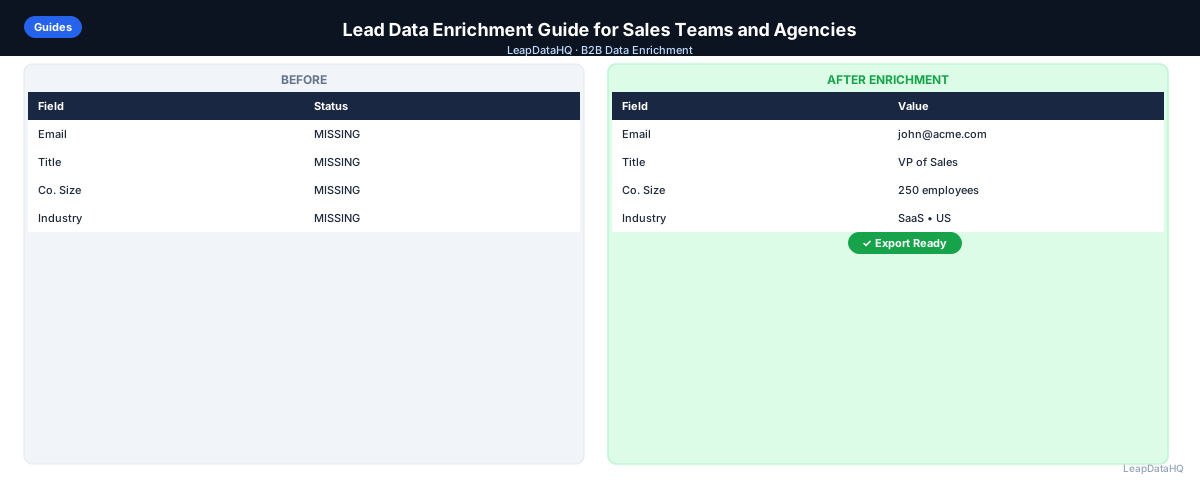
A typical before state: company name, first name, last name. No email. No title. No company size. The after state: confirmed work email, current job title, company size (employees), industry, LinkedIn URL, and domain. That transformation is what makes outreach possible.
The difference matters most for personalization and ICP qualification. A title field enables personalization ("As a VP of Sales…") and ICP scoring (is this person the right seniority?). Company size enables segmentation (send different messages to 10-person startups vs. 500-person enterprises). Industry enables vertical-specific copy. None of this is possible without enriched data.
Step 1: Upload or Import Your CSV
Start with your raw lead list. This might be a LinkedIn export, a conference attendee list, a CRM export of contacts with gaps, or a list from a contact database. Save as a standard CSV with clear column headers. Before uploading, do a visual scan of the first 50 rows — obvious problems (blank columns, formatting errors, role-based emails) are faster to fix before enrichment than after.
Step 2: Detect Missing Fields
Open the file in a spreadsheet and count blank cells in each key column. Common enrichment targets: email address (how many contacts have no email?), job title (how many have a blank title?), company domain (how many have company name but no domain?), company size (how many have no headcount data?). This audit shapes which enrichment fields you request and sets a baseline for measuring what enrichment improved.
Step 3: Normalize and Clean Messy Columns
Before uploading to an enrichment tool, fix the formatting problems that reduce match rates. Clean domain values: remove http://, https://, www., trailing slashes. Standardize name fields: first and last in separate columns. Remove rows where the primary lookup key (domain or name) is blank — enrichment tools can't match what they can't look up.
Deduplication matters here too. Run deduplication on the email column (if populated) or on first name plus last name plus company domain. Sending duplicate rows through enrichment wastes credits and creates conflicting results.
Step 4: Enrich Contact and Company Data
Upload the cleaned file to your enrichment tool. Map columns to the enrichment fields: domain to domain, first name to first name, last name to last name. Request the fields you need: email, title, company size, industry, LinkedIn URL, phone.
Ready to enrich your CSV list?
Upload a CSV, fill missing data, review confidence scores, and export clean records.
Upload a CSV — Start EnrichingThe tool processes each row, queries its data sources, and returns enriched fields with confidence scores. Processing time is typically a few seconds to a few minutes for a few hundred rows.
Step 5: Review Confidence and Quality
After enrichment, review results by confidence score. Apply a threshold — rows above it go to outreach; rows below get a secondary review. High-confidence enrichment means the tool found a verified match. Low-confidence means the result is inferred rather than confirmed.
Also check that returned data makes sense. Email domains should match company domains. Titles should fit your ICP target level. Company sizes should be in your target range. The confidence score tells you how sure the tool is; the sanity check tells you if the data is actually useful.
Step 6: Fix Duplicates and Bad Rows
- Remove or merge duplicate contacts (same email on multiple rows)
- Remove role-based email addresses (info@, sales@, support@, admin@)
- Remove contacts where enriched data reveals an ICP mismatch (wrong title level, wrong company size)
- Remove contacts where email domain doesn't match the company domain
- Standardize title and company name formatting for personalization consistency
Step 7: Export Clean Data
Export the reviewed, filtered file. Include your original columns plus the enriched fields. Include the confidence score as a column so anyone who uses the file later knows which records have been verified. Name the file with a date stamp and status: "leads-enriched-2025-09-01-high-confidence.csv".
Step 8: Use the List for Outreach or CRM Updates
Run email verification on all email addresses before sending — enriched emails are more accurate than guesses but still need verification to confirm the mailbox is active. Then load into your sequencer or CRM. For CRM import: use update mode matched by record ID or email to avoid creating duplicate records.
Fields to Check After Lead Data Enrichment
- Email address: valid format, matches company domain, not role-based
- Job title: present, correct seniority for ICP, properly formatted for personalization
- Company name: standardized, not abbreviated inconsistently
- Company domain: clean format, no http:// prefix
- Company size: within ICP target range
- Industry: matches your target verticals
- LinkedIn URL: full profile URL, not just username
Common Mistakes in Lead Data Enrichment
- Uploading without deduplication: paying to enrich the same contact twice
- Using company name instead of domain as the lookup key: lower match rates
- Skipping confidence review: importing everything regardless of quality
- Not running email verification after enrichment
- Over-enriching: requesting every available field when you only use three
- Enriching without ICP filtering: running expensive enrichment on contacts you'll discard anyway
Lead Data Enrichment Checklist
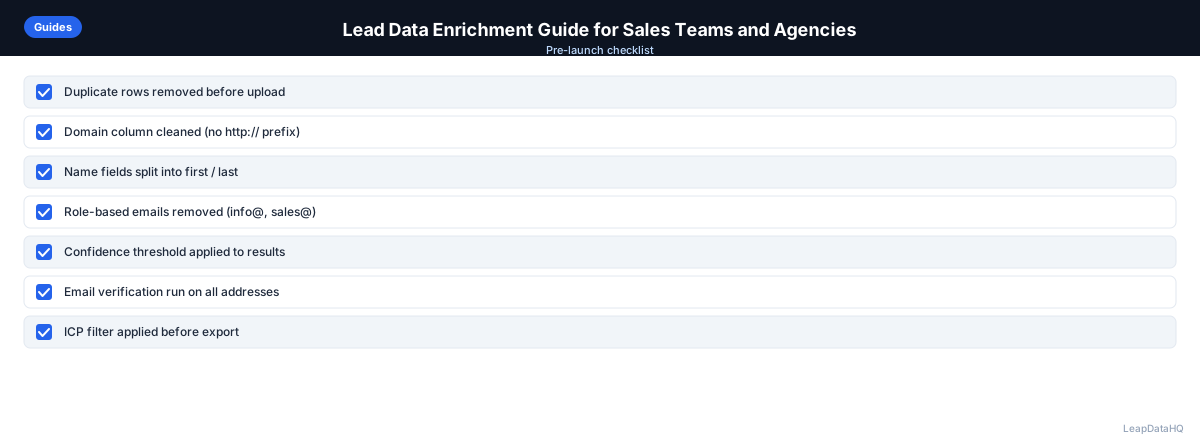
- ☐ Raw list has domain or name+company for lookup
- ☐ Duplicates removed before upload
- ☐ Domain column cleaned (no http://, www., paths)
- ☐ ICP filter applied to raw list before enrichment
- ☐ Column mapping verified before submitting
- ☐ Confidence threshold applied to results
- ☐ Role-based and mismatched emails removed
- ☐ Title and company size checked against ICP
- ☐ Email verification run on all addresses
- ☐ File exported with date stamp and confidence column
- ☐ CRM import uses update mode with record ID matching
When to Use LeapDataHQ
LeapDataHQ is built for this workflow. Upload a CSV of incomplete lead records, select the fields to enrich, review results with confidence indicators, and export the rows you trust. It's practical for sales teams running regular campaigns, agencies delivering lead lists to clients, and RevOps teams doing periodic CRM gap-fill passes.
Credit-based pricing means you pay for matched records rather than a fixed monthly fee. Visit the pricing page or features page to see what fits your team's volume and workflow.
Start Enriching LeadsFrequently Asked Questions
What is the minimum data needed to enrich a lead record?
The strongest input for lead enrichment is a company domain plus first name and last name. With these three fields, most enrichment tools can look up a work email, title, and company data. Company name alone (without domain) works but produces lower match rates because names can be ambiguous.
How accurate is enriched lead data?
Accuracy varies by tool, field, and contact type. Email addresses enriched at high confidence from reputable tools are generally accurate but not guaranteed. Job titles may be less current than emails — titles change when people get promoted or change jobs, and enrichment tools may not have the most recent update. Running email verification confirms current deliverability, but titles require manual verification for the most time-sensitive use cases.
How long does lead enrichment take for a 500-contact list?
Processing takes a few minutes. The review step — applying confidence thresholds, checking for data quality issues, running email verification — typically takes 20–40 minutes for a 500-contact list. Budget an hour from upload to export-ready file on your first pass; you'll get faster as the workflow becomes routine.
Can I enrich a list I bought from a data vendor?
Yes. Purchased lists often benefit most from enrichment — they frequently have stale data, missing fields, or contacts outside your ICP. Apply the same workflow: clean the input, run enrichment, review quality, verify emails. The enrichment pass adds a second-source quality check on the vendor's data.
Is lead enrichment the same as lead scoring?
No. Enrichment fills missing data fields (email, title, company size). Lead scoring uses those fields to rank contacts by ICP fit or buying intent. Enrichment enables better lead scoring by providing the data fields the scoring model needs. Without enrichment, lead scoring models produce inaccurate results for contacts with incomplete records.