
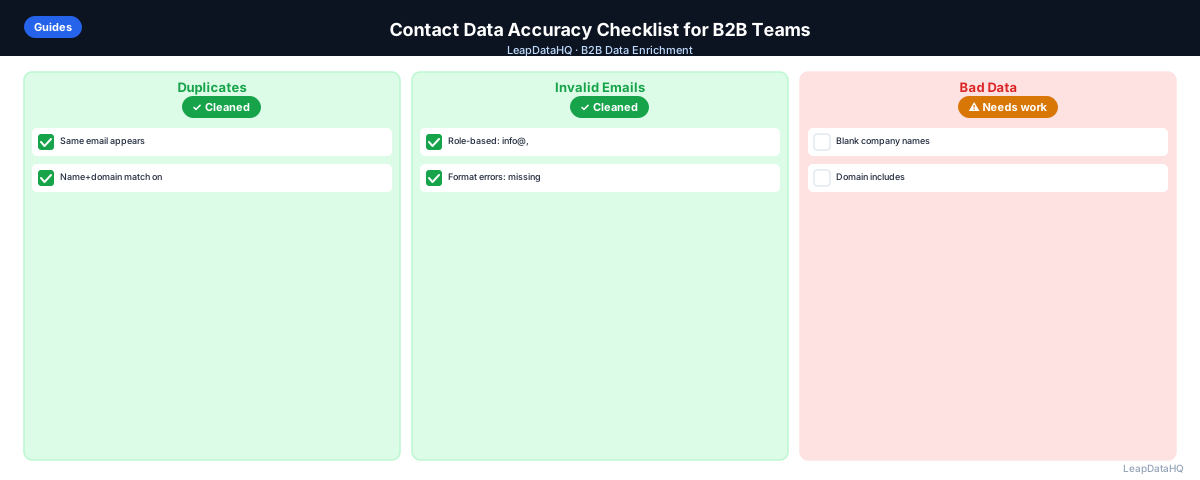
Contact data accuracy is what separates a productive outreach campaign from one that bounces, personalizes incorrectly, or sends to the wrong people. It's also something most teams check inconsistently — sometimes thoroughly, sometimes not at all, with no standard for what "accurate enough" means before sending.
This checklist provides a structured framework for verifying contact data accuracy before any B2B outreach campaign or CRM import. It covers email address quality, field completeness, company data accuracy, personalization field quality, and ICP qualification. Use it as a pre-send gate for campaigns or as a periodic audit for CRM contact data quality.
The cost of inaccurate data goes beyond just bounces. Every email that lands in a spam folder damages your domain reputation. Every personalized email that uses the wrong name or company damages your credibility with a potential buyer. Every duplicate contact risks generating a spam complaint that affects deliverability for your entire sending domain. These problems compound over time: a single campaign sent to a poorly prepared list can degrade sending reputation for weeks.
Teams that implement a consistent accuracy checklist before every campaign see fewer bounces, higher reply rates, and less time spent troubleshooting deliverability issues after launch. The upfront investment of running through the checklist saves significant downstream effort in bounce analysis, list rebuilding, and domain warming recovery.
A key insight teams often miss is that data accuracy is not just about individual fields being correct — it's about the relationships between fields being consistent. An email domain that matches the company name, a job title that fits the company size, and a location that aligns with the target geography all need to be checked together, not in isolation. The checklist captures these cross-field checks that individual validation rules miss.
Why Contact Data Accuracy Needs a Checklist
One often overlooked dimension of data accuracy is cross-field consistency. A contact might pass every individual check — valid email format, present first name, populated company field — but still have issues that only surface when you compare fields against each other. For example, a contact with a verified email at one company domain but a company name field listing a different organization entirely. These mismatched records pass automated checks but fail real-world accuracy review.
Building cross-field validation into your checklist workflow catches these issues before they reach your outreach platform. The marginal time investment of adding these comparisons to your checklist is small compared to the cost of sending personalized emails to contacts whose data is individually valid but collectively contradictory.
Without a checklist, contact data accuracy checks are inconsistent. Under time pressure, the steps that feel optional get skipped — and the steps that feel optional are often the ones that prevent the most damaging problems (duplicate contacts that generate spam complaints, role-based addresses that route to shared inboxes, stale emails that bounce).
A checklist makes accuracy verification into a process rather than a judgment call. It also makes it auditable: when something goes wrong with a campaign, you can check which steps were completed and which were skipped, rather than reconstructing the prep workflow from memory.
Common Data Accuracy Pitfalls to Watch For
Even teams that work through a checklist systematically miss certain types of errors. One common blind spot is the contact whose email is technically valid and deliverable but belongs to someone different than the name on the record — this happens when a contact changes roles within the same company and their old email gets reassigned to their replacement. Verification tools won't catch this because the mailbox is active.
Another frequent issue is domain-level accuracy. A contact record might have a valid email at an old company domain after an acquisition or rebrand. The email verifies fine, but the company data is outdated. Cross-referencing the email domain against the company name field catches these mismatches.
Title-based personalization is another area where accuracy problems are hard to spot in bulk. A job title might be technically present but contain abbreviations, outdated terms, or seniority indicators (interim, acting, former) that change how it reads in an email. Reviewing a sample of rendered personalization tokens catches these before they go out.
Building the Checklist into Your Workflow
The most effective approach is to embed checklist steps into your existing pre-campaign workflow rather than treating it as a separate audit. When you export a list from your CRM or enrichment tool, run the checklist items in sequence before moving the list into your sequencing platform.
LeapDataHQ supports the enrichment and confidence review components of this checklist directly. After enriching a list, the confidence score column and enrichment date fields map to the Section 4 checklist items. Export those fields alongside your contact data so you can reference them during the checklist review without switching between tools.
Ready to enrich your CSV list?
Upload a CSV, fill missing data, review confidence scores, and export clean records.
Upload a CSV — Start EnrichingFor recurring campaigns sent to similar audiences, create a template checklist that pre-fills the checks you already know apply. This reduces the per-campaign time investment while maintaining the consistency that makes checklists effective.
Section 1: Email Address Quality
- ☐ All email addresses present: every contact has an email field populated
- ☐ Email format valid: no addresses with missing @, invalid domain format, or extra spaces (run TRIM + format check)
- ☐ No role-based addresses: no info@, sales@, support@, admin@, contact@, hello@ in the campaign list
- ☐ No personal email domains (unless targeting consumers): no gmail.com, yahoo.com, outlook.com, hotmail.com
- ☐ Email domain matches company domain: no cases where the email is at a different domain than the associated company
- ☐ No noreply or donotreply addresses: noreply@, donotreply@, bounce@ excluded
- ☐ Email verification run: all addresses verified against SMTP; invalids removed; catch-all addresses segmented
- ☐ Bounce threshold alert configured: campaign pauses if hard bounce rate exceeds 2%
Section 2: Name and Personalization Fields
- ☐ First name present for all contacts: no blank first name fields in the sending list
- ☐ Last name present: no blank last name fields
- ☐ No placeholder values in first name: no "Test", "Unknown", "N/A", "Contact" values
- ☐ First name capitalization correct: PROPER() applied, no ALL CAPS or all lowercase
- ☐ No honorifics in name fields (unless required): Mr., Dr., Mrs. removed if they'll appear incorrectly in copy
- ☐ Job title present: all contacts have a job title for personalization tokens
- ☐ Job title formatting correct: PROPER() applied, no unusual abbreviations
- ☐ Company name present: no blank company name fields
- ☐ Company name formatting consistent: standardized across all contacts at the same company
Section 3: Company Data Accuracy
- ☐ Company domain present and clean: no http://, www., trailing slashes
- ☐ Company size within ICP range: enriched headcount verified against ICP criteria
- ☐ Industry within target verticals: enriched industry field matches target verticals for this campaign
- ☐ Company location within target geography: verified for geo-targeted campaigns
- ☐ Company name doesn't conflict with associated domain: email domain matches company listed
Section 4: Enrichment Quality
- ☐ Confidence threshold applied: all enriched records above threshold included; below threshold excluded or reviewed
- ☐ Sample review completed: 10–20 random records checked manually to verify enrichment looks plausible
- ☐ Enrichment date recorded: contacts note when they were enriched so stale records can be identified in the future
- ☐ Re-enrichment for mismatched emails: contacts where email verification came back invalid were re-enriched to try updated addresses
Section 5: Deduplication and List Hygiene
- ☐ Email deduplication complete: no email address appears more than once in the sending list
- ☐ Cross-list deduplication complete: contacts not already in active sequences from the same sending domain
- ☐ Do-not-contact list checked: unsubscribed and opt-out contacts removed
- ☐ Previously bounced contacts removed: hard bounce list from previous campaigns excluded
- ☐ ICP filter applied: all contacts meet campaign ICP criteria for title, company size, and industry
Section 6: Campaign and Technical Setup
- ☐ Sending domain SPF record configured
- ☐ Sending domain DKIM record configured
- ☐ Sending domain DMARC policy configured
- ☐ Custom tracking domain configured (if using sequencer tracking)
- ☐ Sending domain warmed up appropriately for planned volume
- ☐ Personalization tokens tested in sequencer preview
- ☐ Bounce threshold alert configured in sequencer
- ☐ Unsubscribe link present in all emails
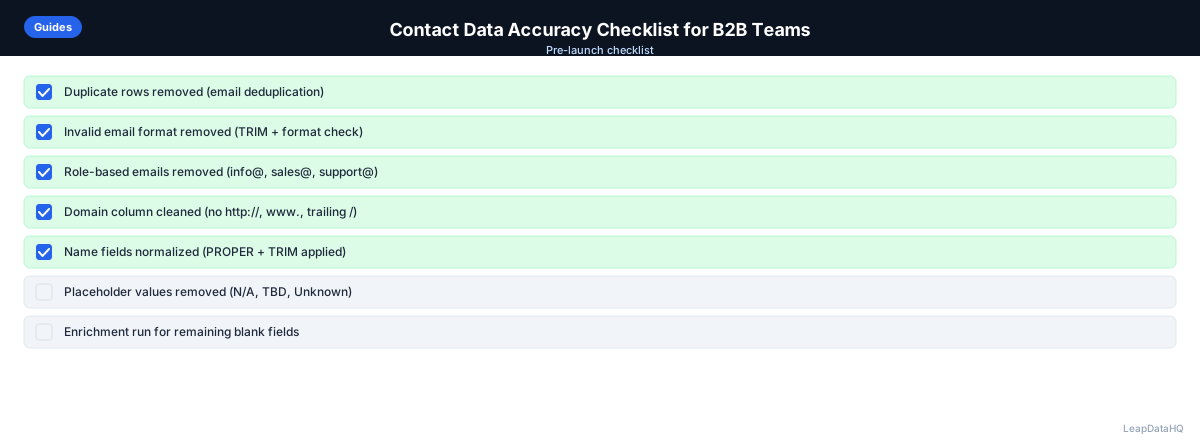
When to Use LeapDataHQ
Run through this checklist before every cold email campaign. Sections 1–5 address contact data quality. Section 6 addresses technical sending infrastructure. For new campaigns, work through every item. For recurring campaigns from existing lists, focus on Sections 1 and 5 (email quality and deduplication) as a minimum every time.
LeapDataHQ addresses Sections 1 and 4 of this checklist — email enrichment to fill missing addresses, and confidence review to evaluate enrichment quality. Pair with a dedicated email verification tool for the SMTP verification step.
Start Enriching LeadsFrequently Asked Questions
How long should the contact data accuracy check take before a campaign?
For a 200–300 contact list going through the full checklist: Sections 1–5 take 45–60 minutes (the email verification step alone takes 5–10 minutes, but the review of results takes longer). Section 6 (technical setup) should be verified once and re-checked only when setup changes. Budget 90 minutes for a first-time full pass; subsequent passes on similar lists are faster.
Can I automate this checklist?
Partially. Format validation, deduplication, role-based address removal, and email verification can be automated with tools or scripts. The review steps — applying judgment to borderline confidence scores, spot-checking enrichment plausibility, reviewing catch-all domain contacts — benefit from human review. Automate the systematic checks; keep the review steps manual.
How do I handle the catch-all domain contacts on this checklist?
Catch-all contacts can't be verified through SMTP verification, so they sit in a gray zone. Options: (1) exclude them from cold email entirely and pursue via LinkedIn; (2) send to them at reduced volume with a lower daily send limit and monitor bounce rates specifically for this segment; (3) flag them for a small test send (10–20 contacts) to measure actual bounce rate before including in the full campaign.
What's the minimum set of items to check when I'm in a hurry?
If you must shortcut the checklist: (1) verify email format and run email verification, (2) remove role-based addresses, (3) run deduplication on email column, (4) check do-not-contact list. These four steps prevent the highest-impact problems — bounces, spam complaints from role-based addresses, and double-sending. Everything else adds further quality improvement but these four are the hard floor.
Should this checklist be completed by the same person who builds the list?
Ideally, at least one step in the checklist is reviewed by someone other than the list builder. The person who built the list is less likely to catch their own systematic errors (if they always include role-based addresses, they'll always miss them in self-review). For smaller teams where this isn't practical, at minimum complete the checklist in a separate session from list building — time away catches things fresh eyes catch.