
The average B2B CRM accumulates data quality problems at a predictable rate. People change jobs, companies get acquired, email addresses become invalid, and duplicate records stack up from imports that weren't properly deduplicated. Left unchecked, a CRM that started clean becomes a liability: reps waste time on unreachable contacts, email campaigns generate high bounce rates, and forecasting reports are wrong because territory and account data is inconsistent.
CRM data cleaning is the process of systematically identifying and correcting these problems. Done well, it's not a one-time emergency project — it's a quarterly maintenance routine that prevents the problems from accumulating to crisis level.
This guide walks through the full CRM data cleaning process: how to audit what you have, how to fix the most common problems, how to enrich records where data is missing, and how to set up practices that prevent the same issues from recurring. It's designed to work for any CRM — Salesforce, HubSpot, Pipedrive, or otherwise.
Why CRM Data Quality Degrades
CRM data quality problems come from predictable sources. Understanding them helps you fix the right things rather than just treating symptoms.
- No required fields: records created without minimum data leave gaps that accumulate
- Multiple data entry paths: imports, manual entry, CRM integrations, and form fills all create records with different levels of completeness
- Natural contact data decay: people change jobs at high rates each year, making phone numbers and emails stale
- Deduplication gaps: most CRMs only deduplicate on exact email match, missing fuzzy duplicates
- No ongoing maintenance: without a scheduled cleanup process, problems compound
Phase 1: Audit Your CRM Data
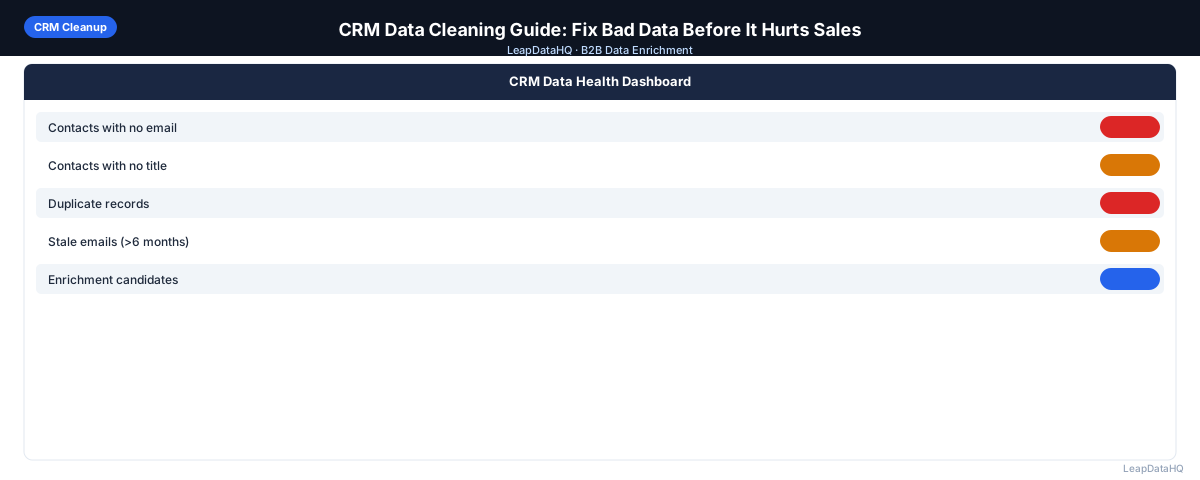
Before fixing anything, measure the problem. Export your contact and company records to a spreadsheet and analyze:
- Percentage of contacts missing email addresses
- Percentage of contacts missing job title
- Percentage of contacts with no associated company
- Records with no activity in 12+ months
- Records with obvious duplicate email addresses
- Records with test or placeholder data
- Field formatting inconsistencies (country field, phone format, industry values)
This audit gives you a baseline and helps you prioritize. Fix the problems with the highest revenue impact first — typically invalid emails, then duplicates, then missing company data.
Phase 2: Remove Duplicates
Duplicates are one of the most damaging CRM data problems. They cause reps to work the same prospect twice without realizing it, split deal history across records, and inflate your contact counts in reporting.
Exact-Match Deduplication
Use your CRM's native deduplication tool for exact-match duplicates (same email address). Most major CRMs — Salesforce, HubSpot, Pipedrive — have built-in deduplication features. Run this first. It handles the most obvious duplicates quickly.
Fuzzy-Match Deduplication
Export your contact list to a spreadsheet and use conditional formatting or a deduplication tool to find fuzzy matches — "John Smith" and "J. Smith" at the same company, or the same company entered under slightly different names. These require manual review before merging.
Handling Duplicate Merges
When merging duplicates, always check which record to keep as primary. The record with more complete data, more recent activity, and associated deal history is usually the right primary. Transfer notes, tasks, and deal associations before deleting the duplicate.
Phase 3: Handle Stale and Outdated Records
Contact data decays continuously. For records that haven't been touched in 12–18 months:
- Export them as a CSV
- Run them through an enrichment tool to check whether email addresses are still valid and contacts are still at the same company
- For records where enrichment returns no match, mark as inactive rather than deleting (preserve history)
- For records where enrichment returns a current email, update the CRM record
- For records that bounced in past campaigns, mark the email as invalid immediately
Phase 4: Standardize Field Values
Inconsistent formatting breaks filters and reporting. Common standardization targets:
- Country and state: pick one format (full name or abbreviation) and apply it consistently
- Phone numbers: standardize to one format (e.g., +1 (555) 123-4567)
- Job titles: normalize VP vs Vice President, Mgr vs Manager
- Industry: convert free-text industry fields to a standard picklist
- Company name: decide whether to include Inc., LLC, Ltd suffixes
Phase 5: Enrich Incomplete Records
After removing bad records, enrich what's incomplete. Export contacts missing email addresses, job titles, or company data. Upload to a CSV enrichment tool, review confidence scores, and import high-confidence results back into your CRM.
Only import what you're confident in. The goal is higher average data quality, not the largest possible dataset. Importing low-confidence enrichment results defeats the purpose of the cleaning effort.
Phase 6: Set Up Ongoing Data Quality Practices
- Enforce required fields on record creation (email + company minimum)
- Validate email format at entry with a CRM validation rule
- Sync email bounce data back from your outreach tool — mark bounced addresses invalid same day
- Schedule quarterly deduplication passes
- Run annual enrichment on your full active contact database
- Assign data quality ownership to a named person (RevOps, Sales Ops, or a designated owner)
- Review a monthly data quality dashboard: blank field rate, bounce rate, duplicate rate
Ready to enrich your CSV list?
Upload a CSV, fill missing data, review confidence scores, and export clean records.
Upload a CSV — Start EnrichingCRM Data Cleaning Checklist
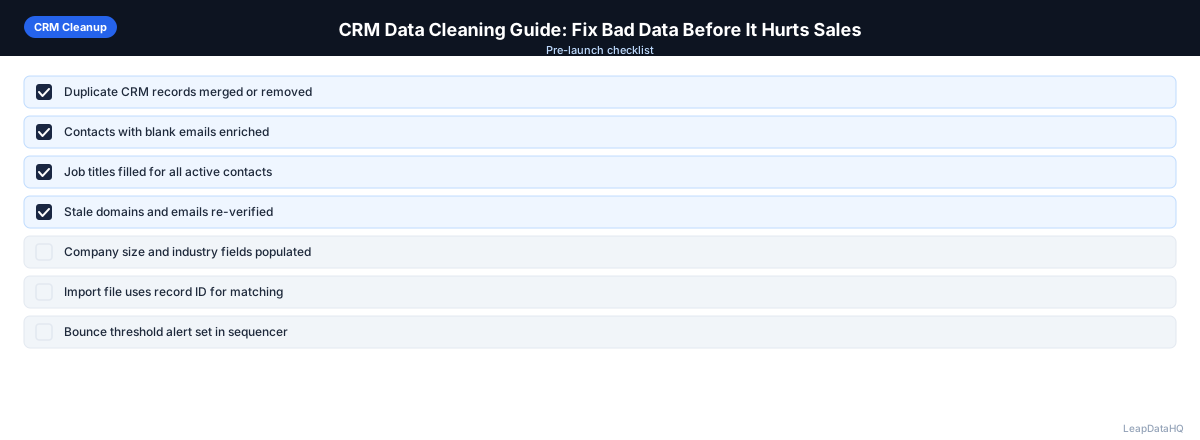
- Exported and audited contact and company records
- Baseline metrics documented: missing field rates, duplicate rate, bounce rate
- Exact-match deduplication run using CRM native tools
- Fuzzy duplicates identified and merged manually
- Stale records (12+ months inactive) flagged or archived
- Stale records re-enriched to check current status
- Field values standardized (country, phone, industry, titles)
- Incomplete records enriched and high-confidence results imported
- Required fields enforced on CRM record creation
- Bounce sync set up between outreach tool and CRM
- Quarterly cleanup and annual enrichment scheduled
Common CRM Data Cleaning Mistakes
Deleting Rather Than Archiving
Deleting old records removes activity history that may be valuable for understanding past relationships. Archive instead of delete — most CRMs support inactive status flags or archiving workflows.
Cleaning Without a Plan for Prevention
A one-time cleanup without fixing the intake process just delays the problem. Cleaning and prevention must happen together.
Importing Enrichment Without Reviewing Confidence
Enrichment that's imported without quality review just replaces one type of bad data with another. Always filter enrichment output by confidence score before importing back into the CRM.
Start Cleaning Your CRM Data
LeapDataHQ supports the enrichment phase of CRM data cleaning. Export contacts with missing fields, upload to LeapDataHQ, review confidence scores, and import clean results back. Check our CRM data cleaning features or see pricing to get started.
What This Means for Your Sales Team
Clean CRM data directly affects your team's ability to reach prospects and close deals. When email addresses are valid, outreach lands in the inbox instead of bouncing. When job titles and company data are current, reps can personalize their messaging and prioritize the right accounts. When duplicate records are eliminated, managers get accurate pipeline reports and territory assignments reflect reality. The cumulative effect is a sales team that spends less time fighting their data and more time selling.
The impact extends beyond individual rep productivity. Accurate CRM data improves forecasting reliability, helps marketing build better target lists, and ensures that customer handoff between teams is smooth rather than error-prone. Teams that maintain clean CRM data as a regular practice consistently outperform teams that only clean data when problems become visible — by which point the damage to sender reputation, pipeline accuracy, and rep morale has already accumulated. For more on preparing data for outreach, see our CSV data enrichment guide.
Who Should Use This CRM Cleaning Process
This CRM cleaning process is designed for any B2B team that relies on their CRM for outreach, reporting, or pipeline management. The teams that benefit most include:
- Sales operations and RevOps teams responsible for data quality and CRM hygiene across the organization
- Sales managers who need accurate pipeline data for forecasting and territory planning
- SDRs and account executives who depend on clean contact data for daily outreach
- Marketing teams that use CRM data for segmentation, campaign targeting, and lead scoring
- Founders and small team leads managing their own CRM without dedicated ops support
- Agencies managing CRM instances on behalf of B2B clients who need to deliver clean data regularly
Practical Examples
Example 1: Quarterly CRM Cleanup for a 10,000-Contact Database
A B2B SaaS company with 10,000 contacts in HubSpot runs a quarterly cleaning cycle. They export all contacts, identify 1,200 records with no activity in 18+ months, and run those through enrichment to check current status. Of those, 680 return valid current emails and are reactivated. The remaining 520 are marked inactive. They also run deduplication (merging 340 duplicate pairs), standardize the country and industry fields, and enrich 900 contacts missing email addresses. The entire process takes about two weeks of part-time RevOps effort.
Example 2: Pre-Campaign Data Prep for a Product Launch
A marketing team plans an email campaign to 3,000 existing contacts announcing a new product. Before sending, they export the list and run it through enrichment to verify email addresses and update job titles. They discover that 14% of the emails are invalid (contacts have changed jobs) and another 8% have moved to different titles that change the relevance of the message. After cleaning, they send to a verified list of 2,340 contacts with current titles — achieving a 1.1% bounce rate compared to the 6.8% they would have seen without cleaning.
Example 3: New CRM Migration Cleanup
A company migrating from Pipedrive to Salesforce decides to clean their data before the move rather than importing bad data into the new system. They export all 7,500 contacts, deduplicate (removing 820 duplicates), archive records with no activity in 24+ months (1,100 records), standardize all field formats, and enrich contacts missing key fields using a CSV enrichment tool. The result is a clean import of 5,200 high-quality records into Salesforce — giving the team a fresh start without carrying forward years of accumulated data problems.
How LeapDataHQ Helps
LeapDataHQ supports the enrichment phase of CRM data cleaning. Export your contacts with missing or stale fields as a CSV, upload to LeapDataHQ, and receive enriched records with confidence scores for email addresses, job titles, company size, industry, and other fields. Review the results, filter to the records you trust, and import clean data back into your CRM.
The credit-based pricing means your cleaning cost scales with the number of records you process — no per-seat fees, no annual contracts, and no minimum monthly spend. This makes it practical to run targeted enrichment on the records that need it most (stale contacts, missing fields, pre-campaign verification) without paying for a full platform subscription. Whether you're cleaning 500 records before a campaign or 10,000 during a quarterly maintenance cycle, LeapDataHQ fits into the workflow. See our CRM data cleaning tool or check pricing to get started.
When to Use LeapDataHQ
LeapDataHQ fits into Phase 5 of CRM data cleaning — enriching incomplete records. Export your contacts with missing emails, job titles, or company data as a CSV, upload to LeapDataHQ, review the enriched results and confidence scores, and import what meets your quality threshold back into your CRM.
This fits naturally into a quarterly CRM maintenance cycle: deduplicate and standardize in your CRM's native tools, then use LeapDataHQ to fill the gaps in incomplete records before re-activating them for outreach.
The credit-based pricing means the cost of a quarterly enrichment pass scales with the number of records you're cleaning, not a flat monthly fee. This makes it practical to run clean-up enrichment on an as-needed basis rather than maintaining a full platform subscription.
Start Enriching LeadsFrequently Asked Questions
How long does a CRM data cleaning project take?
For a database of 5,000–15,000 contacts, a thorough cleaning project takes 1–3 weeks of focused work including audit, deduplication, standardization, enrichment, and re-import. Larger databases take proportionally longer. Ongoing maintenance (monthly/quarterly) takes a fraction of the time once the initial cleanup is done.
Should I clean all records or focus on active ones first?
Focus on active records first — the contacts in upcoming campaigns, recently engaged leads, and accounts in active sales cycles. These have the most direct revenue impact. Expand the cleanup to inactive records in subsequent passes.
What's the most important CRM cleaning task?
Fixing invalid email addresses has the most direct revenue impact: it prevents bounces that damage your sender reputation and ensures your outreach actually reaches its targets. Deduplication is a close second because duplicate records waste rep time and distort reporting.
Do I need a data quality tool or can I clean CRM data manually?
Basic cleanup — deduplication, field standardization, removing obvious bad records — can be done manually for small databases. For enrichment (filling missing emails and company data), a dedicated enrichment tool is much more efficient at any scale above 50–100 records.
How often should I clean my CRM data?
A light monthly check (new records, obvious duplicates), a quarterly deduplication and standardization pass, and an annual full cleaning with enrichment is sustainable for most B2B teams. The exact cadence depends on how quickly new records enter your system and how actively you use the database for outreach.
Can I clean CRM data without disrupting my sales team's daily work?
Yes. The cleaning process works best when done on exported data rather than live CRM records. Export the records you want to clean, perform deduplication and enrichment offline, then import the cleaned results back. Your team continues working in the CRM uninterrupted. For large cleanups, process records in batches by segment or territory to minimize any overlap.
What CRM data quality metrics should I track over time?
Track these key metrics monthly: percentage of contacts with valid email addresses, duplicate record count, percentage of records missing required fields (email, company, title), email bounce rate per campaign, and percentage of records with activity in the last 90 days. These metrics give you an early warning when data quality is drifting and help you measure the impact of your cleaning efforts.