
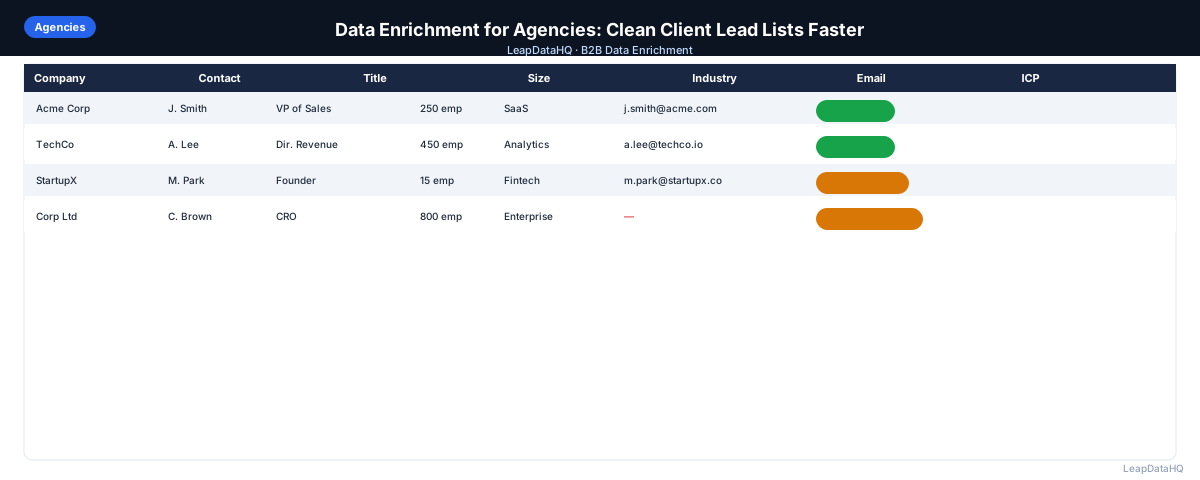
Agencies that deliver lead lists to clients have a data quality problem built into their workflow. The raw contacts they source — from LinkedIn, contact databases, conference lists, or research tools — are rarely complete enough for clients to use directly. Missing email addresses, blank job titles, unverified contact information, and ICP mismatches are the norm, not the exception.
Data enrichment for agencies is the practice of building a repeatable workflow that takes raw sourced contacts and returns clean, complete, outreach-ready lists. Done well, it becomes a systematic part of every list delivery — not an ad hoc fix when clients complain about data quality.
This guide covers how agencies can build an efficient data enrichment workflow for client lead list delivery, what quality standards to apply, and how to communicate enrichment quality to clients.
Agencies face a unique challenge that in-house teams do not: they must deliver data that meets someone else's quality standards, often without direct visibility into how the client intends to use it. A list that is good enough for one client's high-volume awareness campaign may be completely unsuitable for another client's targeted enterprise outreach. Building a flexible workflow that can adapt to different client requirements while maintaining consistent output quality is the core operational challenge for agencies in this space.
Why Data Quality Is a Core Agency Deliverable
When an agency delivers a lead list and the client's campaign produces high bounce rates or no replies, the list quality is usually the first thing blamed — regardless of whether messaging, targeting, or sending setup was also a factor. Agencies that deliver clean, verified lists with clear quality indicators avoid that conversation.
Data quality is also a differentiator. Many agencies deliver raw exports with minimal cleanup. Agencies that enrich, verify, and score their lists before delivery offer something genuinely better — and can charge accordingly. Clients who receive lists that actually perform come back for more.
What a Agency Lead List Enrichment Workflow Covers
- Deduplication: removing duplicate contacts from the sourced list
- Enrichment: filling missing email addresses, job titles, and company data
- Confidence review: applying quality thresholds to enriched results
- Email verification: confirming email deliverability before delivery
- ICP filtering: removing contacts that don't fit the client's target profile
- Quality scoring: documenting the final list quality for client communication
- Export formatting: delivering a clean CSV in the format the client's tools expect
Step 1: Upload the Raw Sourced List
Start with the raw contact list from your sourcing tool or research process. Upload to your enrichment workflow. Before enrichment, run deduplication on the email column — remove exact duplicate emails, and identify near-duplicate contacts (same person, slightly different name spelling or company name format).
Step 2: Detect Missing Fields
Audit the raw file for missing fields. Document baseline completeness rates: what percentage have email addresses? What percentage have job titles? What percentage have company size or industry? This baseline is useful for internal quality tracking and for communicating with clients about what the enrichment process improved.
Step 3: Enrich Contact and Company Data
Run enrichment on the deduped, audited file. Request missing fields: email, job title, company size, industry, LinkedIn URL. The enrichment tool queries its data sources and returns results with confidence scores.
For agency workflows delivering lists regularly, choose an enrichment tool with credit-based pricing rather than per-seat or enterprise subscriptions. Credits scale with your delivery volume — you pay when you enrich, not for unused capacity in slow months.
Step 4: Review Confidence Scores
Apply a confidence threshold appropriate for the client's use case. For clients running cold email at scale, a stricter threshold (80%+) protects deliverability. For clients using enriched data for sales research rather than immediate outreach, a lower threshold (65%+) may be acceptable with a note that manual verification is recommended for critical contacts.
Ready to enrich your CSV list?
Upload a CSV, fill missing data, review confidence scores, and export clean records.
Upload a CSV — Start EnrichingStep 5: Fix Bad Rows
After enrichment and confidence filtering:
- Remove role-based emails (info@, support@, admin@)
- Remove contacts where enriched title doesn't match client ICP
- Remove contacts at companies outside client's target size or industry
- Standardize formatting — company names, title capitalization, phone format
- Document removed rows so clients understand the list's composition
Step 6: Export Clean Data for Client Delivery
Export the enriched, filtered list in the format your client's tools require. For clients using HubSpot: export with HubSpot property names as column headers. For clients using Salesforce: export with Salesforce field API names. For clients using an email sequencer directly: export in the sequencer's expected format.
Include a quality summary with your delivery: total contacts sourced, total after deduplication, total after enrichment (with match rate), total after ICP filter, total after email verification. This quality summary shows clients what they're getting and demonstrates the value of your enrichment process.
Step 7: Document and Repeat the Workflow
Document your enrichment workflow as a standard operating procedure. Every team member who handles list delivery should follow the same steps in the same order. Consistency in enrichment workflow is what makes list quality reliable across different campaign types and clients.
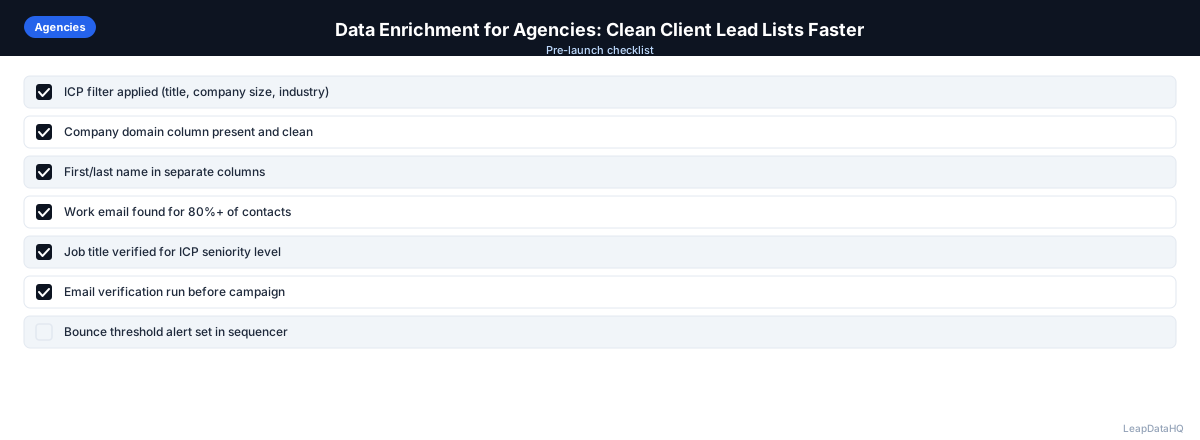
Agency Lead List Enrichment Checklist
- ☐ Raw sourced list deduplicated on email column
- ☐ Baseline completeness rates documented
- ☐ Enrichment run with correct column mapping
- ☐ Confidence threshold applied (note threshold used in delivery documentation)
- ☐ Role-based emails removed
- ☐ ICP filter applied using enriched company size, industry, and title
- ☐ Email verification run on all addresses in final list
- ☐ Invalid addresses removed
- ☐ Catch-all addresses flagged in export or segmented
- ☐ Export formatted for client's CRM or sequencer requirements
- ☐ Quality summary included with delivery (contacts sourced → delivered, with drop reasons)
- ☐ Original raw file retained for client reference or re-enrichment
How to Communicate Enrichment Quality to Clients
Clients often don't understand data enrichment workflows — they see a CSV and assume it either works or doesn't. Setting expectations upfront prevents quality disputes later. Explain: (1) what fields were enriched and from what source, (2) what confidence threshold was applied, (3) what verification was run, and (4) what the expected bounce rate range is based on the verification results. This transparency builds trust and sets realistic expectations for campaign performance.
Scaling Enrichment Across Multiple Clients
Agencies serving multiple clients need an enrichment workflow that handles client-specific requirements without starting from scratch each time. The most efficient approach is to build a standard enrichment template — deduplication, field enrichment, confidence filtering, and verification — and then apply client-specific overrides: their ICP filters, their export format preferences, and their quality thresholds. The template handles the standard work, and the overrides customize the output without re-inventing the process for every client.
Agencies should also consider how they handle client data separation. Enrichment tools that process files independently per client prevent cross-contamination of data and make it easy to export client-specific results. Tracking enrichment cost per client helps with profitability analysis and pricing decisions. An agency that knows that Client A typically requires $50/month in enrichment credits and Client B requires $200/month can price their services more accurately.
When to Use LeapDataHQ
LeapDataHQ is a practical enrichment tool for agency lead list workflows. Upload sourced contact CSVs, run enrichment to fill missing email addresses and contact data, review confidence scores, and export client-ready files.
Credit-based pricing fits agency workflows where delivery volume varies by client and month — you pay for what you enrich rather than a fixed monthly seat cost. Multiple client campaigns can be handled separately, with each export going to the appropriate client. See the pricing page for current credit packages.
Start Enriching LeadsFrequently Asked Questions
Should agencies enrich client data on the agency's tools or the client's?
Most agencies enrich on their own tools, then deliver the output to the client. This keeps enrichment costs and tool access under agency control, and means enrichment quality is consistent regardless of which tools the client uses. Deliver the enriched output in a format compatible with the client's CRM or sequencer.
How do I handle client data privacy when using an enrichment tool?
Review the enrichment tool's data processing agreement and privacy policy before uploading client data. Ensure the tool doesn't retain uploaded contact data longer than necessary, doesn't use client data to train models, and complies with applicable privacy laws (GDPR for EU clients, CCPA for California). Include a data processing clause in your client contracts if you're processing client data on third-party tools.
What's a realistic match rate to promise clients?
Don't promise a specific match rate — it varies too much by list quality, industry, company size, and enrichment tool. Instead, communicate match rate after you've run enrichment. A quality summary showing "350 of 500 contacts received verified email addresses (70% match)" is accurate and transparent. Set client expectations that not every contact will be enriched.
How do I price enrichment into my agency deliverables?
Build enrichment cost into your per-contact or per-list pricing. If enrichment costs $0.10/matched record and you're enriching 500 contacts per month per client, that's $50/month per client in direct cost. Factor in your time (workflow setup, review, quality documentation) when pricing. Most agencies charge clients for the complete cleaned list price, not separately for enrichment — it's part of the list quality you're delivering.
What should I include in a list quality summary for clients?
At minimum: total contacts sourced, contacts after deduplication, contacts with enriched email addresses (and match rate), contacts after ICP filter, contacts with verified email addresses, and contacts removed (with categories: duplicates, ICP mismatch, invalid email, role-based). This gives clients a clear picture of the funnel from raw sourcing to delivered contacts.