
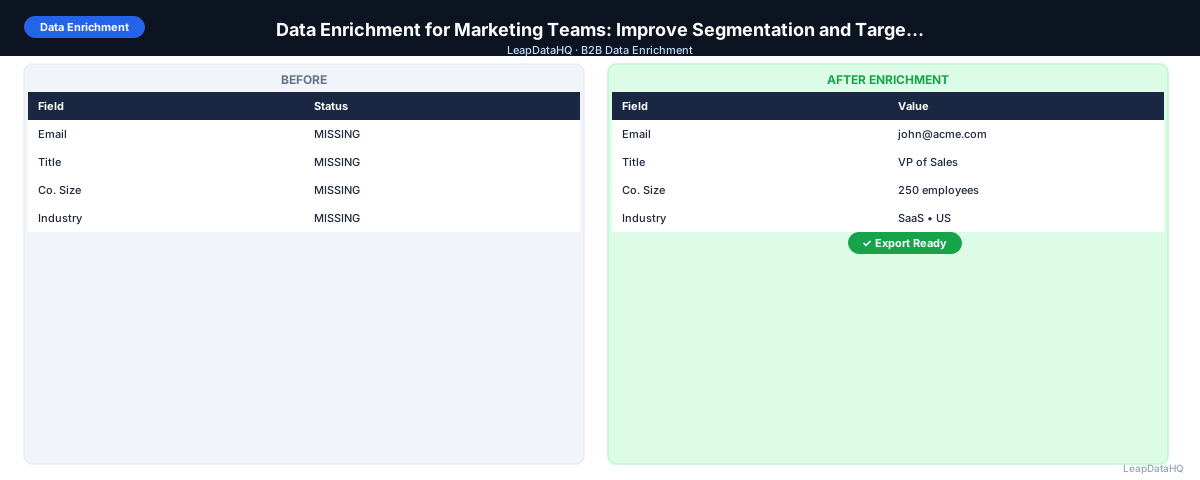
Marketing teams work with contact data at scale — event lists, inbound lead records, CRM contacts, advertising audience exports. The common thread across all these lists is the same data quality problem: missing fields that prevent effective segmentation, personalization, and targeting.
A contact without a job title can't be assigned to a title-based campaign segment. A contact without company size can't be routed to the right messaging track (SMB vs. enterprise). A contact without a verified email address can't be included in email marketing at all. Data enrichment fills these gaps by querying external data sources to append the missing fields.
This guide covers how marketing teams use data enrichment, which fields to prioritize for different use cases, and how to integrate enrichment into existing marketing workflows.
What Marketing Teams Are Trying to Do with Contact Data
Marketing teams use contact data for several purposes that each have specific field requirements:
- Email marketing: requires valid, deliverable email addresses and enough field data for personalization
- List segmentation: requires job title, company size, industry, and geography for segment assignment
- Lead scoring: requires title, seniority, company size, and industry for ICP-based scoring
- Account-based marketing (ABM): requires company domain, firmographics, and technology data for account prioritization
- Paid advertising audience upload: requires email addresses for custom audience matching on LinkedIn and Meta
- CRM import: requires consistent formatting and field completeness to avoid creating low-quality records
Each of these use cases requires different fields. Enrichment should be targeted to the specific fields needed for the workflow at hand — not a blanket "enrich everything" approach.
Most Common Marketing Data Gaps
- Inbound leads with only name and email, no title or company data — prevents ICP scoring and segmentation
- Event attendee lists with company name but no domain or email — prevents email follow-up
- CRM contacts added via business card scan with no title or verified email
- Advertising form fills with minimal field data due to form length optimization
- Trade show list exports with no standardized company size or industry fields
- Purchased lists with stale or inconsistent firmographic data
Step 1: Upload or Import the Contact List
Export the contact segment you want to enrich from your CRM or marketing automation platform. Include the record ID for re-import matching. For event or purchased lists, save as CSV with clear column headers. Check that the primary lookup fields (first name, last name, company domain) are present and reasonably clean.
Step 2: Detect Missing Fields by Use Case
Rather than auditing all fields generically, audit by use case. For email marketing: how many contacts have no email address? For segmentation: how many contacts have no job title? no company size? For ABM: how many companies have no firmographic data? This use-case-oriented audit ensures enrichment requests match actual marketing needs.
Step 3: Normalize and Clean Before Enrichment
Clean domain column, normalize name fields, remove placeholder values. For marketing lists specifically, also check for personal email addresses (gmail.com, yahoo.com) that may have been collected through consumer-facing forms — these shouldn't be included in B2B outreach and may affect list quality metrics.
Ready to enrich your CSV list?
Upload a CSV, fill missing data, review confidence scores, and export clean records.
Upload a CSV — Start EnrichingStep 4: Enrich Contact and Company Data
Upload to your enrichment tool. Select fields based on the marketing use case priority: email for email marketing, title and company size for segmentation, industry for vertical messaging, domain for ABM. Process the batch and review the overall match rate and confidence distribution.
Step 5: Review Confidence and Quality
Apply confidence thresholds appropriate for the use case. For email marketing (where bad data directly causes bounces): apply strict confidence thresholds and run email verification. For segmentation data (where inaccuracy creates wrong segment assignment rather than immediate delivery failure): moderate thresholds are acceptable, but low-confidence assignments should be reviewed.
Step 6: Fix Bad Rows
Remove contacts that don't fit the target marketing list criteria after enrichment reveals their true company size or industry. Remove role-based addresses. Flag personal email addresses for separate handling. Deduplicate across your marketing database if this list overlaps with existing contacts.
Step 7: Export Enriched Data and Apply Segmentation
Export the enriched contact list. Apply segmentation: assign contacts to segments based on enriched title, company size, and industry. Tag with segment identifiers in the file before import so the segments are applied correctly in the CRM or MAP.
Step 8: Import to CRM or MAP
Import to your CRM or marketing automation platform in update mode, matched by record ID. Verify segment assignments on a sample of records post-import. Run list statistics in your MAP to confirm the enrichment improved field completeness for your key segmentation fields.
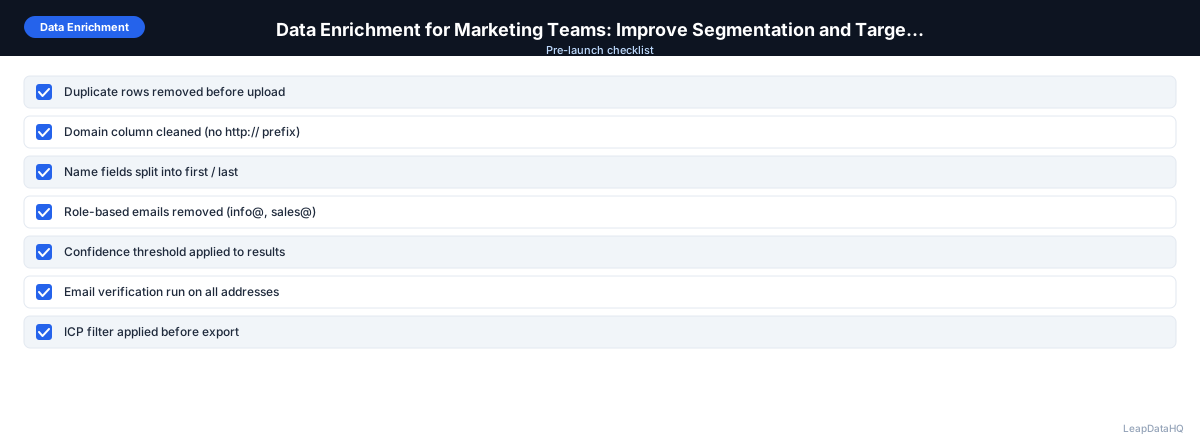
Marketing Data Enrichment Checklist
- ☐ Use case identified (email marketing, segmentation, ABM, paid audience)
- ☐ Required fields for use case identified before enrichment
- ☐ Gap analysis completed by use case
- ☐ Domain and name fields cleaned
- ☐ Personal email addresses identified and handled separately
- ☐ Enrichment run for use-case-specific fields
- ☐ Confidence threshold applied (stricter for email marketing)
- ☐ Email verification run for all email addresses
- ☐ Segmentation logic applied to enriched data
- ☐ Import to CRM/MAP in update mode with record ID matching
- ☐ Post-import field completeness verified
When to Use LeapDataHQ
Marketing teams use LeapDataHQ to enrich inbound lead lists, event attendee exports, and CRM contact segments before campaigns. Upload a CSV, request the specific fields needed for the marketing use case (email, title, company size, industry), review results, and export enriched data ready for import and segmentation.
For teams running ABM or account-level programs, LeapDataHQ's company-level enrichment fills firmographic gaps that improve account scoring and targeting without requiring a full ABM platform subscription.
Start Enriching LeadsFrequently Asked Questions
How does data enrichment improve email marketing open rates?
Enrichment improves deliverability (fewer bounces from valid email addresses) and personalization quality (better first name and company data for subject lines and body copy). Both affect open rates: better deliverability means more emails reach the inbox rather than bouncing; better personalization means more subject lines trigger opens from contacts who do receive the message.
Can I use enriched data for LinkedIn matched audiences?
Yes. LinkedIn matched audiences work by uploading a CSV of email addresses and matching them to LinkedIn accounts. Enriched work email addresses (vs. personal emails or guessed patterns) produce higher LinkedIn match rates because LinkedIn member accounts are typically associated with work emails. Clean, verified work emails in your audience file improve LinkedIn ad audience size and targeting accuracy.
How should marketing teams handle contacts where enrichment returned low-confidence data?
Create a separate segment for low-confidence enriched contacts. For email: verify the email before including in campaign; if verification is inconclusive (catch-all domain), hold for now or pursue via paid social instead. For segmentation fields (title, company size): if the field was previously blank and the enriched value is low-confidence, consider assigning to a general segment rather than a highly specific one that would be wrong if the enriched data is inaccurate.
How do I keep enriched data from going stale in the marketing database?
Run re-enrichment passes quarterly on contacts that haven't had recent activity. Prioritize contacts in active marketing programs. For inbound leads, enrich at the point of entry (when the lead is created in the CRM) rather than waiting for a quarterly batch pass. Freshly enriched data is more accurate than data that was enriched 12 months ago.
What's the difference between enrichment and progressive profiling?
Progressive profiling collects additional information from contacts through subsequent form interactions — each new form fill asks for a new field rather than repeating existing data. Enrichment fills missing fields from external data sources without requiring contact action. Both address the same problem (incomplete contact records) through different mechanisms. Progressive profiling works well for engaged contacts who convert multiple times; enrichment works well for any contact regardless of engagement history.
Related Tools & Guides
Related Articles
B2B Contact Data Enrichment Guide for Sales Teams
GuidesLead Data Enrichment Guide for Sales Teams and Agencies
Data EnrichmentEnrich Contact Data: Complete Missing Job Titles, Emails, and Company Fields
Data EnrichmentEnrich Company Data: Add Firmographics, Domains, and Better Account Fields