
"Enrichment" and "verification" get used almost interchangeably in B2B data tooling, but they solve different problems. Enrichment adds data you do not have. Verification confirms that data you already have — whether original or enriched — is still accurate and usable right now.
Confusing the two leads to predictable problems: teams that enrich a list and assume it is now "verified," or teams that verify a list and wonder why it is still missing half the fields they need. This guide breaks down what each process actually does, when you need one versus the other, and how they work together in a complete data quality workflow.
Data Enrichment: Filling in Gaps
Data enrichment takes a partial record — a company name, a domain, a contact name — and appends additional fields using external data sources. If you upload a list of company domains, enrichment might add company size, industry, decision-maker names, job titles, and email address patterns.
Enrichment answers the question: "What don't I know about this record that I could find out?" It expands a thin record into a fuller one.
Data Verification: Confirming Accuracy
Data verification takes a field you already have — usually an email address or phone number — and checks whether it is currently valid and active. Email verification checks whether a mailbox exists and can receive mail. Phone verification checks whether a number is in service and correctly formatted.
Verification answers a different question: "Is what I already have still true?" It does not add new fields — it confirms or disproves the reliability of fields you already have.
Why the Distinction Matters
A record can be enriched but not verified: an enrichment tool found an email address that matches a common company email pattern, but nobody has confirmed that mailbox still receives mail. A record can also be verified but not enriched: you already had an email address, and a verification check confirmed it is currently active — but you still do not know the contact's job title or the company's size.
Treating enrichment confidence scores as equivalent to verification is a common and costly mistake. A high-confidence enriched email means the pattern match is likely correct, not that the mailbox is guaranteed to be live today.
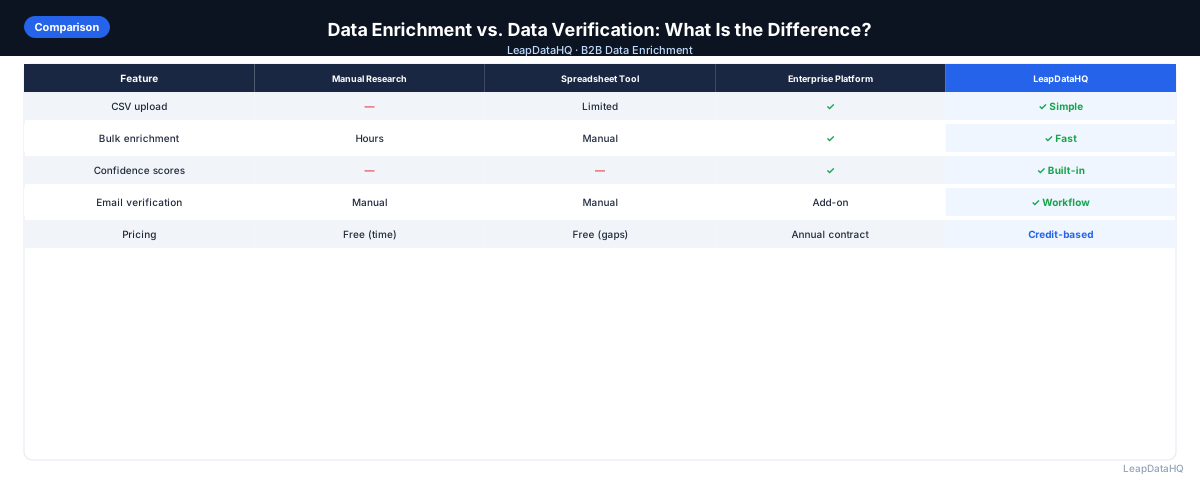
How They Compare
Ready to enrich your CSV list?
Upload a CSV, fill missing data, review confidence scores, and export clean records.
Upload a CSV — Start Enriching- Purpose — Enrichment: adds missing fields to a record. Verification: confirms existing fields are currently accurate.
- Typical input — Enrichment: a company name, domain, or partial contact record. Verification: an existing email address or phone number.
- Typical output — Enrichment: new fields (title, company size, email pattern). Verification: a valid/invalid or deliverable/undeliverable status.
- When it runs — Enrichment: usually first, to build out a thin record. Verification: usually after enrichment, right before outreach.
- What it cannot tell you — Enrichment: whether a found email is currently deliverable. Verification: any new information about the contact beyond the field being checked.
The Right Order: Enrich, Then Verify
For most B2B workflows, the correct sequence is to enrich first and verify second. Enrichment builds out the record so you have something to work with — an email address, a title, a company profile. Verification then confirms that the specific fields you plan to rely on for outreach, especially email addresses, are currently valid before you commit sending volume to them.
Running verification before enrichment does not make sense in most cases, since you typically do not have the field to verify yet. Skipping verification after enrichment is the more common mistake — teams enrich a list, see confidence scores, and treat that as sufficient without a dedicated verification pass.
Do You Need Both, or Just One?
If your list is already complete — you have accurate emails and contact details for every row — you may only need verification to confirm the data is still current, especially if the list is older. If your list is missing key fields, you need enrichment first, and verification afterward for whichever fields you plan to use for active outreach.
For high-volume cold outreach where sender reputation is on the line, both steps matter: enrichment to fill the list out, verification to protect your deliverability. For smaller, high-touch outreach to a handful of already-known contacts, verification alone may be sufficient since you likely are not missing basic fields.
Common Mistakes
- Treating enrichment confidence scores as proof of deliverability — they are not the same signal
- Skipping verification entirely because enrichment "already checked" the data — enrichment and verification check different things
- Verifying a list before enriching it, when the fields needed for verification are not yet present
- Assuming a verified list stays verified indefinitely — verification reflects a point in time, and email addresses can become invalid later
How LeapDataHQ Fits In
LeapDataHQ focuses on the enrichment and review layer of this workflow: filling in missing company and contact fields, and giving you confidence signals so you know which enriched fields are strong enough to trust and which need a closer look. It is not a substitute for a dedicated verification pass before high-volume sending — pair enrichment through LeapDataHQ with a verification step on your final export for the best results. See /features for the full scope of what the platform does.
When to Use LeapDataHQ
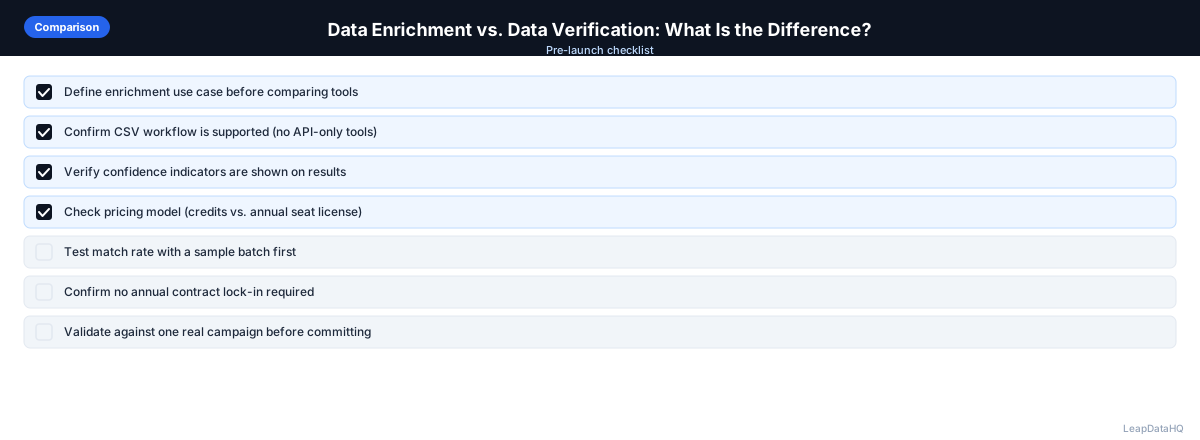
Use LeapDataHQ for the enrichment step — turning thin records with just a company name or domain into fuller profiles with contact and company data, along with confidence signals on each field. For lists you plan to use in high-volume outreach, pair this enrichment step with a separate email verification pass afterward before importing to an active sending sequence, since enrichment confidence and real-time deliverability are different things.
Start Enriching LeadsFrequently Asked Questions
Is a high-confidence enriched email the same as a verified email?
No. A high-confidence enrichment result means the tool is confident the email pattern matches how that company likely formats addresses. Verification checks whether that specific mailbox currently exists and can receive mail. They measure different things.
Should I enrich or verify first?
Enrich first, then verify. Enrichment builds out fields you do not have yet, including the email address itself in many cases. Verification then confirms that the specific field you plan to rely on is currently valid.
Can a list be verified without being enriched?
Yes, if the list already has the fields you need and you only want to confirm they are still accurate. Verification does not add new fields, so a list that is missing company or contact data will still be missing it after verification.
How often does verified data need to be re-verified?
Verification reflects a point in time. For lists used in a single near-term campaign, one verification pass close to send time is usually enough. For lists reused over months, periodic re-verification prevents rising bounce rates from data that has quietly gone stale.
Do small teams need a separate verification tool, or is enrichment confidence enough?
For small, occasional campaigns, enrichment confidence combined with a manual spot check may be acceptable. For larger or more frequent sending, a dedicated verification step is worth the extra cost because it directly protects sender reputation and deliverability.