
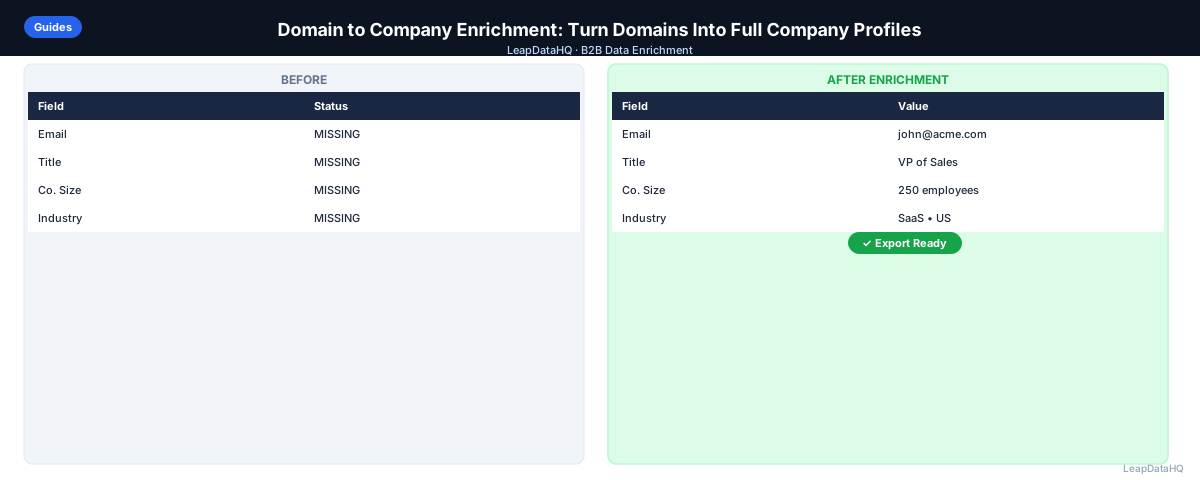
A company domain is one of the most powerful lookup keys in B2B data enrichment. Unlike a company name — which can have multiple spellings, variations, and namesakes — a domain uniquely identifies a single organization. If you have a list of domains, you have a foundation for rich, accurate company profiles.
Domain-to-company enrichment is the process of taking a list of domains and returning full company profiles: name, industry, size, revenue, location, tech stack, and in many cases, the contact information for key decision-makers.
This guide covers how domain enrichment works, where to get domain lists, and how to use the results. You'll learn why domains are the best B2B lookup key, what data you get from domain enrichment, and how to build a domain enrichment workflow for prospecting and targeting.
Whether you're building a target account list from scratch or enriching domains from existing sources, this guide will help you get the most from domain-based enrichment.
Why Domains Are the Best B2B Lookup Key
Company names are ambiguous. "Acme Corporation" could be dozens of companies in different industries and locations. "Atlas Technologies" could be a construction firm or a software startup. Enrichment tools that use company names as a lookup key must make guesses when there are multiple matches — which reduces accuracy and produces inconsistent results.
Domains are unambiguous. There is exactly one company that owns acmecorp.com. When you query a domain, the result unambiguously refers to a single organization. This is why domain is the preferred lookup key for B2B enrichment — it eliminates the ambiguity that causes inaccurate enrichment results.
For teams building enrichment workflows, always prefer domains over company names when possible. If you have company names but not domains, use a basic company name-to-domain tool as a first step before running company enrichment. The accuracy improvement from using domains is significant.
What This Means for Your Prospecting
Domain-to-company enrichment transforms a simple list of website addresses into a comprehensive prospecting database. Each domain becomes a complete company profile with the data you need for ICP filtering, segmentation, and personalized outreach.
For teams doing outbound prospecting, this means you can start with domain lists from diverse sources — conference exhibitor lists, industry directories, technology vendor pages — and turn them into enriched, targeted prospect lists. The domain is your starting point; the enrichment fills in all the context you need for effective outreach.
The practical impact: higher match rates, more accurate data, and less manual research. Teams using domain-based enrichment consistently get better results than teams using company name-based enrichment because the lookup key is unambiguous.
Domain-based enrichment also simplifies your data management. When domain is your primary lookup key, deduplication is straightforward — you simply remove duplicate domains. With company names, deduplication is more complex because you have to handle variations like "Acme Corp" vs "Acme Corporation" vs "ACME Corp." Using domains as your primary key reduces these data management challenges.
For teams integrating enrichment results into their CRM, using domain as the primary key ensures that enriched data maps correctly to existing company records. Most CRMs use domain as a unique identifier for company records, so enriched data flows in cleanly without creating duplicate company records or mapping errors.
Who Should Use Domain-to-Company Enrichment
Domain-to-company enrichment is valuable for any B2B team that builds prospect lists from domain data sources.
- Sales teams building target account lists from LinkedIn, directories, or conference lists
- SDRs enriching domains from inbound lead forms to qualify company fit
- Agencies building prospect lists for clients from diverse domain sources
- Marketing teams running account-based marketing to specific target domains
- Founders identifying potential customers from industry directories or trade publications
- Business development teams researching potential partners from technology vendor lists
- RevOps teams maintaining company data in CRM using domain as the primary key
If you have a list of company domains and need to build company profiles for targeting, domain enrichment is the right approach. It's the most accurate and efficient way to go from domains to enriched company data.
Domain enrichment is particularly valuable for teams that regularly build prospect lists from external sources. Conference lists, industry directories, trade publication mentions, and technology vendor pages all provide domain data that can be enriched into complete company profiles. If your prospecting workflow involves these sources, domain enrichment should be a core part of your process.
For agencies managing enrichment across multiple clients, domain-based enrichment provides consistency. Regardless of the client's industry or target market, the same domain enrichment workflow applies. This consistency makes it easier to scale your enrichment operations as your client portfolio grows.
What You Get From Domain-to-Company Enrichment
- Official company name
- Industry and sub-industry (using standard classifications like SIC or NAICS)
- Employee headcount range
- Estimated revenue range
- Headquarters address (city, state, country)
- Company type (private, public, nonprofit)
- Year founded
- LinkedIn company page URL
- Primary contact email patterns
- Technology stack
- Recent funding information (where available)
The richness of this data enables multiple downstream use cases. Industry and headcount data support ICP filtering and segmentation. Technology stack data enables targeted outreach based on integration compatibility. Funding information helps you understand where companies are in their growth cycle and tailor your messaging accordingly.
Not all domains return complete data for every field. Very new companies or companies with limited digital presence may have gaps in their enrichment results. For most established companies, however, domain enrichment returns comprehensive profiles that provide the context needed for effective targeting and personalization.
The data returned by domain enrichment is also useful for CRM enrichment. If your CRM has company records with minimal data, domain enrichment can fill in the gaps — adding industry, size, tech stack, and other firmographic data that enables better reporting, segmentation, and outreach targeting within your CRM.
Where to Get a List of Target Domains
Domain lists can come from many sources. The key is identifying sources that give you access to companies in your target market.
- LinkedIn company search results (company name to find domain on company website)
- Your existing CRM (company records may have websites listed)
- Conference exhibitor or attendee lists
- Industry directories and association member lists
- G2 or Capterra category pages (companies that review or use a certain software)
- Job board data — companies posting relevant job listings
- Crunchbase or PitchBook searches filtered by industry/size/funding
When building domain lists, quality matters more than quantity. A list of 200 domains from well-vetted sources will produce better enrichment results than a list of 1,000 domains from questionable sources. Focus on sources that give you access to companies that match your ICP, and verify that the domains are current and accurate before enrichment.
For teams new to domain-based enrichment, start with sources you already have access to: your CRM, LinkedIn connections, and industry directories you regularly use. As you become more comfortable with the workflow, expand to additional sources like conference lists, technology vendor directories, and job board data. The key is to build domain lists systematically rather than ad hoc.
The Domain Enrichment Workflow
The domain enrichment workflow is straightforward: collect domains, clean them, enrich, filter, and export. Each step is simple, but doing them consistently produces high-quality results.
- Collect domains from your target sources into a CSV
- Clean the list — standardize domain format (remove http://, www., trailing slashes)
- Remove duplicates
- Upload to an enrichment tool with the domain column mapped
- Review returned company profiles — filter to companies that match your ICP
- For companies that match, do contact-level enrichment to find decision-makers
- Export enriched records for outreach or CRM import
The cleaning step is critical. Domains with inconsistent formatting (some with http://, some with www., some with trailing slashes) may not match correctly in the enrichment tool. Standardize all domains to a clean format before uploading. This simple step significantly improves match rates.
After enrichment, review the returned company profiles carefully. Not all enriched data is equally reliable. Check that company names match domains, that industry classifications make sense, and that headcount ranges are reasonable. Filter out any results that look incorrect before proceeding to contact enrichment.
The two-stage approach — company enrichment first, then contact enrichment on ICP-fit companies — is more efficient than enriching everything at once. You avoid paying for contact enrichment on companies that don't match your ICP, and you focus your outreach efforts on the right targets.
Using Domain Enrichment for Account-Based Targeting
Domain-to-company enrichment is a core component of account-based marketing (ABM) and account-based sales development (ABSD). Starting from your target account list — even if it's just a list of domains — you can build full company profiles that inform messaging, prioritization, and personalization.
For companies where enrichment returns complete profiles, you can score and tier accounts by ICP fit before investing time in contact-level outreach. This ensures your ABM efforts focus on the accounts most likely to convert.
Ready to enrich your CSV list?
Upload a CSV, fill missing data, review confidence scores, and export clean records.
Upload a CSV — Start EnrichingDomain enrichment also supports account research before sales calls. When a rep is preparing for a discovery call with a target account, having enriched company data — industry, size, tech stack, recent funding — provides context that makes the conversation more relevant and productive. Reps can reference specific company details rather than speaking in generalities.
For marketing teams running ABM campaigns, enriched domain data enables personalized content and ads targeted to specific accounts. You can create account-specific landing pages, customize ad messaging based on company characteristics, and deliver content that resonates with each account's specific situation.
Domain Enrichment vs. Company Name Enrichment
Always prefer domain enrichment over company name enrichment when you have the choice. Match rates and accuracy are higher because there's no ambiguity in the lookup key. If you have company names but not domains, use a basic company name-to-domain tool as a first step before running company enrichment.
The accuracy difference is significant. Company name enrichment may return results for the wrong company when multiple companies share similar names. Domain enrichment always returns results for the specific company that owns that domain.
Handling Edge Cases in Domain Enrichment
Not all domains enrich cleanly. Some domains belong to very new companies with limited digital presence, some belong to subsidiaries or divisions of larger companies, and some have been acquired and redirect to parent company domains. Understanding these edge cases helps you interpret enrichment results accurately.
For domains that don't return enrichment data, consider manual research on LinkedIn or the company website. For domains that redirect after acquisitions, verify that the enriched data reflects the current company context rather than the acquired entity. For subsidiary domains, determine whether you want data on the subsidiary or the parent company for your targeting purposes.
Document these edge cases as you encounter them. Over time, you'll build a reference for how different types of domains behave in enrichment, which helps you set accurate expectations for match rates and data quality across different target markets.
Integrating Domain Enrichment Results Into Your Workflow
Domain enrichment results should flow directly into your CRM and outreach tools. Import enriched company data into your CRM so that reps can see company context when viewing contact records. Use enriched data for segmentation, personalization, and ICP filtering in your outreach campaigns.
For teams running account-based strategies, domain enrichment results enable account scoring and tiering. Use company size, industry, and tech stack data to score accounts by ICP fit, then prioritize outreach to the highest-scoring accounts. This ensures your ABM efforts focus on accounts most likely to convert.
Checklist: Domain Enrichment Process
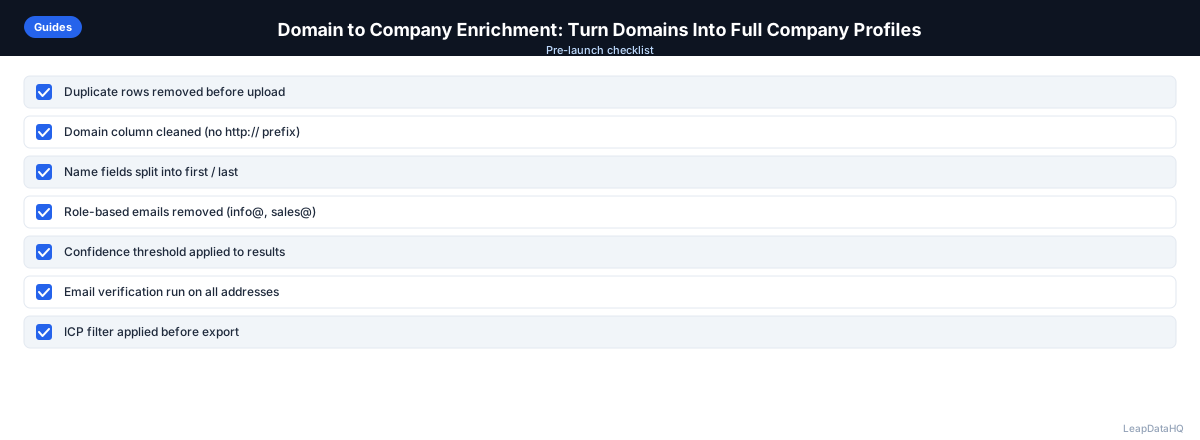
Use this checklist when running a domain enrichment workflow:
- Domains are collected from reliable target market sources
- Domain format is standardized (no http://, www., or trailing slashes)
- Duplicates are removed from the domain list
- Domain column is correctly mapped in enrichment tool
- Enrichment returns complete company profiles for most domains
- Results are filtered to ICP-fit companies before contact enrichment
- Match rate is documented for future reference and optimization
- Enriched company data is imported into CRM
- Contact enrichment is run only on ICP-fit companies
- Re-enrichment schedule is planned based on target market dynamics
Common Mistakes to Avoid
- Not standardizing domain format before enrichment. Domains with http://, www., or trailing slashes may not match correctly. Clean all domains to a consistent format (just the domain name) before uploading.
- Using company names instead of domains when domains are available. Company names are ambiguous and produce less accurate results. Always prefer domains as the lookup key.
- Not removing duplicates before enrichment. Duplicate domains waste enrichment credits and produce duplicate results. Deduplicate your domain list before uploading.
- Enriching personal domains. Enrichment tools return company data for business domains. Personal domains (gmail.com, blogger.com) won't return useful company data. Filter out personal domains before enrichment.
- Not filtering results to ICP-fit companies. Domain enrichment returns data for all domains, including companies outside your target market. Filter to ICP-fit companies before doing contact enrichment.
- Ignoring domain redirects after acquisitions. Some domains redirect to parent company domains after acquisitions. Verify that enriched data reflects the current company context.
- Not documenting match rates. Track what percentage of your domains return enriched data. Low match rates may indicate input quality issues or gaps in the tool's coverage for your target market.
- Skipping contact enrichment after company enrichment. Domain enrichment gives you company profiles, but you still need contact enrichment to find decision-maker emails. Complete the workflow with contact-level enrichment.
Practical Examples
Example 1: Building Target List from Conference Exhibitor List
A sales team collected 250 domains from a conference exhibitor list. After cleaning and enriching, 230 domains returned complete company profiles. Filtering to ICP-fit companies (50-500 employees, technology industry) left 140 companies. Contact enrichment on those 140 produced 112 decision-maker emails ready for outreach.
Example 2: Enriching Domains from G2 Category Page
A marketing team scraped 180 company domains from a G2 category page for companies using a specific software. Domain enrichment revealed company size, industry, and tech stack data. They filtered to 120 companies using complementary tools and created targeted outreach highlighting integration compatibility.
Example 3: Agency Enriching Client Target Account List
An agency received a list of 300 target account domains from a client. Domain enrichment returned complete profiles for 275 companies. The agency filtered to 200 ICP-fit companies, enriched contacts, and delivered 160 high-confidence outreach-ready contacts to the client.
Example 4: Startup Building Initial Prospect List
A B2B startup founder collected 150 domains from industry directories and LinkedIn searches. Domain enrichment revealed that 40% were outside their target company size range. After filtering to ICP-fit companies and enriching contacts, they had 70 qualified prospects for their first outreach campaign.
Example 5: ABM Team Enriching Named Account List
An ABM team had a list of 100 named target accounts with domains. Domain enrichment provided company size, industry, tech stack, and funding data for all 100 accounts. The team used this data to tier accounts by ICP fit and create personalized outreach for each tier based on company context.
How LeapDataHQ Helps
LeapDataHQ supports domain-based enrichment as a core use case. Upload a CSV with a domain column, and the tool returns company profiles (industry, size) alongside contact data for key roles at those companies. This combined company and contact enrichment in a single workflow is efficient and cost-effective.
For teams building a target account list from domain data — trade publication mentions, conference lists, technology vendor directories — LeapDataHQ provides the enrichment layer that turns a raw domain list into a targeted, enriched prospect list. The confidence scores help you filter to high-quality results before outreach.
The credit-based pricing means you pay only for what you enrich. Upload 500 domains, get company profiles and contact data back, filter to ICP-fit companies and high-confidence contacts, and export. No monthly commitments or seat fees. This makes domain enrichment practical for teams of any size.
For agencies managing enrichment across multiple clients, LeapDataHQ's domain-based workflow works consistently regardless of the client's industry or target market. The same process — upload domains, enrich, filter, export — applies to every client engagement. This consistency makes it easy to scale your enrichment operations as your client portfolio grows.
The combined company and contact enrichment in a single workflow is particularly valuable for teams building target account lists. Instead of running separate company enrichment and contact enrichment passes, you get both in one upload. This reduces processing time, simplifies your workflow, and ensures that company and contact data are aligned.
Next Steps
If you have a list of company domains, enrich them to build complete company profiles for targeting. LeapDataHQ returns firmographic data and contact information from domain lookups with confidence scores to help you filter effectively. Check our /features and /pricing to see if it fits your prospecting workflow.
When to Use LeapDataHQ
LeapDataHQ supports domain-based enrichment as a core use case. Upload a CSV with a domain column, and the tool returns company profiles (industry, size) alongside contact data for key roles at those companies.
For teams building a target account list from domain data — trade publication mentions, conference lists, technology vendor directories — LeapDataHQ provides the enrichment layer that turns a raw domain list into a targeted, enriched prospect list. The combined company and contact enrichment in a single workflow is efficient and cost-effective.
The credit-based pricing means you pay only for what you enrich. You can upload 500 domains, get company profiles and contact data back, filter to ICP-fit companies and high-confidence contacts, and export. No monthly commitments or seat fees make this practical for teams with variable enrichment needs.
For agencies managing enrichment across multiple clients, LeapDataHQ's domain-based workflow works consistently regardless of the client's industry or target market. The same process — upload domains, enrich, filter, export — applies to every client engagement.
Start Enriching LeadsFrequently Asked Questions
What if a domain redirects to another domain (e.g., after an acquisition)?
Most enrichment tools handle domain redirects by following the redirect to the authoritative domain. The enrichment data will typically reflect the parent company after an acquisition. Verify manually if the company context is important for your targeting, especially for recent acquisitions.
How do I get domains for a list of company names?
Search each company name and find their official website. For larger lists, a company name-to-domain enrichment tool can automate this step. Clean the resulting domains before running full company enrichment. LinkedIn company pages and Google searches reliably surface official domains.
What's a reasonable match rate for domain-to-company enrichment?
For established companies with public web presences, match rates of 80-95% are typical. Match rates drop for companies with very new domains, non-standard TLDs, or very small companies without meaningful digital presence. Test with a sample of your domains to understand expected match rates for your target market.
Can I enrich personal domains or email domains?
Enrichment tools return company data for business domains. Personal domains (blogger.com, gmail.com) won't return company data. For contacts using personal email domains, look up the company separately. Filter out personal domains before running company enrichment to avoid wasting credits.
How do I find the domain for a company if it's not obvious from the company name?
LinkedIn company page, Google search for the company name, and Crunchbase all reliably surface the official domain. For companies in a specific technology stack, G2 or Capterra profiles also list company websites. Always verify you have the official corporate domain, not a product-specific or regional domain.
Should I enrich domains or company names?
Always prefer domains when available. Domains are unambiguous lookup keys that produce higher match rates and more accurate results. Company names can match multiple companies, leading to incorrect enrichment. If you only have company names, convert them to domains first.
What do I do with domains that don't return enrichment data?
Domains that don't return data may be very new companies, very small companies, or companies with limited digital presence. For high-value targets, supplement with manual research on LinkedIn or the company website. For lower-priority targets, exclude them from your outreach list.