
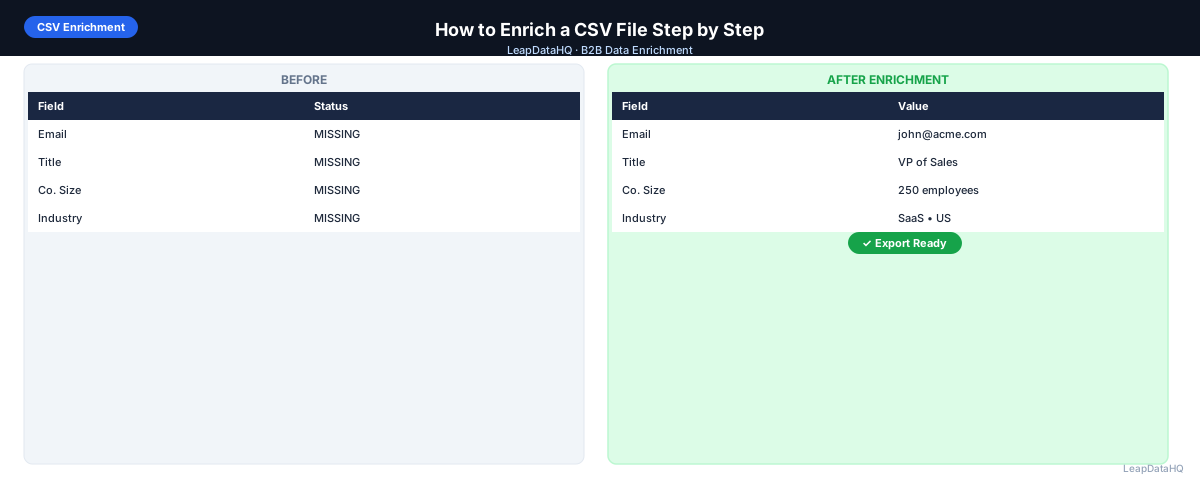
Enriching a CSV file is one of the most practical things you can do to improve B2B outreach results. The process is straightforward: you start with a spreadsheet of partial contact or company records, upload it to an enrichment tool, and download a more complete file with missing fields appended.
What makes the difference between a good enrichment result and a mediocre one isn't the tool — most tools work similarly. It's how you prepare your input file, how you review the output, and whether you verify the data before using it. Teams that skip preparation and review steps get worse results than teams that follow a consistent process.
This guide covers the complete CSV enrichment process step by step, with specific guidance on preparation, quality review, and post-enrichment workflows. Whether you're enriching your first list or looking to improve your existing process, these steps apply.
The focus throughout is on repeatability. A one-off enrichment pass that requires manual intervention on every step is harder to sustain than a workflow that can be run the same way each time. By building consistent preparation and review habits, you get better results per batch and reduce the time spent on each subsequent enrichment run.
Before You Start: Understanding What You Need
The most important preparation step is clarifying what you want to enrich and what input data you have. Different enrichment goals require different inputs:
- To enrich work email addresses: you need company domain + first name + last name
- To enrich company data (industry, size): you need company name or domain
- To verify emails you already have: you need the email addresses you want to check
- To enrich phone numbers: you need company domain + contact name (match rates vary)
Step 1: Assess Your Input Data
Open your CSV in a spreadsheet tool and check what you have. Document:
- Total number of rows
- Which columns are present (domain, first name, last name, title, etc.)
- Percentage of rows with company domain (most important field)
- Percentage of rows with both first and last name
- Any obvious formatting issues visible on inspection
Step 2: Clean Your Input File
Remove Duplicates
Use Remove Duplicates (Excel) or UNIQUE function (Google Sheets) to deduplicate on your primary key. For contact enrichment, the primary key is company domain + first name + last name. For company enrichment, it's the domain.
Fix Domain Formatting
Domains should be in this format: acmecorp.com — not https://www.acmecorp.com, not www.acmecorp.com, not acmecorp.com/. Use Find & Replace to strip http://, https://, www., and trailing slashes.
Split Full Names Into First and Last
If you have full names in a single column (e.g., "Jane Smith"), split them. In Excel: Data > Text to Columns > Delimited > Space. In Google Sheets: use SPLIT(A2, " ") to split on space. Watch for three-part names (middle names or initials) and handle them manually.
Remove Bad Rows
Delete rows with: no domain and no company name, placeholder values ("N/A", "Unknown", "Test"), role-based emails if already present (info@, noreply@), or duplicate email addresses if you already have some emails.
Step 3: Upload to Your Enrichment Tool
Ready to enrich your CSV list?
Upload a CSV, fill missing data, review confidence scores, and export clean records.
Upload a CSV — Start EnrichingUpload your cleaned CSV file. Most tools will show a column mapping interface. Map carefully:
- Domain → Company Domain (or similar)
- First Name → First Name
- Last Name → Last Name
- Title → Job Title (if you have it)
Incorrect column mapping is one of the most common causes of low match rates. Double-check that the right column is mapped to the right field before starting enrichment.
Step 4: Review the Enrichment Results
Before downloading, review the output inside the tool if possible. Look for:
- Overall match rate: what percentage of rows returned a result?
- Confidence score distribution: how many are high vs. low confidence?
- Sample check: click into 5–10 random rows and verify the data looks reasonable
- Anomalies: any email formats that look wrong for the domain? Company names that don't match the domain?
Step 5: Filter Before Exporting
Set a confidence threshold. Most teams use 70–80% as the minimum for email addresses used in outreach. Rows below this threshold should be:
- Excluded from the export entirely (simplest approach)
- Moved to a separate review file for manual research on high-priority targets
- Flagged in the export with a "low confidence" marker for downstream handling
Step 6: Verify Emails After Enrichment
Download your filtered export. Run the email column through an email verification tool. This step checks whether the specific email mailbox exists and can receive mail — a different check than the confidence score from enrichment.
Remove rows with Invalid status. Treat Catch-All status as risky and test with a small batch before scaling. Keep only Valid rows for your main outreach campaign.
Step 7: Segment and Import
Use the enriched company data (industry, size, revenue) to segment your list before importing to your outreach tool or CRM. Even splitting a 500-contact list into two segments by company size or industry allows you to write more relevant messaging — which improves reply rates.
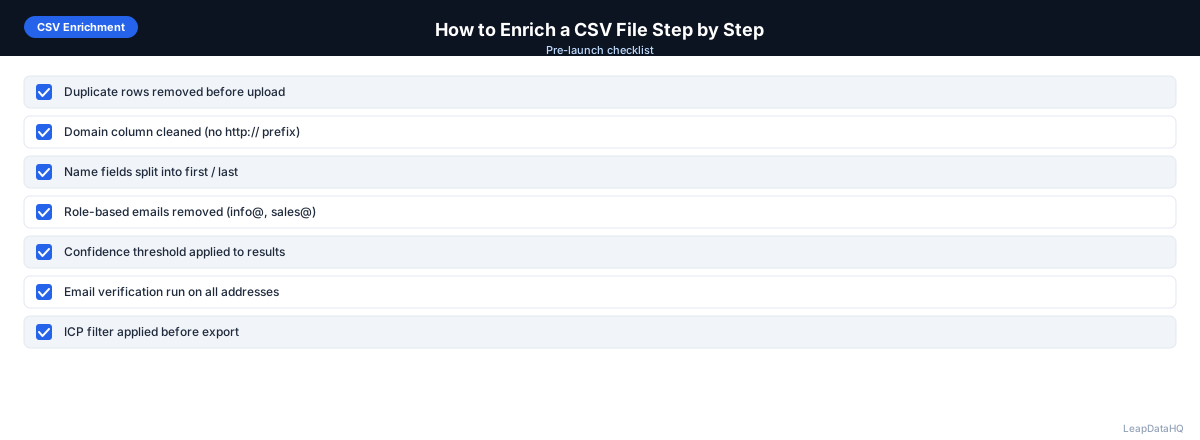
CSV Enrichment Step-by-Step Checklist
- 1. Input data assessed: rows, columns, completeness documented
- 2. Duplicates removed on primary key
- 3. Domains formatted as bare domain (no www., no http://)
- 4. First and last name in separate columns
- 5. Bad rows removed (placeholders, role-based emails, blanks)
- 6. Uploaded to enrichment tool
- 7. Columns mapped correctly (domain, first name, last name)
- 8. Match rate and confidence distribution reviewed
- 9. Sample rows spot-checked for accuracy
- 10. Confidence filter applied before export
- 11. Exported file downloaded
- 12. Emails verified (invalid addresses removed)
- 13. List segmented by available enrichment fields
- 14. Imported to CRM or outreach tool
- 15. Bounce rate monitored after first send
When to Use LeapDataHQ
LeapDataHQ is designed for this exact workflow. Upload your CSV, map your columns, run enrichment, review confidence scores, filter to quality results, and export a list ready for outreach. No developer setup required, no annual contract, credit-based pricing that scales with your volume.
For teams enriching CSV files regularly — whether weekly for outreach campaigns or quarterly for CRM maintenance — LeapDataHQ provides a clean, repeatable enrichment process. See our how it works page for a workflow demo, or check pricing to get started.
Start Enriching LeadsFrequently Asked Questions
What's the easiest way to add company domains to a CSV?
For lists under 50 companies: search each company name and add their website URL manually (strip to bare domain: acmecorp.com). For larger lists: use a company name-to-domain lookup tool to automate the process. Domain is the most important field for email enrichment accuracy, so it's worth the investment.
My CSV has company names but no domains — what should I do?
Add a domain lookup step before enrichment. Search each company name to find their website, then extract the base domain. Many enrichment tools can also do company name-to-domain lookup, though accuracy is lower than starting with a known domain. Having domains in your input file is the single most impactful improvement for match rates.
How do I know if my enrichment results are good quality?
Check the confidence score distribution — if most results are below 60%, investigate input data quality. Spot-check 10–15 rows manually by searching the contact on LinkedIn or the company website to verify the email format matches. Monitor bounce rates after your first campaign to validate real-world accuracy.
Can I enrich a CSV with thousands of rows?
Yes. Most enrichment tools handle files up to tens of thousands of rows. Processing time increases with file size but most tools run in parallel, so a 5,000-row file processes in minutes rather than hours. For very large files, check your enrichment tool's maximum file size before uploading.
What do I do with records that weren't enriched?
For high-priority contacts with no match: use manual research (LinkedIn contact info, company website, email pattern guessing). For lower-priority contacts: accept that not every record is discoverable and focus manual effort on highest-value targets. Track no-match rates by market segment to identify areas of low coverage for your enrichment tool.