
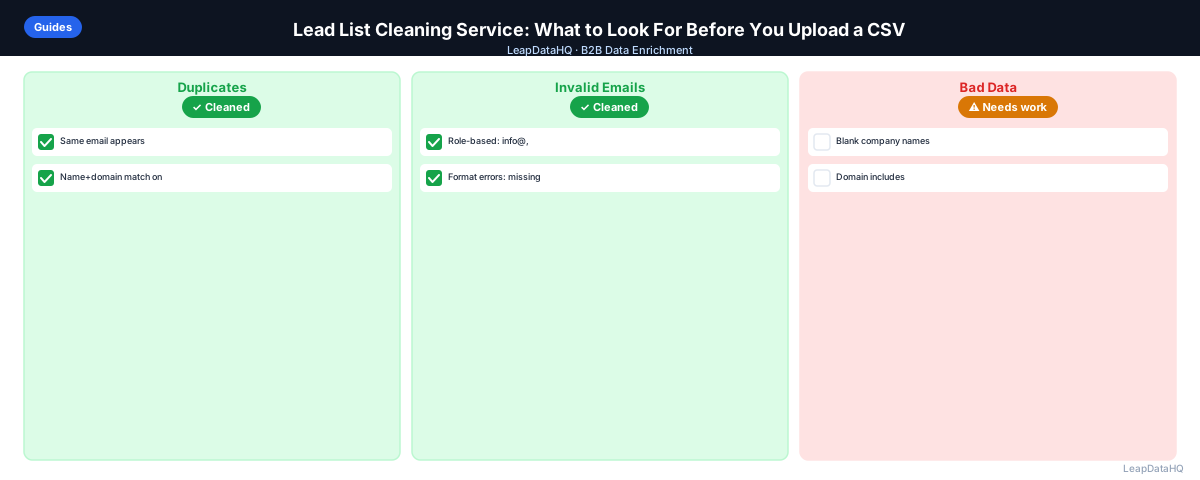
Lead list cleaning services promise to take your messy CSV and return a clean, enriched file ready for outreach. But the quality of what comes back varies significantly depending on how the service works, what data sources it uses, and how it handles records that don't match.
Before uploading your lead list to a cleaning service, it's worth understanding what a good cleaning workflow looks like and what to check when evaluating options. The wrong choice either costs too much for the value it returns, or returns lower-quality data than you need — showing up as bounces and bad CRM records later.
This guide covers what lead list cleaning actually involves, what to look for in a cleaning service, and how to evaluate results before using them for outreach.
The lead list cleaning market has grown rapidly alongside the broader B2B sales technology ecosystem. As more teams rely on purchased lists, LinkedIn exports, and conference attendee data for prospecting, the need for a repeatable cleaning process has become standard practice rather than an occasional fix. Understanding what a thorough cleaning service does — and what it should return — helps you evaluate options against a clear set of requirements rather than comparing marketing claims.
What Lead List Cleaning Actually Includes
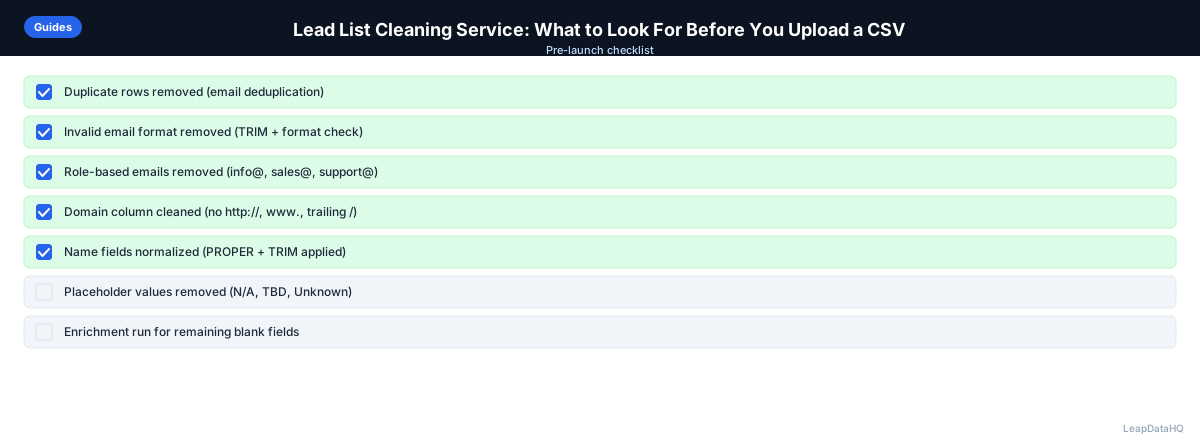
A complete lead list cleaning workflow includes several distinct steps, though services differ in which ones they cover:
- Deduplication: removing duplicate contacts from the list
- Format standardization: fixing inconsistent formatting in names, domains, titles
- Enrichment: adding missing fields like email addresses, job titles, and company data
- Email verification: confirming whether email addresses are deliverable
- Confidence scoring: flagging records where the returned data is uncertain
- ICP filtering: removing contacts that don't match your target profile
- Export formatting: returning a clean CSV ready for CRM import or sequencer upload
Not all services cover every step. Some specialize in email verification only. Others focus on enrichment and leave verification to you. Understanding which steps a service covers helps you determine what additional work you'll need to do after using it.
Step 1: Upload Your Raw CSV
A good lead list cleaning service accepts a standard CSV upload with minimal friction. You should be able to upload a file, map your columns, and start processing without developer setup or API configuration. Services that require complex onboarding before you can clean a simple list add cost and time without adding value.
Step 2: Detect Missing and Problem Fields
The service should identify what's missing before processing, not just return enriched results. A pre-processing audit showing which columns have high blank rates helps you understand what you're starting with and what the enrichment pass will improve. Some services show a preview of completeness metrics before you commit credits.
Step 3: Enrich Available Contact and Company Data
For missing fields, the service queries its data sources and returns enriched values. What to evaluate here:
- Match rate: what percentage of rows return enriched data? A reputable service is transparent about typical match rates
- Fields supported: does the service return just email, or also title, company size, industry, phone, LinkedIn URL?
- Data recency: how recently is the underlying database updated? Fresher data means more accurate enrichment
- Data sourcing: does the service explain where its data comes from? Services that are transparent about sources give you better context for evaluating quality
Step 4: Review Confidence and Quality Scoring
A key differentiator among lead list cleaning services is whether they return confidence scores alongside enriched data. High-quality services tell you how certain they are about each enriched field, not just what they found.
Without confidence scoring, you can't distinguish between a high-confidence email returned from a verified source and a low-confidence email generated by pattern inference. Both appear in your export as "enriched emails" — but they have very different risk profiles for outreach.
Ready to enrich your CSV list?
Upload a CSV, fill missing data, review confidence scores, and export clean records.
Upload a CSV — Start EnrichingStep 5: Fix Bad Rows With Manual or Automated Review
The best cleaning services provide a review interface where you can filter results by confidence, see which rows had no match, and make decisions about low-confidence records before exporting. Services that simply return a file without any review capability put all the quality control burden on you after export.
Step 6: Export Clean, Structured Data
Export quality matters as much as enrichment quality. Check:
- Does the export include your original columns plus enriched fields (not a reformatted file that drops your original data)?
- Is the confidence score included as an exportable column?
- Is the file structured for direct CRM import without reformatting?
- Can you export only high-confidence records, or only records that match specific criteria?
- Does the service retain your data after export, and for how long?
Step 7: Use in Outreach Workflow
A clean exported file should be importable directly into your CRM or email sequencer without additional cleanup. If you need to do significant reformatting or cleanup after export, that's a sign the service's export quality doesn't match your workflow requirements.
What to Look For in a Lead List Cleaning Service
- Simple CSV upload without API setup required
- Column mapping with preview before processing
- Confidence scoring on enriched fields — not just enrichment outputs
- Email verification included or available as a step
- Review interface or at minimum a confidence-score column in export
- Transparent match rate — what percentage of rows get enriched
- Clear pricing: per-row, per-matched-record, or credit-based (per-matched is most fair)
- No mandatory annual contract for occasional list cleaning
- Export in standard CSV format with original columns preserved
- Privacy and data handling clarity: who sees your uploaded data and for how long
Red Flags When Evaluating a Lead List Cleaning Service
- No confidence scoring — returns enriched data with no quality indicators
- Charges per row uploaded rather than per matched record
- Requires annual commitment before you can test the service
- No sample or trial option to evaluate quality on your own data
- Export doesn't preserve your original columns
- Claims to enrich any list with very high match rates — high-quality enrichment has real limitations
- No transparency on data sourcing or recency
When Lead List Cleaning Is Not Enough
Lead list cleaning improves a list but cannot fix fundamental targeting problems. If your list consists of contacts at companies outside your ICP, cleaning will produce clean data for the wrong people. If the list is built on outdated sourcing criteria from two years ago, cleaning will return good current data for contacts who are no longer relevant to your business.
The line between cleaning and replacement is crossed when the list has a high percentage of records that fail ICP filters after enrichment. If you enrich a 500-contact list and only 150 pass your ICP criteria on company size, title level, and industry, the list had a targeting problem that cleaning did not solve. The better approach in this case is to rebuild the list from better sources rather than spending additional cleaning credits on the 350 contacts that will be discarded anyway.
When to Use LeapDataHQ
LeapDataHQ is a lead list cleaning tool that covers the enrichment and confidence review steps in the workflow described above. Upload a CSV, map columns, request missing fields, review enriched results with confidence scores, and export only the rows you trust.
It doesn't require annual commitments or API setup. Credit-based pricing means you pay for matched records, making it practical for occasional list cleaning without ongoing subscription costs. Visit the features page or pricing to see if it fits your workflow.
Start Enriching LeadsFrequently Asked Questions
How much does lead list cleaning typically cost?
Pricing models vary significantly. Per-row pricing is the most expensive for low match rates because you pay regardless of whether a record gets enriched. Per-matched-record pricing is fairer — you pay only for rows where data was actually added. Credit-based tools often offer the most flexibility for occasional users. Enterprise contracts with annual commitments may offer better per-record pricing but require volume commitment.
How long does lead list cleaning take?
For basic enrichment (email, title, company data) on a few hundred rows, most services return results in under a minute. Larger files (1,000+ rows) may take a few minutes. The review step after processing typically takes longer than the processing itself — budget 20–30 minutes of review time for a 200-row file if you're reviewing each record carefully.
Should I clean a list before or after ICP filtering?
Filter first, then clean. Running enrichment on contacts outside your ICP wastes credits. Apply basic ICP filters (company size range, title level, industry) using the data you have before uploading to a cleaning service. Post-enrichment, you can apply more precise ICP filtering using the enriched fields.
What file format should I use for lead list cleaning?
CSV is the universal format for lead list cleaning tools. UTF-8 encoded CSVs with clear column headers work best. Avoid Excel .xlsx files unless the service specifically says it accepts them — some tools fail to parse Excel formatting artifacts. Save as CSV before uploading.
Can I clean a list that came from a purchased database?
Yes. Purchased lists often have the highest need for cleaning — they frequently include stale contacts, role-based addresses, and records outside your ICP. Apply the same cleaning workflow (deduplication, enrichment, verification, ICP filter) regardless of where the list came from.