
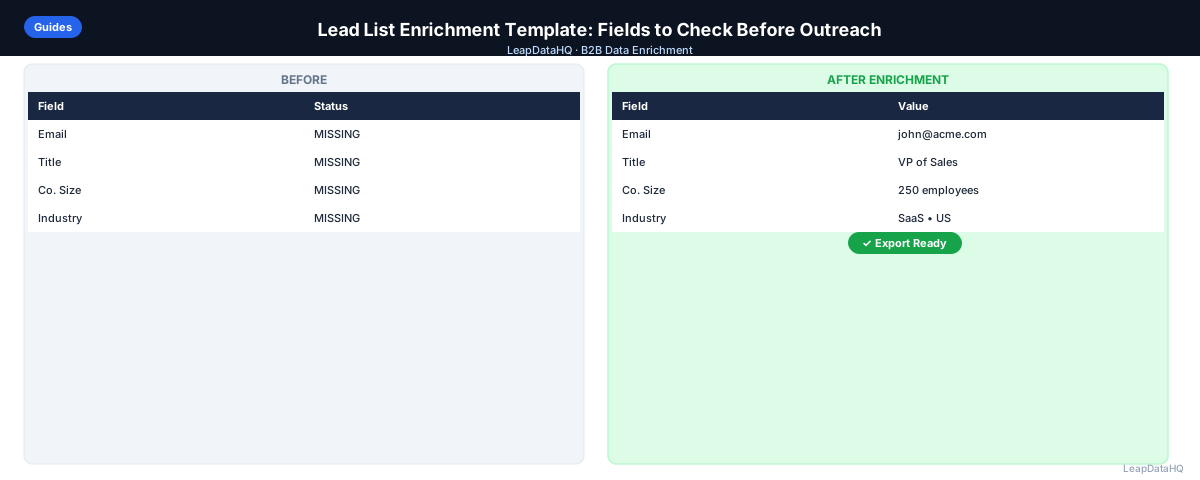
A lead list enrichment template is a structured approach to the fields that need to be populated, checked, and verified before a B2B outreach campaign can run effectively. Without a template, enrichment is done differently each time — sometimes thoroughly, sometimes skipped, with no consistent baseline for what a "ready" list looks like.
This template covers the core fields to check in every enrichment pass, organized by priority and purpose. It also covers how to evaluate those fields — not just whether they're present but whether they're accurate and appropriate for the campaign's context.
Use this as a pre-outreach preparation framework that can be repeated consistently across campaigns and shared with teammates or clients.
The value of a template becomes apparent when you scale. A single campaign prepared without a template may work fine, but when you're running multiple campaigns simultaneously or handing off list preparation between team members, inconsistency becomes a quality problem. One person's idea of "enriched enough" differs from another's. A template with specific check criteria makes those standards explicit and auditable.
This template also serves as a communication tool for agencies preparing lists for clients. When a client asks why their list didn't perform as expected, having a documented enrichment template shows which quality checks were completed and where the data gaps were. It shifts the conversation from subjective quality assessments to objective field-by-field evaluation.
The template also helps with prioritization. Not every field needs to be enriched for every campaign. If you're running a high-volume top-of-funnel sequence, a contact with a verified email and first name may be sufficient. If you're running a highly targeted ABM campaign to senior executives at specific accounts, you need company revenue range, direct dials, and recent job tenure. The template lets you define readiness criteria specific to the campaign type.
The Template Structure
The template is organized into five field groups: identity fields, contact fields, company fields, enrichment quality fields, and campaign readiness fields. Each group has specific "check" criteria — what you verify before considering the field complete — and a recommended action for when the field fails the check.
Not every field group applies to every campaign, but using the full template as a starting point and removing non-applicable sections ensures you don't skip important checks out of habit. The template should function as a safety net, not a bottleneck.
The template is organized into five field groups: identity fields, contact fields, company fields, enrichment quality fields, and campaign readiness fields. Each group has specific "check" criteria — what you verify before considering the field complete — and a recommended action for when the field fails the check.
Common Enrichment Gaps and How to Spot Them
Even with a template, certain enrichment gaps are easy to miss. One of the most common is the contact with a valid, verified email at an old company. The enrichment tool found the email, verification confirmed it's deliverable, but the contact left that company six months ago. The email works, but the contact won't read it because they've moved on.
Another subtle gap is company data that passes ICP checks in isolation but contradicts other fields. For example, a contact at a company listed with 5,000 employees but an email at a small custom domain, or a job title that suggests a role incompatible with the company size. Cross-field consistency checks catch these contradictions that per-field checks miss.
Title seniority drift is another blind spot. A contact whose title was "Director of Sales" when enriched may have been updated to "VP of Sales" since then. If you're using title-based ICP filtering, older enrichment data may systematically exclude or include the wrong contacts. Enrichment date stamps on your template help you identify which records need refreshing.
Integrating the Template with Your Enrichment Tool
The most efficient way to use this template is alongside your enrichment tool's output. When LeapDataHQ returns enriched results, the confidence scores, enrichment dates, and verification status fields map directly to Group 4 of this template. Export these fields alongside your contact data so you can complete the template review without switching between spreadsheets.
Set up your working spreadsheet with the template columns pre-configured as a template file. Before each campaign, duplicate the template, import your raw contacts, run enrichment, and then work through each group's checks. Over time, you may find that certain groups rarely fail — you can deprioritize them for routine campaigns while keeping them in the template for periodic full audits.
The template is organized into five field groups: identity fields, contact fields, company fields, enrichment quality fields, and campaign readiness fields. Each group has specific "check" criteria — what you verify before considering the field complete — and a recommended action for when the field fails the check.
Group 1: Identity Fields (Required)
These fields uniquely identify the contact. Without them, enrichment can't run and personalization can't work.
- First name — Check: present, properly capitalized, no placeholder values. Action if missing: research manually or exclude from campaign.
- Last name — Check: present, properly capitalized. Action if missing: research or exclude.
- Company name — Check: present, standardized across all contacts at the same company. Action if missing: enrich from domain or research.
- Company domain — Check: present, clean bare domain format (no http://, www., paths). Action if missing: enrich from company name or research.
Ready to enrich your CSV list?
Upload a CSV, fill missing data, review confidence scores, and export clean records.
Upload a CSV — Start EnrichingGroup 2: Contact Fields (High Priority)
These fields are required for outreach to happen and for personalization to work correctly.
- Work email — Check: present, valid format, domain matches company domain, not role-based, not personal. Verify: email verification (SMTP check). Action if missing: enrich with high-confidence threshold, then verify.
- Job title — Check: present, appropriate seniority for ICP, properly formatted for personalization tokens. Action if missing: enrich, then review enriched title against ICP criteria.
- LinkedIn URL — Check: present if multi-channel sequence uses LinkedIn steps. Action if missing: enrich or manual lookup for high-priority contacts.
- Direct phone — Check: present if sequence uses call steps. Action if missing: enrich.
Group 3: Company Fields (For Segmentation and ICP)
These fields enable ICP qualification and campaign segmentation. They determine whether the contact is in the right campaign, not just whether they can receive the campaign.
- Company headcount — Check: within ICP range for this campaign (e.g., 50–500 employees for mid-market targeting). Action if outside range: exclude from campaign or assign to different campaign.
- Industry — Check: within target verticals for this campaign. Action if outside range: exclude or assign to different campaign.
- Geography / HQ location — Check: within target region if geo-targeted. Action if outside: exclude.
- Revenue range — Check: within target bracket if campaign is revenue-tiered. Action if outside: reassign.
Group 4: Enrichment Quality Fields (Process Metadata)
These fields are generated by the enrichment process itself and tell you how much to trust the enriched data.
- Confidence score — Check: above threshold (commonly 70+ on a 100-point scale). Action if below: review manually or exclude.
- Enrichment source — Check: which data source the enriched email came from (if tool provides this). Useful for diagnosing quality patterns.
- Enrichment date — Check: within last 6 months for email fields. Action if older: re-enrich to check for job changes.
- Email verification status — Check: "valid" result from SMTP verification tool. Action if "catch-all": segment separately. Action if "invalid": re-enrich or exclude.
Group 5: Campaign Readiness Fields (List Hygiene)
These are list-level checks rather than per-record checks — they ensure the list as a whole is ready for outreach.
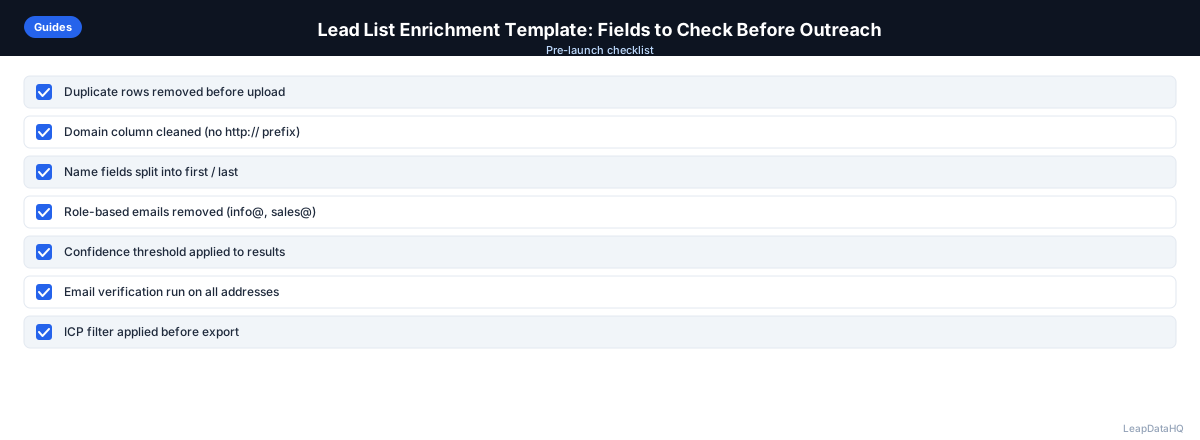
- Deduplication status — Check: no email address appears more than once in the sending list. Action: run deduplication before sending.
- Do-not-contact status — Check: no contacts on opt-out, unsubscribe, or DNC list. Action: cross-reference and remove.
- Active sequence status — Check: no contacts already enrolled in active sequences from the same sending domain. Action: cross-reference and exclude or wait.
- ICP filter status — Check: all contacts pass title, company size, and industry ICP criteria for this specific campaign. Action: remove ICP mismatches.
How to Use This Template
- Populate Groups 1–3 from your raw list source plus enrichment output
- Record Group 4 metadata as columns in your spreadsheet after enrichment runs
- Complete Group 5 checks as the final pre-launch step
- Only progress to campaign launch when all Group 1 fields are complete, Group 2 email field passes verification, and Group 5 checks all pass
- Keep a record of the template completion per campaign for auditing purposes
Minimum Viable Enrichment for a Campaign
If time is limited and a full enrichment pass isn't possible before a campaign must launch, the minimum viable check is: email present and verified, first name present and properly formatted, no role-based addresses, no duplicates. This prevents the highest-impact problems (bounces, spam complaints, double-sending) even if the broader quality improvements are deferred.
When to Use LeapDataHQ
Use this template before every lead enrichment pass in LeapDataHQ. Before uploading your CSV, verify Group 1 fields are populated (identity fields must be present for enrichment to run). After enrichment returns, check Groups 2–4 against the results. Complete Group 5 checks in your spreadsheet before final export.
LeapDataHQ provides confidence scores and enrichment results that map directly to Group 4 fields in this template. Export the confidence column from LeapDataHQ into your working spreadsheet for reference during the Group 4 review step.
Start Enriching LeadsFrequently Asked Questions
How do I turn this template into a reusable spreadsheet?
Create a spreadsheet with each group as a tab. Group 1–3: contact and company field columns with a status column for each (blank/populated/verified). Group 4: confidence score column, enrichment date, verification status. Group 5: checkboxes or status columns for dedup, DNC, sequence, ICP. Add a summary tab that counts passes and fails per group so you can see overall readiness at a glance.
Can this template work for both new prospect lists and existing CRM contacts?
Yes, with small adjustments. For new prospect lists: all groups apply as written. For existing CRM contacts: Group 1 fields should already be populated (check for gaps); focus enrichment effort on Groups 2 and 3 where fields are missing. Group 5 for CRM contacts should additionally check for activity recency (when were they last contacted?) alongside deduplication and DNC status.
What's the most commonly skipped field in lead list enrichment?
Company headcount is commonly skipped because it's not immediately visible as a problem in the outreach workflow — missing headcount doesn't cause a bounce or a blank personalization token. It causes a quieter problem: ICP mismatches that lower reply rates. Contacts outside your target company size range respond less often because the product isn't relevant to them, but the low reply rate gets attributed to messaging or timing rather than targeting.
Should I add custom fields to this template for my specific workflow?
Yes. The template covers universal B2B outreach fields. Add company-specific fields relevant to your ICP or product: for SaaS products, technology stack fields; for recruiting, location fields; for local services, specific geography fields. Add them to Group 3 (company fields) with the same check criteria and action format.
How do I share this template with a client or teammate?
Export as a Google Sheets document with the group tabs set up. Share with view or edit access. For client deliverables, include a completed template alongside the enriched CSV file — it demonstrates the quality checks that were done and gives the client context for how to interpret the confidence and verification status columns.