
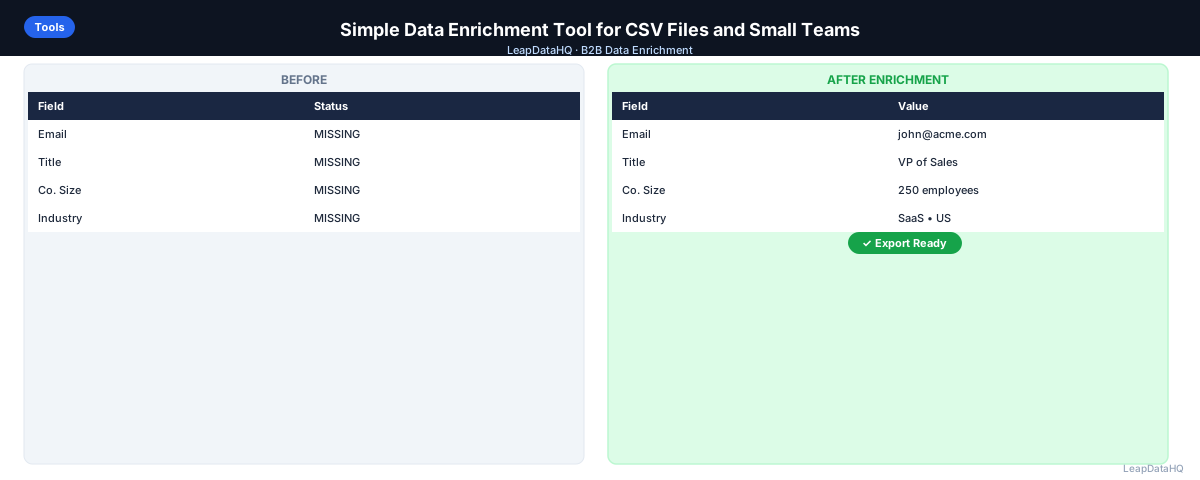
Not every team that needs data enrichment needs an enterprise data platform. Founders doing their own outreach, small agencies delivering lead lists to clients, SDR teams running weekly prospecting batches, and marketing teams enriching event lists — these use cases need a tool that works with a CSV upload, fills missing fields, and exports the results. That's it.
The complexity of enterprise enrichment platforms (Clearbit, ZoomInfo, custom API integrations, seat-based pricing, annual contracts) isn't warranted for teams running a few enrichment passes per month on lists of a few hundred to a few thousand contacts. For these teams, a simple enrichment tool is the right choice — one that matches the scale of their actual work.
This guide covers what to look for in a simple data enrichment tool, how to evaluate whether a tool is genuinely simple or just marketed as simple, and how the workflow differs from complex enterprise alternatives.
What Makes a Data Enrichment Tool "Simple"
A simple enrichment tool has four characteristics:
- CSV-first workflow: upload a file, get a file back — no API setup, no CRM integration required, no technical prerequisites
- Transparent pricing: credit-based or per-row pricing that scales with actual usage, not seat-based or annual contract pricing that charges for capacity whether you use it or not
- Confidence indicators on results: shows you how certain the tool is about each result so you can make informed decisions about which rows to trust
- No setup overhead: works on first login without technical configuration, custom data mapping setup, or integration configuration
What Small Teams and Founders Actually Need from Enrichment
The specific enrichment use cases for small teams are concrete:
- Find work email addresses for a list of LinkedIn contacts where emails aren't available
- Fill missing job titles in a prospect list for personalization
- Add company size and industry fields to a contact list for ICP qualification
- Clean up a CRM export by finding updated email addresses for contacts with stale data
- Deliver enriched lead lists to clients (for agencies) without per-seat pricing that makes small batches economically impractical
Step 1: Start with a Clean CSV
A simple tool produces better results when the input is clean. Before uploading, do a quick cleanup: make sure company domains are in bare format (acme.com, not https://www.acme.com), names are in separate first/last columns, and the file has clear column headers. This takes 10 minutes and meaningfully improves match rates.
Step 2: Detect What's Missing
Identify which fields are blank across your list. Count blanks in each key column. This tells you which enrichment fields to request — request only what you need, not everything available. Over-requesting wastes credits on fields you won't use.
Step 3: Upload and Enrich
Upload the CSV to the enrichment tool. Map your columns to the enrichment fields. Select the fields you want to fill. Submit. A simple tool returns results quickly — a few hundred contacts takes seconds to minutes, not hours or batches queued for next-day processing.
Ready to enrich your CSV list?
Upload a CSV, fill missing data, review confidence scores, and export clean records.
Upload a CSV — Start EnrichingStep 4: Review Confidence
A good simple enrichment tool shows confidence indicators on results. Review the distribution: how many results are high-confidence, mid-confidence, low-confidence? Apply a threshold — use a confidence score filter if available, or sort and select manually. High-confidence results go to your output; low-confidence results need manual verification or exclusion.
Step 5: Fix Bad Rows
After applying your confidence threshold, do a final cleanup: remove role-based emails, remove ICP mismatches revealed by enriched company data, remove duplicates. This is fast when the list has already been through a quality pass.
Step 6: Export the Enriched File
Export the cleaned, enriched CSV. A simple tool returns a CSV you can use immediately in a sequencer, CRM, or deliver directly to a client. No additional format conversion or field remapping required.
Step 7: Run Email Verification
Before campaign send or client delivery, run the enriched email addresses through an email verification tool. This step is outside the enrichment workflow but essential before any outreach. Simple verification tools accept CSV upload and return a status column in a few minutes.
What to Avoid in "Simple" Enrichment Tools
- Annual contracts that charge monthly whether you use the tool or not
- Per-seat pricing that makes it expensive to give access to one additional person on the team
- API-only access that requires developer setup to get started
- No confidence indicators: tools that return results without any quality signal require you to trust everything equally
- Black-box processing: tools that return results with no explanation of where the data came from or how certain the result is
- Slow processing for small batches: if a 200-contact list takes hours to process, that's optimized for enterprise batch jobs, not team-level workflows
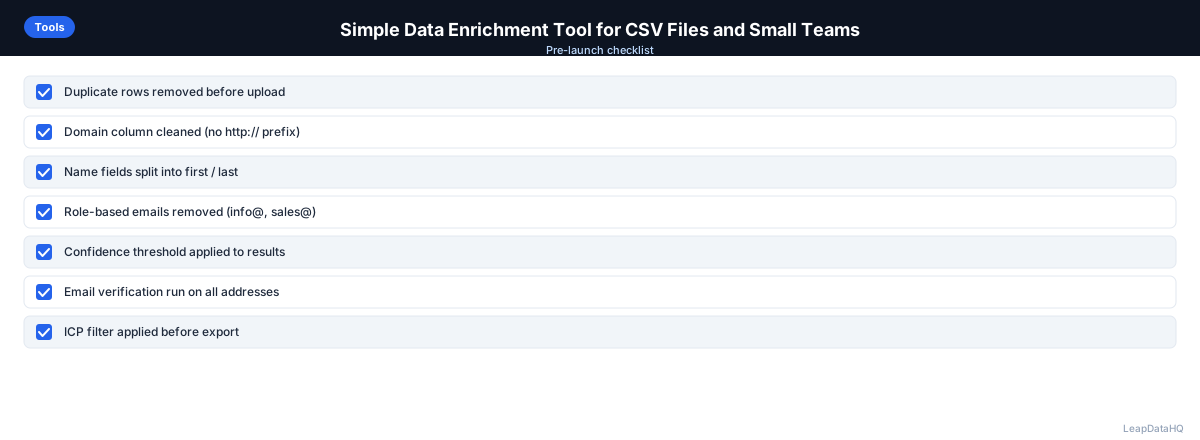
Simple Enrichment Workflow Checklist
- ☐ CSV cleaned (domains, names, headers)
- ☐ Missing fields identified before upload
- ☐ Enrichment fields selected to match only actual gaps
- ☐ Confidence threshold applied to results
- ☐ Role-based and mismatched emails removed
- ☐ Email verification run post-enrichment
- ☐ File exported and ready for use
When to Use LeapDataHQ
LeapDataHQ is built as a simple enrichment tool: CSV upload, field enrichment, confidence review, CSV export. No annual contract, no seat pricing, no developer setup. Credit-based pricing means you pay per enrichment batch.
It works for: founders finding emails for prospect lists, agencies enriching client lead deliverables, SDR teams preparing weekly prospecting batches, and marketing teams enriching event or inbound lead lists. Visit /features for the full enrichment field list and /pricing to see current credit pricing.
Start Enriching LeadsFrequently Asked Questions
What's the difference between a simple enrichment tool and an enterprise data platform?
Simple tools are CSV-first, credit or pay-per-use priced, and usable without technical setup. Enterprise data platforms (ZoomInfo, Clearbit, Clay) are API-integrated, seat or annual priced, and require implementation time and sometimes developer involvement. Enterprise platforms offer more data depth, more fields, and native CRM integrations — but for teams running occasional small-batch enrichment, the cost and complexity aren't justified by the use case.
How many contacts can a simple enrichment tool handle?
Most simple CSV-based enrichment tools handle files from a few contacts up to 10,000–50,000 rows per upload. For very large enrichment needs (hundreds of thousands of contacts), enterprise platforms or API-based tools are more appropriate. For the majority of small team use cases — 50 to a few thousand contacts per batch — simple tools are sufficient.
Is credit-based pricing actually cheaper than subscription pricing?
Depends on usage volume and frequency. For teams running enrichment irregularly (a few batches per month), credit-based pricing is cheaper because you're not paying for unused subscription capacity. For teams running daily enrichment at high volume, a subscription plan may offer better economics once monthly volume exceeds a certain threshold. Calculate your actual monthly usage before deciding.
Can a simple tool replace a full data intelligence platform?
For some use cases, yes. If your enrichment need is: find work emails for a list of contacts, fill missing job titles and company fields, run a CRM cleanup pass quarterly — a simple tool handles all of this without a full data intelligence platform. If you need intent data, account intelligence, contact sequencing, or advanced analytics, a full platform adds capabilities a simple tool doesn't provide.
What fields can simple enrichment tools typically find?
Work email addresses, job titles, company names, company domains, company headcount, industry, headquarters location, and LinkedIn URLs are commonly available from simple enrichment tools. More advanced fields — technology stack, intent signals, funding history, org chart relationships — typically require enterprise platforms or specialized tools.