
CRM Cleanup
Step-by-step guides on cleaning your CRM data — removing duplicates, standardising fields, and refreshing outdated records.
Every CRM suffers from data decay. Contacts change jobs, companies merge, phone numbers get disconnected, and email addresses go dark. Research suggests that CRM data decays at a rate of roughly 3% per month, meaning that after a year, more than 30% of your records may contain inaccurate information. CRM cleanup is the process of systematically identifying and fixing these issues.
CRM cleanup encompasses several distinct workflows. Deduplication identifies and merges multiple records for the same person or company. Standardisation ensures consistency in how data is formatted across your database — making sure "LLC" is not stored as "llc" in some records and "Limited Liability Company" in others. Data verification checks the accuracy of existing fields against current sources. And data refresh appends new information to records that have gone stale.
This category provides practical, tool-agnostic guidance on how to approach each of these workflows, whether you use a dedicated CRM cleaning tool or handle cleanup manually. Regular CRM maintenance is not optional for teams that rely on their CRM for outbound sales and marketing.
CRM Cleanup Articles(12)
CRM Data Cleaning Guide: Fix Bad Data Before It Hurts Sales
Bad CRM data costs sales teams in bounced emails, wasted research time, and inaccurate forecasting. This guide walks through a practical cleaning process — from audit to ongoing maintenance.
Read guide →
HubSpot Data Enrichment Guide for Cleaner Sales Pipelines
Incomplete HubSpot records lead to poor segmentation, wasted outreach, and unreliable reporting. This guide covers how to enrich HubSpot data to fill gaps and keep your pipeline accurate.
Read guide →
Salesforce Data Enrichment Guide for Better Pipeline Quality
Salesforce data quality degrades without regular enrichment. This guide walks through how to identify gaps, enrich records in bulk, and import results back to improve your Salesforce pipeline.
Read guide →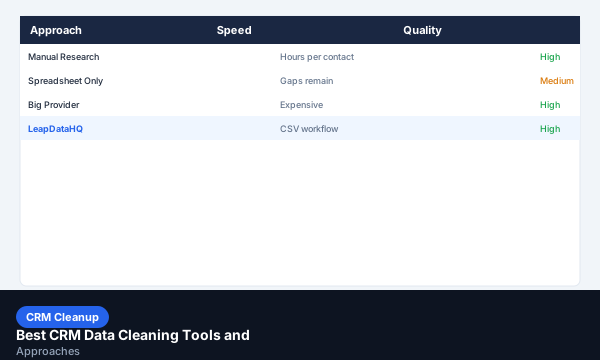
Best CRM Data Cleaning Tools and Approaches
CRM data cleaning fixes duplicate records, outdated contacts, inconsistent formatting, and missing fields. This guide covers the best approaches and tools for keeping your CRM clean.
Read guide →
HubSpot Data Cleanup Guide for Small Sales Teams
Small sales teams using HubSpot often inherit messy contact records. This guide walks through how to export, enrich, and re-import cleaner contact data.
Read guide →
Salesforce Data Cleanup Guide for Better Pipeline Data
Salesforce data cleanup improves pipeline accuracy and outreach performance. This guide covers exporting, enriching, and re-importing cleaner Salesforce records.
Read guide →
How to Fix Bad CRM Data Without Rebuilding Your Whole System
Bad CRM data doesn't require a full rebuild to fix. A systematic export-enrich-re-import workflow can significantly improve record quality without disrupting your setup.
Read guide →
CSV to CRM Cleanup Workflow: Prepare Data Before Importing
Importing a dirty CSV into a CRM creates bad records that are hard to fix later. This workflow prepares your data before it enters the CRM.
Read guide →
CRM Field Cleanup: Fix Missing, Messy, and Unmapped Contact Fields
Mismatched, blank, or unmapped contact fields hurt sales forecasting. Follow this CRM cleanup guide to map and standardize your CRM records.
Read guide →
Account List Cleanup: Fix Company Data Before Prospecting
Dirty account data leads to duplicate prospects and sales routing issues. Learn how to deduplicate, clean, and standardize company lists.
Read guide →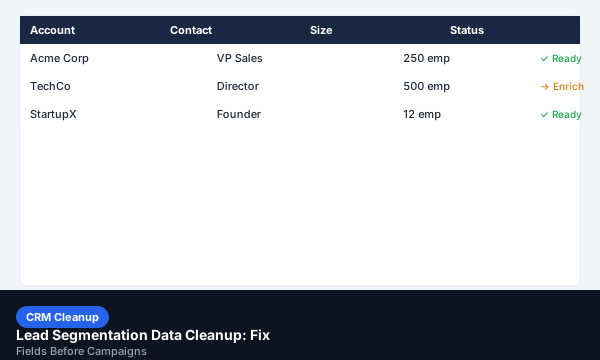
Lead Segmentation Data Cleanup: Fix Fields Before Campaigns
Inaccurate segmentation fields lead to misrouted emails and sales territory disputes. Learn how to clean segmentation data before sending.
Read guide →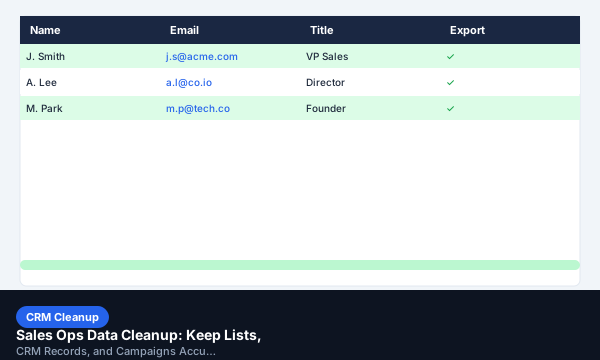
Sales Ops Data Cleanup: Keep Lists, CRM Records, and Campaigns Accurate
How Sales Operations teams can implement weekly or monthly list-grooming rituals, audits, and automation templates to maintain list accuracy.
Read guide →Explore LeapDataHQ
Frequently Asked Questions About CRM Cleanup
What is CRM cleanup?
CRM cleanup is the process of auditing your database for duplicates, incorrect formatting, outdated information, and missing fields, then correcting those issues through deduplication, standardisation, and enrichment.
How long does CRM cleanup take?
Cleanup time depends on database size and data quality. A high-quality enrichment tool can clean and enrich thousands of records in minutes, while manual cleanup of a small database may take several hours.
What is data decay in CRM?
Data decay is the natural rate at which contact and company information becomes outdated. B2B databases typically decay at around 3% per month, driven by job changes, company changes, and disconnected phone numbers.
Ready to enrich your leads?
Upload a CSV, fill in missing contact and company data, review confidence signals, and export a clean list ready for outreach.